


Is Amazon Music free with Prime? Yes, Amazon Music is absolutely free for Amazon Prime members in 2026, and it’s one of the most valuable perks included in your Prime membership.
Known as Amazon Music Prime, this streaming service provides access to over 100 million songs, thousands of ad-free podcasts, curated playlists, and personalized stations—all at no additional cost beyond your $14.99 monthly Prime subscription.
However, there’s an important distinction to understand: while Amazon Music Prime is free, Amazon also offers Amazon Music Unlimited, a premium upgrade with on-demand playback, HD audio quality, and unlimited skips that requires a separate subscription.
What is Amazon Music Prime?
Amazon Music Prime is a music streaming service included free with every Amazon Prime membership. It provides unlimited access to Amazon’s complete catalog without requiring any additional payment.
Prime members can stream over 100 million songs completely ad-free across all devices. The service also includes the largest collection of ad-free top podcasts available on any streaming platform.
This service is automatically available to all Amazon Prime subscribers. You don’t need to sign up separately or pay extra fees to access Amazon Music Prime.
Is Amazon Music Really Free With Prime?
Yes, Amazon Music Prime is genuinely free for all Amazon Prime members. There are no hidden fees or additional charges beyond your standard Prime membership cost.
Your $14.99/month (or $139/year) Prime subscription automatically includes full access to Amazon Music Prime. This makes it an exceptional value when combined with all other Prime benefits.
However, it’s crucial to understand that Amazon Music Unlimited is a separate paid service. Many users confuse these two offerings and wonder why they’re being charged.
Amazon Prime Membership Cost 2026
Amazon Prime costs $14.99 per month or $139 per year as of 2026. This single subscription includes Amazon Music Prime along with numerous other benefits.
Students can access Amazon Prime Student for only $7.49 per month or $69 per year. This discounted rate includes full access to Amazon Music Prime as well.
When you calculate the value, you’re getting shipping, video streaming, photo storage, and music streaming all included. Amazon Music Prime alone would cost $9.99 monthly as a standalone service.
What’s Included in Amazon Music Prime?
Amazon Music Prime includes access to 100 million songs from all genres and artists. You can discover everything from Billboard hits to indie artists and classical music.
The service provides thousands of curated playlists organized by mood, activity, and genre. These playlists are expertly crafted and regularly updated with fresh content.
Ad-free podcast streaming is another major feature included at no extra cost. You can listen to top podcasts without interruption or commercial breaks.
Personalized radio stations based on your listening habits are automatically created. These stations help you discover new music similar to your favorite artists.
Limitations of Free Amazon Music Prime
Amazon Music Prime operates primarily in shuffle mode for most content. You cannot select specific songs to play on-demand except from designated All-Access Playlists.
When you choose an artist or album, the service plays a curated mix of similar music. It won’t play your exact selection in the order you want.
Offline downloads are limited to All-Access Playlists only. You cannot download entire albums or individual songs for offline listening.
Audio quality is limited to standard definition streaming. HD and Ultra HD audio quality are not available with Amazon Music Prime.
You can only stream on one device at a time with Prime Music. Multiple simultaneous streams require upgrading to Amazon Music Unlimited Family Plan.
Amazon Music Unlimited – The Premium Upgrade
Amazon Music Unlimited is Amazon’s premium music streaming service with expanded features. It removes all the limitations present in Amazon Music Prime.
This paid tier provides full on-demand control over every song in the catalog. You can play any specific track, skip unlimited times, and create custom playlists.
The subscription costs $11.99/month for Prime members or $12.99/month for non-Prime subscribers. An annual plan is available for $119/year for Prime members.
Family plans cost $21.99/month and allow streaming on up to six devices simultaneously. Student plans are available for $5.99/month with valid student verification.
Key Differences: Prime vs Unlimited
The most significant difference is playback control—Prime offers shuffle mode while Unlimited provides on-demand playback. This fundamentally changes how you experience music.
Audio quality differs dramatically between the two services. Unlimited includes HD (16-bit/44.1kHz) and Ultra HD (24-bit/192kHz) lossless audio streaming.
Offline downloads are unrestricted with Music Unlimited. You can download any song, album, or playlist for offline listening anywhere.
Spatial audio formats including Dolby Atmos and 360 Reality Audio are exclusive to Unlimited subscribers. These immersive audio formats enhance your listening experience significantly.
Skip limits don’t exist on Music Unlimited, but Prime restricts skips on user-created playlists. This can be frustrating when you want to skip songs you don’t like.
Amazon Music Free (Without Prime)
Amazon also offers Amazon Music Free for users without Prime membership. This completely free tier requires no subscription or credit card information.
However, Amazon Music Free includes advertisements between songs and podcasts. The ad-supported experience is similar to Spotify’s free tier.
Playback is restricted to shuffle mode only with no ability to select specific songs. You can choose playlists and stations but cannot control individual track selection.
Offline downloads are not available at all with Amazon Music Free. Streaming requires constant internet connectivity to function.
The free tier limits the number of skips allowed per hour. Once you’ve exceeded your skip limit, you must listen to what plays next.
How to Access Amazon Music Prime
If you’re already an Amazon Prime member, simply download the Amazon Music app. It’s available on iOS, Android, Windows, macOS, and web browsers.
Open the app and sign in with your Amazon account credentials. Your Prime membership will automatically be recognized and activated.
No additional registration or payment setup is required. You can start streaming immediately after logging into the application.
The service is also accessible through Alexa-enabled devices like Echo speakers. Simply ask “Alexa, play music” to begin streaming.
Compatible Devices and Platforms
Amazon Music Prime works on smartphones and tablets running iOS or Android. The mobile apps provide full functionality for streaming and limited offline playback.
Desktop computers can access the service through web browsers or dedicated desktop applications. Both Windows and macOS native apps are available for download.
Smart speakers including all Amazon Echo devices support voice-controlled playback. Fire TV devices and Fire tablets also have built-in Amazon Music support.
Third-party devices like Sonos speakers, car entertainment systems, and smartwatches integrate with Amazon Music. The service is compatible with most major streaming platforms.
Amazon Music Prime Sound Quality
Amazon Music Prime streams in standard definition audio quality. The bitrate is typically around 256 kbps, which is adequate for casual listening.
This quality level is comparable to standard Spotify streaming. Most users find it perfectly acceptable for everyday use and background music.
However, audiophiles and music enthusiasts will notice the quality difference. Compressed audio lacks the clarity and detail present in lossless formats.
The standard quality works well on smartphone speakers and basic headphones. High-end audio equipment will reveal the limitations of compressed streaming.
If sound quality is a priority, Amazon Music Unlimited offers significantly better HD and Ultra HD options. The difference is noticeable on quality headphones and speakers.
All-Access Playlists Explained
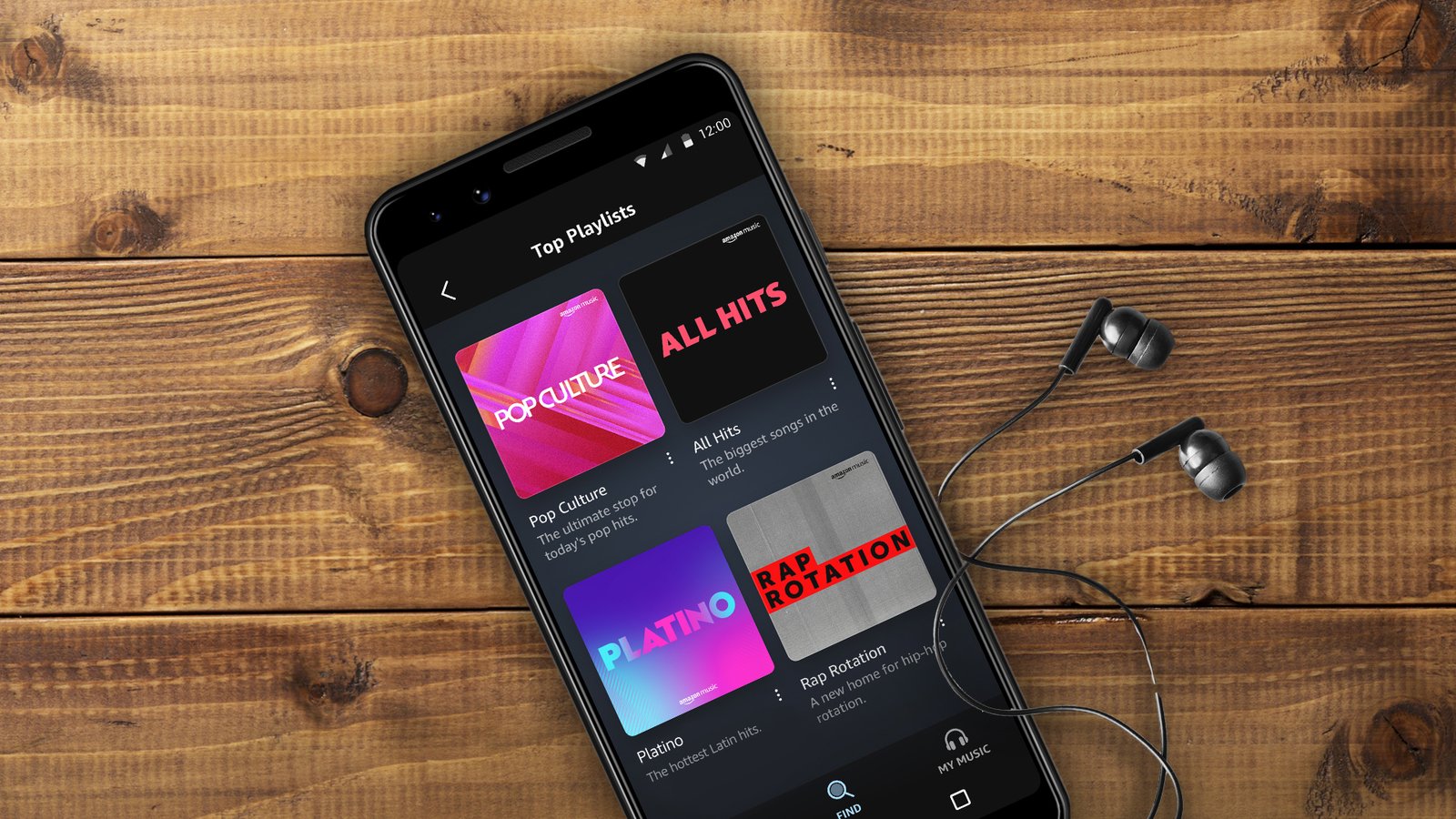
All-Access Playlists are specially curated playlists that bypass normal Prime Music restrictions. These playlists allow on-demand playback of every song included.
You can select specific tracks within All-Access Playlists without shuffle mode. This provides more control over your listening experience with free Prime Music.
Offline downloads are permitted for All-Access Playlists only. This lets you save these playlists to your device for listening without internet.
Amazon regularly updates and adds new All-Access Playlists across various genres. These playlists often feature popular hits, workout music, and seasonal content.
While All-Access Playlists offer more flexibility, they’re still limited compared to Unlimited. The selection is curated by Amazon rather than user-controlled.
Podcast Streaming on Amazon Music Prime
Amazon Music Prime includes the largest catalog of ad-free top podcasts. This extensive library covers news, entertainment, true crime, comedy, and educational content.
Unlike many competing platforms, these podcasts are completely ad-free for Prime members. You won’t hear commercial interruptions during podcast episodes.
The podcast selection includes exclusive Amazon Originals content. These exclusive shows are not available on other podcast platforms.
Podcast discovery features help you find new shows based on interests. Personalized recommendations surface podcasts aligned with your listening preferences.
Downloaded podcast episodes are available offline through All-Access Playlist functionality. This allows commute listening without using mobile data.
Alexa Integration and Voice Control
Amazon Music Prime integrates seamlessly with Alexa voice assistant. You can control playback entirely through voice commands on Echo devices.
Simply say “Alexa, play music” to start streaming instantly. Alexa will select music based on your listening history and preferences.
More specific commands like “Alexa, play jazz music” or “Alexa, shuffle my liked songs” work perfectly. Voice control makes hands-free listening incredibly convenient.
You can ask Alexa to identify songs currently playing with “Alexa, what song is this?” This feature helps you discover new music effortlessly.
Request specific artists, albums, or playlists by name using voice commands. Alexa understands natural language and contextual requests remarkably well.
Managing Your Amazon Music Subscription
Check your current Amazon Music subscription status in your Amazon account settings. Navigate to “Memberships & Subscriptions” to view active services.
If you have both Prime and Unlimited, you’ll see separate line items listed. This helps identify whether you’re being charged for premium features.
Canceling Amazon Music Unlimited doesn’t affect your Prime Music access. You’ll revert to the free Prime Music tier with its standard limitations.
Update payment methods and subscription preferences directly through your Amazon account. No need to contact customer service for basic management tasks.
Set subscription renewal reminders to avoid unexpected charges. Free trials automatically convert to paid subscriptions unless canceled beforehand.
Why You Might Be Charged Despite Having Prime
The most common reason for unexpected charges is accidentally subscribing to Amazon Music Unlimited. Free trials automatically convert to paid subscriptions after expiration.
Some users sign up for Unlimited through special promotional offers without realizing it. These trials may last 30-90 days before billing begins.
Purchasing individual songs or albums from Amazon’s digital music store creates separate charges. These purchases are distinct from streaming subscriptions.
Family members added to Amazon Household may inadvertently subscribe to premium services. Check all linked accounts to identify the source of charges.
Amazon occasionally offers discounted Unlimited trials that convert to full price afterward. Always verify trial terms before accepting promotional offers.
Family Sharing and Multiple Users
Amazon Music Prime allows streaming on one device at a time per account. Multiple simultaneous streams require separate Prime memberships or Unlimited Family Plan.
The Amazon Music Unlimited Family Plan costs $21.99/month and supports six users. Each family member maintains separate accounts with personalized recommendations.
Family members must be invited via email and have their own Amazon accounts. They’ll gain access using their individual login credentials, not a shared account.
Each user on a Family Plan gets independent music libraries and listening history. Recommendations and preferences remain personalized and private to each individual.
Parents can add children to Family Plans, though parental controls are limited. Review content accessibility before adding younger family members to subscriptions.
Student Discount for Amazon Music
College students with valid .edu email addresses qualify for Amazon Prime Student. This discounted membership costs only $7.49/month or $69/year.
Prime Student includes full access to Amazon Music Prime at no additional cost. Students get the same music catalog as regular Prime members.
The student discount also applies to Amazon Music Unlimited subscriptions. Students pay only $5.99/month instead of the standard $11.99 rate.
You must verify student status through TrueID or upload proof of enrollment. Verification is required both initially and periodically to maintain student pricing.
Prime Student benefits last for four years maximum or until graduation. After this period, subscriptions convert to standard Prime membership pricing.
Comparing Amazon Music to Competitors

Spotify Premium costs $11.99/month without any additional membership benefits. Amazon Music Prime effectively costs nothing extra for Prime members.
Apple Music charges $10.99/month and offers lossless audio at no extra charge. However, it requires a standalone subscription unlike Amazon Music Prime.
YouTube Music Premium costs $10.99/month and includes ad-free YouTube videos. The bundled value is strong, but still requires a dedicated subscription.
Tidal offers high-fidelity audio for $10.99/month but has a smaller music library. Amazon Music Unlimited matches this quality at a competitive price.
When factoring in the free Amazon Music Prime with existing Prime membership, the value proposition is unbeatable. You’re essentially getting music streaming as a bonus.
Creating Playlists on Amazon Music Prime
You can create custom playlists with Amazon Music Prime, though functionality is limited. User-created playlists play in shuffle mode unless they contain purchased songs.
Add songs to playlists by browsing the catalog and selecting the “Add to Playlist” option. You can organize multiple playlists by mood, activity, or genre.
Skip limits apply to user-created playlists on Amazon Music Prime. You may encounter restrictions on how many songs you can skip per hour.
Downloaded user-created playlists are only available offline if designated as All-Access. Standard playlists require internet connectivity for streaming playback.
For full playlist control without restrictions, upgrading to Amazon Music Unlimited is necessary. Unlimited removes all skip limits and enables on-demand track selection.
Offline Listening Capabilities
Amazon Music Prime permits offline downloads exclusively for All-Access Playlists. These pre-curated playlists can be saved to your device storage.
To download offline content, open an All-Access Playlist and tap the download icon. The playlist will save to your device for listening without internet.
Downloaded content remains accessible as long as you maintain Prime membership. Canceling Prime will remove access to all downloaded music.
Storage requirements vary based on playlist length and audio quality. Ensure sufficient device storage before downloading multiple playlists.
Offline playback is ideal for flights, commutes, and areas with poor connectivity. Plan ahead and download playlists before entering offline situations.
Discovering New Music on Amazon Music Prime
Amazon Music uses sophisticated algorithms to recommend new music based on listening habits. Personalized stations automatically generate content matching your preferences.
The “Discover” section highlights new releases, trending songs, and personalized recommendations. This curated space helps you explore beyond your normal listening patterns.
Genre-specific stations provide endless discovery within your preferred music styles. Jazz, rock, country, hip-hop, and electronic stations offer deep catalog exploration.
Following favorite artists ensures you receive notifications about new releases. Amazon Music alerts you when followed artists drop new albums or singles.
Daily updated playlists like “Just for You” reflect your evolving tastes. These personalized playlists introduce new songs similar to your favorites.
Music Library Organization
Your Music Library stores liked songs, albums, and playlists in one centralized location. Access your library through the dedicated Library tab in the app.
Organize content using folders and custom categorization options. Create folders for different moods, activities, or music genres.
Recently played content appears at the top of your library for easy access. This quick access section helps you resume listening seamlessly.
Mark songs as favorites by tapping the heart icon during playback. Favorite songs populate a dedicated “Liked Songs” collection automatically.
Downloaded content is clearly marked within your library for offline access verification. This helps you identify which playlists are available without internet.
Amazon Music Prime on Mobile Devices
The Amazon Music mobile app is available for both iOS and Android devices. Download it free from the App Store or Google Play Store.
The mobile interface provides intuitive navigation with tabs for Home, Browse, and Library. Swipe gestures allow quick access to playback controls and settings.
Mobile data usage settings help control streaming quality on cellular networks. Lower quality settings conserve data while maintaining acceptable audio performance.
Background playback allows music to continue while using other apps. The service integrates with mobile lock screens for convenient control.
Car mode features larger buttons and simplified interfaces for safer driving operation. This mode minimizes distractions while maintaining full playback functionality.
Desktop and Web Access
Access Amazon Music Prime through web browsers at music.amazon.com. The web player provides full functionality without requiring software installation.
Desktop applications for Windows and macOS offer enhanced performance and features. Download these apps from Amazon’s website for offline playback support.
The desktop interface displays larger album artwork and detailed track information. This enhanced visual experience is ideal for focused listening sessions.
Keyboard shortcuts enable quick control of playback, volume, and navigation. Power users can streamline their listening experience with shortcut combinations.
Desktop apps support higher quality streaming than web browsers in some cases. The dedicated applications often provide better audio processing and buffering.
Amazon Music on Smart TVs
Fire TV devices have built-in Amazon Music support with optimized interfaces. Navigate using your Fire TV remote to browse and play music.
Third-party smart TVs often support Amazon Music through app stores. Samsung, LG, Sony, and other major TV brands offer Amazon Music apps.
Display lyrics on your TV screen while music plays for karaoke-style singing. This visual element adds entertainment value to listening sessions.
Control TV playback using Alexa voice commands for hands-free operation. Simply speak to your Alexa remote or Echo device to control what plays.
Music visualization features display animated graphics that respond to songs. These visualizations create ambient viewing experiences during parties or relaxation.
Lyrics and Song Information

Amazon Music displays synchronized lyrics for millions of songs. Lyrics scroll in real-time as the song plays, enhancing the listening experience.
Tap the lyrics icon during playback to view full song lyrics. The interface highlights the current line being sung in the song.
Song information panels show artist biographies, album details, and release dates. Learn more about the music you’re enjoying without leaving the app.
Related artists and similar songs appear at the bottom of song pages. This discovery feature helps you find new music based on current selections.
Share lyrics and songs directly to social media platforms from within the app. Instagram Stories, Twitter, and Facebook integration makes sharing seamless.
Social Features and Sharing
Share your favorite songs, albums, and playlists with friends via text or social media. Amazon Music generates shareable links that anyone can access.
Follow friends to see what they’re listening to and discover new music. Social listening features create community around music discovery.
Collaborative playlists allow multiple users to add songs to shared collections. Friends can contribute to party playlists or themed music collections.
Post your current listening activity to social media automatically if desired. This optional feature lets followers know what you’re enjoying.
Privacy settings control whether your listening activity is visible to others. Adjust these settings to maintain privacy while using social features.
Troubleshooting Common Issues
If music won’t play, verify your internet connection strength and stability. Weak connections cause buffering and playback failures.
Ensure your Amazon Music app is updated to the latest version. Outdated apps may experience compatibility issues and bugs.
Clear app cache and data if experiencing persistent performance problems. This often resolves glitches and improves application responsiveness.
Log out and back into your Amazon account to refresh subscription status. This resolves issues where Prime membership isn’t recognized properly.
Contact Amazon customer support for account-specific billing or subscription questions. They can clarify charges and subscription statuses directly.
Data Usage and Streaming Quality
Standard streaming quality on Amazon Music Prime uses approximately 50MB per hour. This moderate data consumption suits most mobile data plans.
Adjust streaming quality in settings to reduce data usage on cellular networks. Lower quality settings can reduce consumption to 20-30MB per hour.
Wi-Fi streaming doesn’t count against mobile data caps. Connect to Wi-Fi whenever possible to preserve cellular data allowances.
Download music over Wi-Fi for offline playback to avoid streaming data charges. This strategy maximizes data plan efficiency during commutes.
Monitor data usage through your phone’s settings to track Amazon Music consumption. This awareness helps prevent overage charges on limited data plans.
Privacy and Data Collection
Amazon collects listening data to improve recommendations and personalize your experience. This data includes songs played, skipped, and liked.
You can review and delete listening history through your Amazon account privacy settings. Control what data Amazon retains about your music preferences.
Opt out of personalized advertising based on listening habits if preferred. Privacy settings allow granular control over data usage.
Amazon Music doesn’t sell your personal data to third parties. Data is used internally for service improvement and recommendations only.
Two-factor authentication adds security to your Amazon account and music library. Enable this feature to protect against unauthorized access.
Future of Amazon Music Prime
Amazon continues investing in expanding the podcast library and exclusive content. Original podcasts and shows enhance the value proposition for Prime members.
Integration with emerging audio technologies like spatial audio will likely expand. Amazon is actively developing immersive audio experiences for music listeners.
Improved AI-powered recommendations will make music discovery more accurate over time. Machine learning algorithms continuously improve at understanding preferences.
Expanded device compatibility will bring Amazon Music to more platforms. Amazon seeks to make music accessible on every device consumers use daily.
The distinction between Prime and Unlimited may evolve with feature additions. Amazon regularly updates services to remain competitive with rival platforms.
Is Amazon Music Prime Worth It?
For existing Amazon Prime members, Amazon Music Prime is absolutely worth using. It’s included at no extra cost and provides substantial value.
Casual listeners who don’t mind shuffle mode will find Prime Music perfectly adequate. The ad-free experience and large catalog satisfy most basic listening needs.
Users who want specific song control should consider Amazon Music Unlimited. The premium tier removes frustrating limitations and enhances enjoyment significantly.
The combination of music, shipping, video, and other Prime benefits creates exceptional value. No competitor bundles this many services at a comparable price.
Evaluate your listening habits honestly before deciding whether to upgrade. If you frequently get frustrated by shuffle mode, Unlimited is worth the investment.
Frequently Asked Questions (FAQs)
Is Amazon Music completely free with Amazon Prime?
Yes, Amazon Music Prime is completely free for all Amazon Prime members. You get access to 100 million songs and ad-free podcasts without any additional charges beyond your Prime membership.
What’s the difference between Amazon Music Prime and Amazon Music Unlimited?
Amazon Music Prime offers shuffle-based playback included free with Prime, while Amazon Music Unlimited provides on-demand playback, HD audio quality, unlimited skips, and full offline downloads for $11.99/month for Prime members.
Why am I being charged for Amazon Music when I have Prime?
You’re likely subscribed to Amazon Music Unlimited, which is a separate paid service. Amazon Music Prime is free, but Unlimited requires an additional monthly subscription fee beyond your Prime membership.
Can I download songs for offline listening with Amazon Music Prime?
Yes, but downloads are limited to designated All-Access Playlists only. You cannot download individual songs, albums, or user-created playlists with Amazon Music Prime.
How many devices can stream Amazon Music Prime simultaneously?
Amazon Music Prime allows streaming on only one device at a time. Multiple simultaneous streams require the Amazon Music Unlimited Family Plan which costs $21.99/month.
Does Amazon Music Prime have good sound quality?
Amazon Music Prime streams in standard definition at approximately 256 kbps. This quality is adequate for casual listening but not comparable to HD or lossless audio formats available with Unlimited.
Can I use Amazon Music Prime without Amazon Prime membership?
No, Amazon Music Prime requires an active Amazon Prime membership. Without Prime, you can use Amazon Music Free (with ads) or purchase Amazon Music Unlimited separately.
Is there a student discount for Amazon Music?
Yes, college students can get Amazon Prime Student for $7.49/month which includes Amazon Music Prime. Students can also get Amazon Music Unlimited for only $5.99/month with valid student verification.
Does Amazon Music Prime work with Alexa?
Yes, Amazon Music Prime integrates seamlessly with Alexa-enabled devices. You can control playback entirely through voice commands on Echo speakers and other Alexa devices.
How do I cancel Amazon Music Unlimited if I only want Prime Music?
Visit your Amazon account’s “Memberships & Subscriptions” section and cancel the Amazon Music Unlimited subscription. You’ll automatically revert to the free Amazon Music Prime included with your Prime membership.
Conclusion
Is Amazon Music free with Prime? The answer is definitively yes—Amazon Music Prime is included free with every Amazon Prime membership in 2026, providing exceptional value for subscribers.
With access to over 100 million songs, thousands of ad-free podcasts, curated playlists, and personalized stations, Prime members receive a robust music streaming service at no additional cost beyond their $14.99 monthly Prime subscription. However, understanding the limitations of the free tier is crucial for setting appropriate expectations about the listening experience.
Amazon Music Prime operates primarily in shuffle mode, restricts offline downloads to All-Access Playlists, limits simultaneous streaming to one device, and provides only standard audio quality.


