


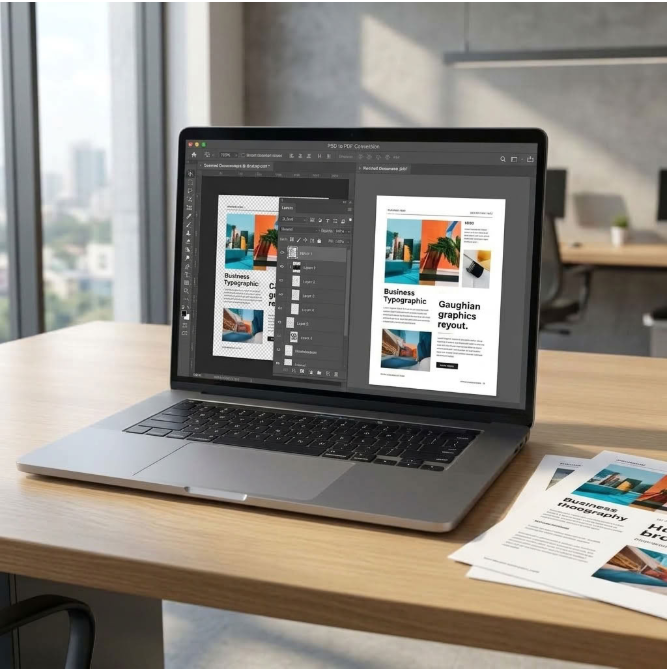
PSD format in Photoshop provides a wonderful platform when you want to save and edit the design, but sharing becomes problematic with this type of format. The reason behind this problem lies in the large size of files, lack of compatibility and difficulty in formatting. However, converting PSD to PDF can provide you relief from all these problems.
Nowadays, due to digitalism, conversion of design files into PDF format is extremely important for individual and business purposes. So, what does convert PSD to PDF mean, and how does it help you in simplifying the process of converting designs to documents? Let’s understand this process of transformation and conversion in detail through this guide.
Let’s Know PSD vs PDF – Key Differences
| Property | PSD | |
| Editable layers | Yes – full non-destructive layer stack | No – flattened for viewing |
| Requires Photoshop | Yes (or GIMP / Affinity Photo) | No – any free PDF viewer |
| Universal compatibility | Limited – incompatible with most apps | Opens on every OS, browser, and device |
| Print submission | Not accepted by most commercial printers | Standard print industry format |
| File size | Often 50–500 MB for multi-layer designs | Typically 1–20 MB flattened |
| Color profiles | RGB, CMYK, LAB supported | Preserved – color profile embedded in output |
PSD to PDF Conversion-Top Methods
There are three distinct processes through which users can convert a PSD into PDF. The first process can be used by those professionals who have access to the software Photoshop.
- First, open Photoshop.
- Go to the menu file and click save as.
- Choose format from the dropdown menu and change it to PDF.
- Then click save. Here is how you get the PDF through the fastest way possible.
The next two processes are useful to designers without access to Photoshop. The first process is using a browser-based converter. It is very useful for those users with fast Internet speed and limited files to convert. Since there is only uploading and downloading of a relatively small file, it is good for those worried about hard drive storage space. We recommend iLovePDF2 for its quick speed and simple interface.
Lastly, if you need something to work directly from your computer, there are programs that can be installed. It is convenient to use desktop converters with enough storage space and require an offline conversion of data. Batch conversion is also a useful feature of these converters that can facilitate working with numerous files at once.
Do More with Your Images with the Listed Four Ways to Convert PSD to PDF Free
There are some designers who might like to go for PSD to PDF conversion online because it is completely free to use and you can do that on various devices as long as you have an internet connection. Here we are going to discuss 4 free PSD to PDF online converters, and also provide you with the process of how to do the conversion using any of them.
Zamzar
Zamzar would be an incredibly efficient tool we recommend to converting PSD to PDF online free. Actually, there is the biggest disadvantage in using Zamzar: it doesn’t provide for batch conversion and can’t convert files which are larger than 50 MB, but why do users still choose this tool? That’s because Zamzar has excellent quality of conversion, which is better than of most other online file converters. Also, it is absolutely safe to use Zamzar as it guarantees your privacy and has no annoying ads. The interface of this tool is very clear and nice. So if you need to convert one or two PSD files, use Zamzar. However, in case you like the result and want to convert more files with this tool, you can sign up and pay for the service you choose.
Steps to Convert PSD to PDF Online Free
- Go to zamzar.com.
- Select Choose Files to upload a PSD file.
- Select output format as PDF in the Document formats.
- Press Convert Now and download the PDF file after conversion. In case the conversion process takes much time for you, enter your email to receive the file when the process will be finished.
iLovePDF2
Convert PSD to PDF quickly and easily in just a few moments with this PSD to PDF converter that is quick, free, and easy to use. This Web-based converter is designed specifically for use by graphic designers, business people, and everyone else who might be using it. It converts your Photoshop files into high-quality PDF files while giving you total control over how your document is going to look. You can set page orientation, page size, and margins as you please, merge several PSD files into one PDF file, and choose from OCR and No-OCR conversion depending on your needs.
Steps to Convert PSD to PDF Online Free
- Just upload your PSD files through Browse Files option or even drag and drop files here to upload them.
- Now, create your PDF by setting the orientation, paper size, and margins as you like and convert.
- Choose OCR PDF or No-OCR PDF.
- Click Convert to PDF.
- Download your converted PDF file.
CloudConvert
Of all the many websites which offer conversion options, CloudConvert seems to be the most reliable one. It has an attractive interface, and it doesn’t have any advertisements popping up on the website. There are many options available for conversion, not just images but also archives, audio, cad, ebook, font, vector, video, and others can be converted using CloudConvert. The user can convert multiple images in one go and specify the width and height of the PDF. There is no restriction on the file size or file quality, but a PSD file would take time for uploading and conversion.
Steps to Change PSD to PDF for Free in CloudConvert
- Open cloudconvert.com/psd-to-pdf.
- Select “Select File” button and upload the PSD files.
- Click on “Convert” button, the process of uploading will take some time.
- Once the files are uploaded, then you will be able to view the PDF output.
SmallPDFFree
Smallpdf Free is a 100% free online tool that makes it easy to convert PSD files to PDF quickly and without much trouble. The tool has a simple and efficient interface, good performance, and doesn’t require you to install any software on your computer. Therefore, Smallpdf Free is considered one of the best free converters.
In addition to having a powerful tool to convert your PSD files to PDF, the tool provides you with various other functions such as editing, merging, splitting, compressing, rotating, and arranging your PDF files.
Export your PSD images as PDF files without affecting their quality; customize your page orientation, paper size, and margin settings to create a PDF file according to your requirements.
Steps for Conversion of PSD to PDF
- Upload your PSD files by clicking “Browse Files” or by dragging and dropping files on the converter tool.
- Set your page orientation, paper size, and margin options; then proceed to the conversion process.
- Convert the image to PDF format and then download.
So, for most users, tools like iLovePDF2 and SmallPDFFree are the best choices. Both are completely free, browser-based, preserve PSD formatting accurately & convert files within seconds. iLovePDF2 stands out with extra features like batch conversion & one-click Google Drive saving, while SmallPDFFree offers a simple, fast, & hassle-free PSD to PDF conversion without any cost. In our opinion, it’s a tie between the tools!
Who Benefits from PSD to PDF Conversion?
- Design Previews: Let anyone view your designs without Photoshop.
- Simple Collaboration: Share PDFs to speed up reviews and edits.
- Website Mockup Reviews: Share your web mockups in PDF format without sharing the original PSD file.
- Photographers: Share your retouched photos in PDF form to your clients without disclosing the source PSD files.
- Job Applications & Creative Agency Submissions: Package your Photoshop work into PDFs for submission purposes.
Choose the Right PSD to PDF Converter
Only through following the best methods explained in the article is it possible to ensure that the PDF document matches the look of the original PSD document. You should never fail to check the color profile, the DPI and the fonts, after which you test the PDF document that you have created to see whether it matches what you want.
You may be a designer, a marketer, or a businessman, but the important thing is that through learning how to convert PSD to PDF documents with the best free tools like iLovePDF2 & SmallPDFFree, you can send quality documents that represent your originality.

