


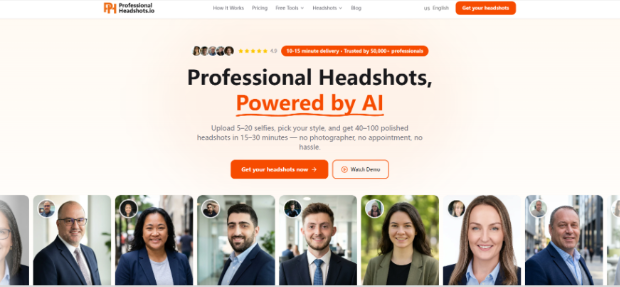
Three clients in one coaching week sent me “final” LinkedIn photos that looked like strangers wearing their haircut. Same phone, same bathroom mirror, same soft smile — and the same failure mode: every selfie had been shot from one angle under one light, then polished until the face lost the little asymmetries recruiters subconsciously use to recognize a person on a video call. I stopped arguing about taste and started treating likeness as an input problem. That is when I put an AI professional headshot workflow on ProfessionalHeadshot behind a dirty upload protocol instead of another mood-board debate.
The claim worth testing was not “AI looks studio-ready.” It was narrower: if the selfie set is varied on purpose, does the personalized model keep the client recognizable across outfit and background swaps? If the set is lazy, does the gallery get prettier while the person disappears? One client burned an afternoon regenerating blazers while the jaw stayed wrong. Coaching time is expensive; I needed a repeatable check I could teach in fifteen minutes.
What Likeness Failure Looks Like In Coaching
Clients do not fail because they lack fashion sense. They fail because the upload batch is a single pose repeated with different filters. The model then invents a smoothed average. On a laptop screen the result feels flattering. On a hiring call, the jaw line, eye spacing, or smile shape does not match the person who joins with a webcam. That mismatch is what recruiters notice, even if they cannot name it.
I keep a short fail list taped above my review folder. If any item shows up, we do not debate “cinematic lighting.” We rebuild the selfie set.
- All five photos share one camera height and one head tilt
- Beauty filters erase freckles, moles, or a scar the client still has on Zoom
- Heavy shadow under one eye with no brighter alternate frame
- Sunglasses, hats, or cropped chins that starve the face of geometry
Why Coaches Should Own The Upload Brief
Most clients will click Get Started the night before an application deadline. They upload whatever is already in Camera Roll. If you wait until after generation to coach, you burn their regeneration credits on problems that started in the photo roll. The coach’s job is upstream: define what “enough variety” means before money moves.
Dirty Selfie Battery Before You Pay
I run three packs. Pack A is the client’s instinctive set. Packs B and C are deliberately messy in different ways. Only after comparing likeness across packs do we lock a paid run on ProfessionalHeadshot.
| Pack | What goes in | Pass signal I look for |
| A — Instinct | 5–8 photos the client already loves | Baseline: note where the face softens or drifts |
| B — Angle spread | Same day, no filter: front, slight left, slight right, one higher, one lower | Eyes and mouth still read as the same person |
| C — Light stress | Window light, overhead kitchen light, one dimmer hallway frame | Skin tone shifts but bone structure stays stable |
Pack B is where most “not me” cases get fixed. Pack C catches clients who only shoot at night with warm bulbs. On one product-manager client, Pack A produced a smooth, handsome stranger; Pack B brought back the slight crooked smile she uses on every stand-up. That crooked line was the pass signal. I do not need a lab. I need the client to see that variety is a requirement, not a vibe.
Upload Range The Site Actually Asks For
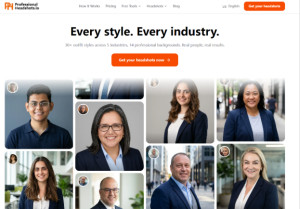
The product path is blunt: Upload Your Selfies, then Choose Your Style, then wait while a personalized model trains and generates combinations. The published range is 5–20 casual phone photos, with different angles and lighting called out as better. I treat 8–12 as the coaching sweet spot — enough geometry without dumping a wedding album into the trainer. Going under five because someone is shy is how Pack A failures happen.
What To Lock After Style Choice
Once photos are in, the client picks industry, outfit styles, and backgrounds. Likeness was already decided upstream in the selfie set; style choice only decides which professional story to tell. I tell clients to pick one industry lane for the first paid run and save experimentation for regeneration credits later. Mixing every possible mood in the first click makes review chaotic and hides whether the face itself held.
Four Upload Steps Clients Finish Same Night
Here is the script I paste into onboarding notes. It is short enough that anxious job seekers finish it the same evening, and concrete enough that I can bill the session as process instead of taste arbitration.
- Clear filters. Export originals or re-shoot. If a mole disappears in the selfie, it will fight you in the gallery.
- Build Pack B on purpose: front plus left and right three-quarter thinking, even before the AI returns those pose angles in the download set.
- Upload 8–12 keepers inside the 5–20 window, then choose one industry and a small outfit set.
- When results land in 15–30 minutes, review likeness first, fashion second. Only then spend regeneration credits.
Common Mistakes That Waste Regen Credits
People regenerate because a blazer feels wrong when the real problem is a face trained on five identical selfies. I watched one engineer burn three regeneration passes on necktie color while the cheekbones still belonged to a stock actor. Others download everything immediately, then panic about refunds after the set is mirrored across devices. On a first order, the refund path is strict about downloads; coaching should prevent that panic. Teach clients to scrub likeness on-screen before they empty the gallery onto a desktop folder.
Result Check Against The Video Call Face
I open the client’s last Zoom still beside the AI gallery — next to the original webcam still, not a flattering mirror selfie. If the smile lines, brow height, and cheek asymmetry match, we pick frames for LinkedIn. If the gallery looks like a cousin, we rebuild Pack B — we do not buy another outfit. The site returns multiple pose angles per look, including frontal and three-quarter views; that helps profile crops, but it cannot invent facial geometry the upload never supplied. One sales client’s glam set looked fine on a phone until we lined it up with her Zoom face; foundation-heavy Pack A had erased the tired, human texture recruiters already knew. I deleted that glam shortlist the same night and had her re-shoot Pack B without makeup filters the next morning.
Coach Exit Ticket Before Applications Go Out
A LinkedIn headshot still has to survive a recruiter who already saw the candidate on a screen share. If the client needs a stylized fashion book, or company policy forbids AI portraits, send them elsewhere. If they only have three usable photos and will not re-shoot, do not promise a miracle — schedule the re-shoot first. ProfessionalHeadshot is fast enough that ten honest selfies usually cost less calendar time than another argument about which blazer failed.
For coaches, the win is a teachable upload brief, not a magic studio. Make the selfie battery boring and varied. Then let the model do the outfit math. Clients who follow Pack B stop sending me stranger faces — and I stop spending paid sessions on taste when the real leak was the Camera Roll.

