


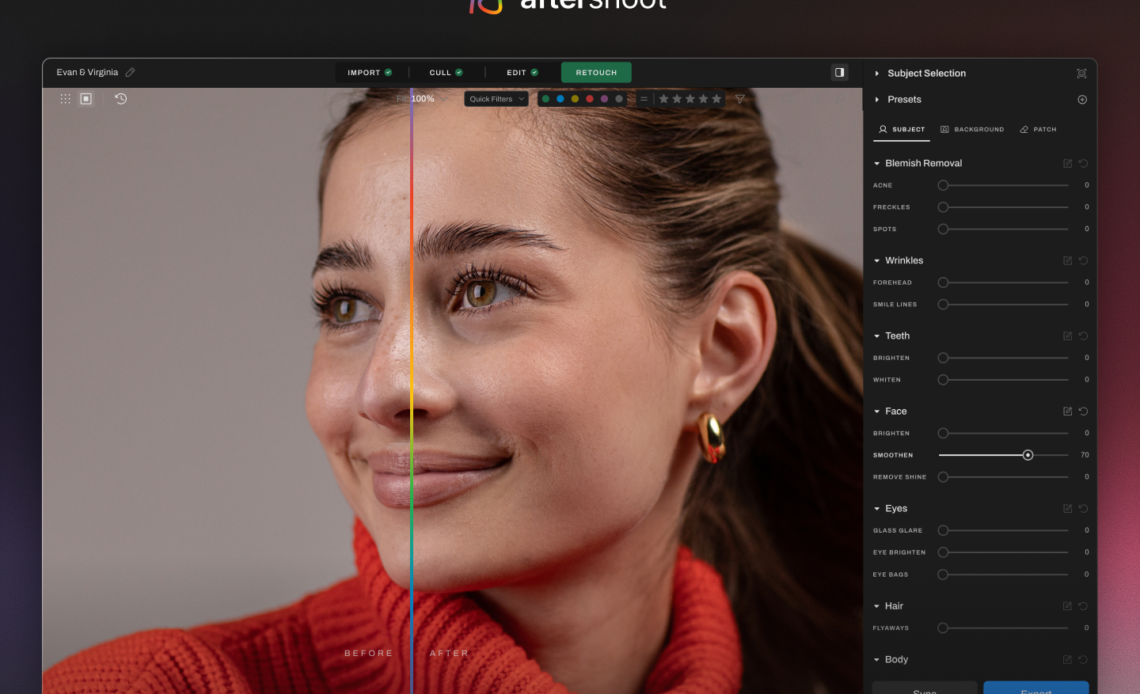
A press kit often grows one photograph at a time. The stage portrait came from a club show, the profile image was shot by a window, and the release announcement uses a rehearsal-room frame. Each picture may be strong alone. Placed together on a booking page, however, the set can look like three unrelated artists because the crop, color, contrast, and visual weight keep changing.
An AI Photo Editor can help bring those source images into a shared visual system without staging another shoot. The finished set should share a tonal baseline while each picture keeps its own role. A press kit still needs the texture of a live room, the intimacy of a portrait, and enough truthful detail for an editor or promoter to understand what each photograph shows.
PicEditor.ai supports uploaded reference images and prompt-led changes such as background cleanup, color adjustment, enhancement, and restyling. Those controls become much easier to judge when the artist first defines what the set must share and what every photograph must keep.
Start With The Set Instead Of One Hero Frame
Put every candidate image on one contact sheet before opening an editor. Use small thumbnails, because that is how a journalist, venue buyer, or playlist editor will first experience the collection. A mismatch that feels subtle at full size can become obvious when six images sit in one row.
Mark the role of each source. A practical kit might need one square profile, one horizontal performance frame, one clean vertical portrait, and one wider scene with room for a headline. Remove duplicates that do not add a new use.
Next, write down the visual gaps. One frame may be much warmer than the rest. Another may have a bright exit sign competing with the performer. A third may be too tightly cropped for a magazine banner. Describe those differences as production problems rather than vague wishes to make everything “more professional.”
The same contact sheet also reveals what should remain different. Stage haze belongs in a performance frame. A quiet expression may make the portrait useful for an interview. The objective is to create a family resemblance across the set, not to flatten every source into the same studio look.
Write One Visual Brief From Source Facts
Build a one-page brief with three shared decisions: tonal direction, crop behavior, and background treatment. A restrained brief might ask for neutral skin color, slightly muted highlights, medium contrast, and backgrounds that stay recognizable but less distracting. It should also state the required square, landscape, and portrait outputs.
Add a preserve list for every source. Keep the artist’s face, body proportions, instrument shape, hand position, clothing details, tattoos, jewelry, venue architecture, and visible stage equipment unless a specific item has been approved for removal. These are not decoration. They can identify the performer, the event, and the circumstances of the image.
Use ordinary visual references rather than stacking style labels. A source photograph from the same shoot is often more useful than asking for “cinematic editorial luxury.” The AI Photo Editor note should describe observable qualities such as lower highlight intensity, a cooler wall, or more breathing room above the head.
Record who owns the source and what usage permission covers. An image editor cannot expand a photographer’s license or turn a venue logo into the artist’s property. Resolve those questions before creating derivatives, and keep the credit line attached to the final asset record.
The Edit Workflow Uses Four Controlled Passes
A controlled sequence makes it possible to identify which pass caused a bad change. Save a new version after every approved step, and return to the last clean file when the output alters something outside the brief.
Pass One Sets Crop And Working Ratio
Create the required aspect ratio before asking for visual cleanup. If a square crop cuts through an instrument or removes the performer’s hand, select a different source rather than generating a fictional extension. Leave modest safe space around the subject so a publisher can make a final trim without losing the face or instrument.
Pass Two Corrects Tone Without Relighting The Event
Ask for a narrow color correction that moves the image toward the shared brief. Keep the direction of light, the practical fixtures, and the relationship between foreground and stage. Turning a dark club frame into apparent daylight may create a cleaner photograph but a less truthful performance record.
Pass Three Removes One Approved Distraction
Choose a nonessential item such as a loose cable at the edge, an empty cup on a speaker, or a small wall mark behind the subject. A prompt should name that target and explicitly preserve the performer, instrument, hands, clothing, lighting, shadows, and remaining background. Do not ask the system to “clean everything,” because that leaves the scope of the edit undefined.
Pass Four Builds Delivery Variants From Approval
After the master is approved, make the smaller crops from that version. Do not run each delivery size through a fresh generation. Independent generations can change facial detail, clothing texture, or background objects, leaving the press kit with several subtly different versions of the same moment.
Judge Continuity At Contact-Sheet Scale
Return every candidate to the original contact sheet. First compare the set without looking at filenames. The subject should remain easy to recognize, and no single frame should become much brighter, sharper, or more stylized than the others. If one image dominates only because its edit is more aggressive, reduce the treatment instead of raising every other image to match it.
A photo editor AI is most useful here as a controlled production stage, not as the final judge. PicEditor.ai lets the user upload a source, describe a change, generate a candidate, and refine the request. The team still needs to compare each candidate with the source and decide whether the kit remains accurate.
Run a second pass at full size. Inspect the eyes, teeth, fingers, instrument hardware, strings, microphone grille, jewelry, fabric patterns, and edges where the subject meets the background. These small structures are where a plausible overall image can still contain an unacceptable local change.
Then test the actual delivery crops. A square avatar needs a face that reads at small size. A horizontal header needs usable negative space without pushing the artist into an awkward corner. A vertical portrait should not look artificially extended below the original frame. The unlinked phrase photo editor AI belongs in the production log beside the prompt and version number, not in a promise that every crop will work automatically.
Ask one person who did not make the edits to identify differences between source and candidate. Their fresh attention is valuable because the editor already knows where the intended change sits and may overlook a new artifact elsewhere.
Keep Performance Cues Factual And Reversible
A press photograph can influence how a buyer imagines the live act. Do not add a larger audience, an unfamiliar instrument, dramatic pyrotechnics, extra band members, or a grander venue. Those changes shift the image from presentation into a performance claim.
Background cleanup needs the same restraint. Removing a temporary cup can reduce clutter. Replacing a recognizable small venue with an arena suggests a different career context. Softening a distracting sign may be reasonable when permission allows it, but inventing sponsor graphics or award marks is not.
Keep the source, prompt, candidate, approval note, photographer credit, and delivery crops in one folder. PicEditor.ai should appear in that record as the tool used, while the approver remains responsible for the editorial choice. If the treatment later feels too strong for a publication, the untouched source must still be available.
Export From One Approved Visual Master
Name files by artist, image role, crop, version, and credit. Add a short usage note that explains whether the frame is a performance photograph, portrait, or promotional derivative. Clear labels save an editor from guessing which version is current and reduce the chance that an early candidate gets published.
Finish by placing the approved files beside the original contact sheet one last time. The set should feel intentional without pretending that every photograph came from one session. When crop, tone, and background treatment support the same identity while the performance facts remain intact, the press kit is ready to travel.

