


Quick Answer
The simplest way to save invoices from Gmail to Google Drive is to create a predictable filing structure, use Gmail search operators to locate invoice messages, download the original attachments, rename each file consistently, and place it in the correct year and month folder. That works for a small backlog. For recurring invoices, automation is more reliable because it can monitor email, identify invoice-like documents, extract key fields, and file the originals without waiting for a monthly cleanup session.
A good system should make every invoice easy to retrieve by vendor, date, invoice number, and reporting period. The goal is not merely to move attachments out of Gmail. It is to build a clean record that a business owner, bookkeeper, or accountant can understand later.
Why Gmail Becomes an Invoice Filing Cabinet
Software subscriptions, advertising platforms, utilities, contractors, online marketplaces, and professional services often deliver invoices by email. Over time, those documents become scattered across multiple inbox tabs, long email threads, forwarded messages, and renewal notices. The invoice may be a PDF attachment, an image, a link to a billing portal, or text inside the email itself.
Gmail is excellent at receiving and searching messages, but an inbox is not an intentional accounting archive. Messages can be deleted, buried, duplicated, or stored under an unexpected subject line. A Google Drive filing system gives the business a separate, shareable location for original invoice documents.
The Manual Gmail-to-Drive Method
1. Build the folder structure first
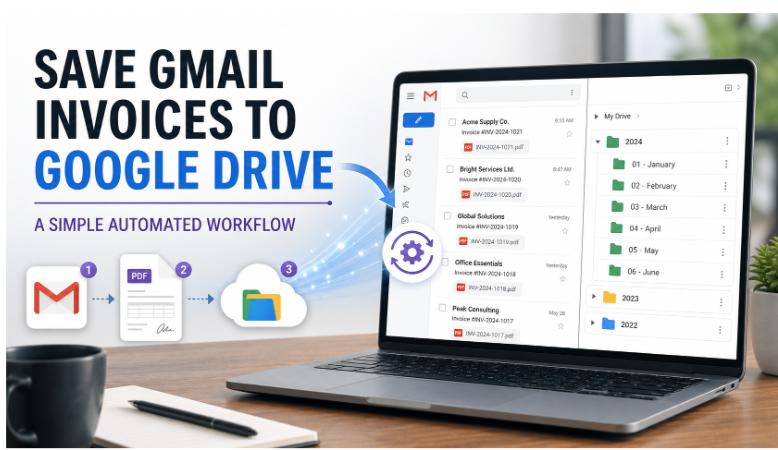
Create one top-level folder for business financial records. Inside it, create a folder for each year, followed by monthly subfolders. If the business has several entities or departments, place the entity or department above the year so documents cannot be mixed accidentally.
| Folder level | Example | Purpose |
| Business | Acme Consulting | Separates entities or clients |
| Year | 2026 | Matches the accounting period |
| Month | 07 – July | Supports monthly review and reconciliation |
| Optional category | Software or Advertising | Useful when monthly invoice volume is high |
Google recommends using short, meaningful file names, folders and subfolders, and dates or keywords that make documents easier to retrieve. A simple structure is usually better than a deeply nested system that nobody follows consistently.
2. Search Gmail for likely invoices
Gmail search operators can narrow a large inbox quickly. Google documents operators such as has:attachment and filename:pdf, and operators can be combined with senders, exact phrases, and date ranges.
- has:attachment filename:pdf invoice
- filename:pdf after:2026/07/01 before:2026/08/01
- from:billing@vendor.com has:attachment
- subject:invoice newer_than:30d
- category:purchases receipt
No single search will find every invoice. Some vendors use “receipt,” “statement,” “billing confirmation,” or “payment received” instead. Build a short list of recurring vendors and search them individually during the first cleanup.
3. Download the original document
Keep the original PDF or image whenever possible. Printing an email to PDF can be useful when the invoice exists only in the message body, but it may omit structured attachment data or create an unnecessarily long document. If the email links to a portal, download the official invoice rather than saving only the notification email.
4. Rename every file consistently
A reliable naming convention allows Drive search to work even when the document text is difficult to read. Use the same order every time. One practical format is YYYY-MM-DD_Vendor_InvoiceNumber_Amount.pdf. For example: 2026-07-15_AcmeCloud_INV-1042_89.00.pdf.
Avoid names such as invoice.pdf, receipt-2.pdf, or download.pdf. Those names are fast at the moment of download and expensive when a bookkeeper must open dozens of files to identify them later.
5. File and review the document
Move the renamed file into the correct monthly folder. Before closing it, confirm the vendor, invoice date, total, currency, tax, and invoice number. If the document is a duplicate, keep one authoritative copy and record why another version was excluded.
When the Manual Process Stops Working
Manual filing becomes fragile when invoices arrive across several email accounts, multiple employees receive vendor documents, attachments use inconsistent formats, or the business needs a complete monthly close. The process also fails quietly: there is rarely an alert when a recurring vendor invoice never arrives.
At that point, an automated invoice extraction tool can monitor email, identify invoices, organize their data, and preserve the original files in Google Drive. The value is consistency: new documents follow the same workflow even during busy weeks.
A Better Automated Workflow
- Connect the business inboxes where vendor invoices normally arrive.
- Scan incoming and historical messages for PDFs, images, and invoice-like content.
- Extract the vendor, invoice number, date, due date, amount, currency, and other useful fields.
- Check for duplicate invoice numbers or repeated attachments.
- Rename the file according to one business-wide convention.
- Save the original document into the appropriate Google Drive folder.
- Review exceptions, low-confidence results, and missing recurring invoices.
How to Keep the Archive Accurate
Use one naming convention
Document the naming pattern in a one-page procedure. Include rules for credit notes, multi-page invoices, foreign currencies, and invoices without a visible number.
Separate documents from bookkeeping entries
The invoice file supports the accounting record, but it is not the ledger itself. Keep the source document and the transaction entry connected through consistent dates, amounts, vendors, or document links.
Review monthly
A short month-end review catches missing vendors, unreadable scans, duplicates, unusual amounts, and invoices filed under the wrong period. Waiting until tax season turns a small exception list into a large research project.
Control access
Give employees, contractors, and accountants only the Drive access they need. Shared folders simplify collaboration, but permissions should be reviewed when roles change.
Recordkeeping Considerations
The IRS allows businesses to use a recordkeeping system suited to their operations as long as it clearly shows income and expenses. Supporting documents include invoices, receipts, paid bills, account statements, and other evidence. Electronic systems must preserve records in a legible, retrievable format for as long as the records are material to tax administration.
Retention periods depend on what a document proves. Employment tax records, for example, generally must be retained for at least four years. Businesses should follow current IRS guidance and ask a tax professional about records tied to assets, payroll, amended returns, or special circumstances.
Common Mistakes to Avoid
- Saving the email but not the official invoice attachment.
- Using inconsistent file names from one month to the next.
- Mixing personal and business documents in the same folder.
- Assuming a credit-card statement always contains enough detail to support an expense.
- Ignoring duplicate attachments and corrected invoices.
- Giving broad Drive access without reviewing permissions.
- Automating the filing step without reviewing exceptions.
Frequently Asked Questions
Can Gmail automatically save attachments to Google Drive?
Gmail filters can organize messages, but a complete attachment-to-Drive workflow generally requires an automation tool, integration, script, or manual download process. The system should also distinguish invoices from unrelated attachments.
What is the best folder structure for invoices?
A practical default is Business > Year > Month. Add vendor or category folders only when invoice volume makes them useful.
Should invoices be organized by invoice date or payment date?
Choose the date convention your bookkeeping process uses and document it. Many businesses file source documents by invoice date while recording payment separately.
Should every invoice be stored as a PDF?
PDF is convenient and widely searchable, but preserve the original format when it contains important information. Images and portal-generated documents may also be valid supporting records.
Final Takeaway
Saving invoices from Gmail to Google Drive works best when the process is designed as a repeatable recordkeeping system. Start with clear folders, targeted Gmail searches, original attachments, consistent file names, and a monthly review. As invoice volume grows, automate the repetitive steps while keeping a human exception check. The result should be an archive that is easy to search today and easy to explain months or years later.

