


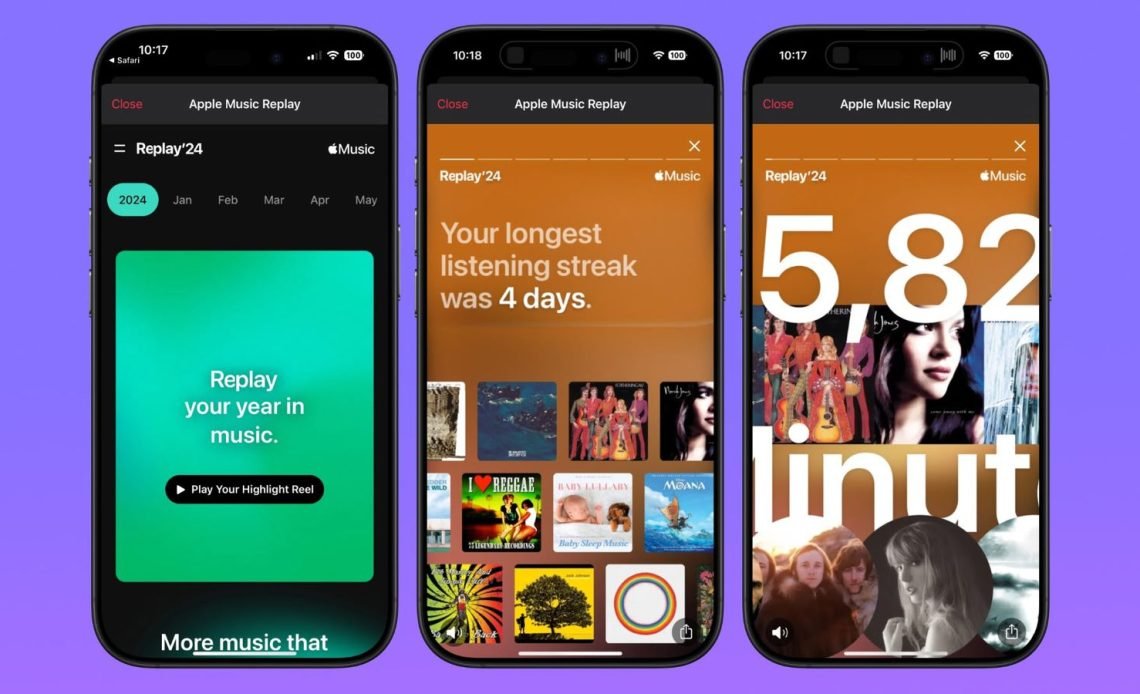
Apple Music Replay 2024 launched on December 3, 2024, giving subscribers a comprehensive look at their year in music. This personalized year-end feature reveals your most-played songs, top artists, favorite albums, and total listening time throughout the year.
Unlike Spotify Wrapped, Apple Music Replay updates weekly and provides access to monthly breakdowns, making it available year-round rather than just in December.
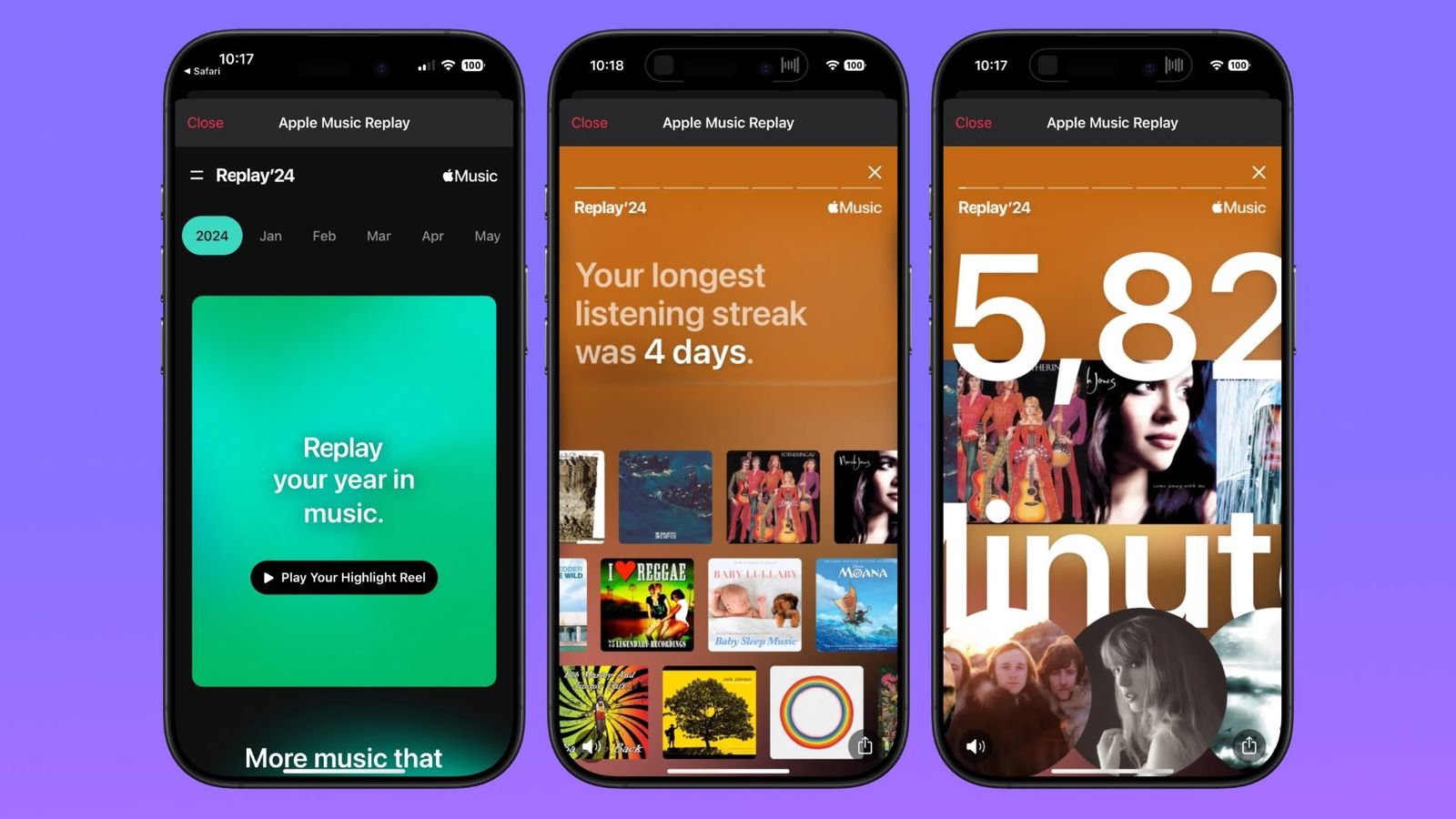
The 2024 edition introduced exciting new features including Top 500 and Top 1,000 listener badges, listening streaks, and monthly recaps.
Whether you’re an Apple Music veteran or new subscriber, understanding how to access and maximize your Replay experience enhances your connection with the music that defined your 2024.
What is Apple Music Replay?
Apple Music Replay is Apple’s year-end music summary feature that launched in November 2019. It provides subscribers with personalized insights into their listening habits throughout the year. The feature calculates your top songs, albums, artists, playlists, genres, and stations based on play counts and listening time.
Unlike one-time annual features, Replay updates weekly throughout the year. This means you can check your statistics anytime, not just in December. The continuous updating provides an evolving snapshot of your musical journey as your tastes change.
Replay is localized in 39 languages across 169 countries where Apple Music is available. This global reach makes it accessible to Apple Music subscribers worldwide. The feature works across all Apple devices including iPhone, iPad, Mac, Apple Watch, and even through web browsers.
Apple Music Replay 2024 Launch Date
Apple Music Replay 2024 officially launched on Tuesday, December 3, 2024. This release date came one day before Spotify Wrapped 2024, giving Apple users early access to their year-end statistics. The timing aligned with Apple’s strategy to beat Spotify to market.
The feature became available simultaneously worldwide across all platforms. Users with iOS 18.1 or later could access it directly through the Apple Music app. Those on older iOS versions or using desktop computers could visit replay.music.apple.com to view their stats.
Apple Music Replay tracks listening data from January 1 through December 31, 2024. The final update typically occurs on the first Sunday of the following year. This ensures all December listening data is captured in your year-end statistics.
New Features in Apple Music Replay 2024
The 2024 edition introduced several exciting enhancements over previous years. Apple expanded the listener rankings beyond just Top 100 to include Top 500 and Top 1,000 categories. This change allowed more users to discover their superfan status for favorite artists and genres.
Listening streaks became a new metric showing the longest consecutive days you played music from Apple Music. This feature gamifies the listening experience and rewards consistent engagement. It helps users understand their daily music habits better.
Top Artist Streak identifies if you’ve had the same artist as your number one for multiple consecutive months. This metric reveals your loyalty to specific musicians throughout the year. The date of first play for your top song, artist, and album also appears in 2024.
Replay by Month allows you to relive your year through monthly breakdowns. You can see your number one songs, artists, and albums from each individual month of 2024. This granular view helps you remember specific periods and musical phases.
How to Access Apple Music Replay 2024
For iPhone users with iOS 18.1 or later, accessing Replay is straightforward. Open the Apple Music app and navigate to the Home, New, or Search tabs. Scroll down to find “Replay: Your Top Music” prominently displayed on your screen.
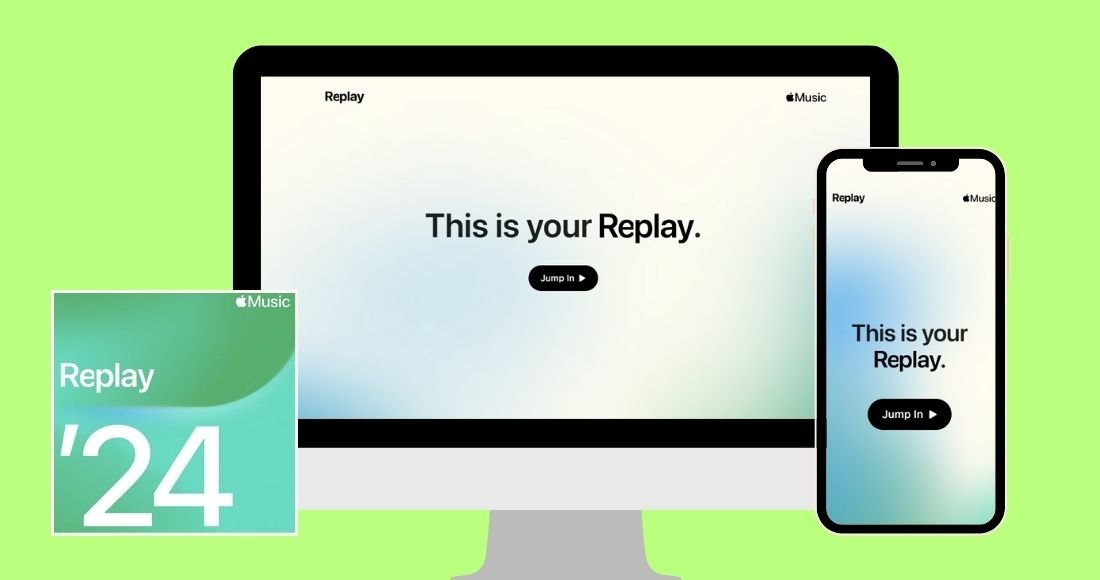
Tap “Jump In” or “Go back in time” to open your full Replay experience. You’ll immediately see your personalized highlight reel and year-end statistics. The interface provides easy navigation through different sections of your listening data.
For users on previous iOS versions or using desktop computers, visit replay.music.apple.com in any web browser. Sign in with the same Apple Account you use for your Apple Music subscription. The website provides the most comprehensive view of your Replay statistics.
Android users can also access Replay through the web interface at replay.music.apple.com. The experience remains consistent across platforms, ensuring all subscribers can enjoy their year-end recap. Make sure you’re using the correct Apple ID associated with your subscription.
Understanding Your Replay Statistics
Your Replay dashboard displays total listening time in minutes for the entire year. This number represents all the hours you’ve spent with Apple Music throughout 2024. Many users are surprised by how many hours they’ve dedicated to music.
The top songs list shows your most-played tracks ranked by play count and time spent listening. Each song displays specific play counts, helping you understand exactly which tracks dominated your year. These songs form your year-end Replay playlist.
Top artists are ranked similarly, showing who you listened to most frequently. The ranking considers both the number of different songs you played and total time spent on each artist. This metric often reveals surprising patterns in your listening habits.
Top albums show which full-length releases or compilations you played most often. Album statistics help identify whether you’re a singles listener or prefer experiencing complete artistic statements. Many users discover they’ve played certain albums dozens of times.
Replay Playlists Explained
Apple Music automatically creates a Replay playlist for each year you’ve subscribed. Your Replay 2024 playlist contains up to 100 of your most-played songs from the year. This playlist updates weekly, making it dynamic rather than static.
The playlist orders songs by your listening frequency and duration. Your absolute top track sits at position one, followed by your other favorites in descending order. This ranking can shift week to week as you discover new music.
You can add your Replay playlist to your library for easy access throughout the year. Simply open the playlist and tap the Add button (+Add). Once added, you can access it like any other playlist in your collection.
Sharing your Replay playlist is simple through standard iOS and Android sharing options. Tap the share button and choose your preferred method like Messages, Instagram, Facebook, or other social platforms. Many users enjoy comparing their musical tastes with friends.
Monthly Replay Breakdowns
One unique advantage of Apple Music Replay is monthly tracking throughout the year. Starting in February 2024, users could access their top songs, artists, and albums for each month. This granular view helps you remember specific periods and musical discoveries.
Monthly replays become available once you’ve played enough music to generate meaningful statistics. The threshold isn’t publicly disclosed, but most users see monthly data after listening to a substantial amount. Monthly breakdowns continue updating through December.
Each month’s replay shows your top five artists and top five albums. While the year-end version shows more extensive lists, monthly recaps focus on highlighting standout favorites. This condensed view makes monthly data easy to digest quickly.
Monthly statistics help you track how your tastes evolve over time. You might notice seasonal patterns, like upbeat music in summer or introspective tracks in winter. These patterns reveal how your life circumstances influence musical choices.
Top Listeners Feature
The Top Listeners feature identifies if you’re among the most dedicated fans of specific artists or genres. In 2024, Apple expanded this beyond just Top 100 to include Top 500 and Top 1,000 rankings. This expansion recognizes more superfans across the platform.
Being a top listener means you’ve played an artist or genre more than 99%, 99.5%, or 99.9% of all Apple Music subscribers. These rankings are calculated globally, making them significant achievements. Many users proudly share their top listener badges on social media.
The feature works for both individual artists and entire genres. You might be a top listener for indie rock, electronic music, or classical compositions. Genre rankings help you understand your musical identity within broader categories.
Top listener status updates as the year progresses, so your standing can improve with continued listening. Some dedicated fans specifically try to achieve or maintain these rankings. The gamification element adds an extra dimension to music streaming.
Highlight Reel and Share Cards
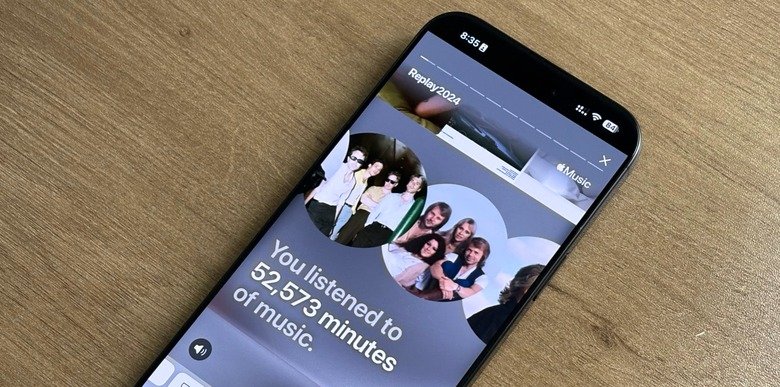
Apple Music Replay 2024 includes a visual highlight reel showcasing your year in music. This audio and visual recap combines your top tracks with animations and graphics. The highlight reel creates a shareable story of your musical journey.
The reel presents your statistics in an engaging, dynamic format designed for social media. Each segment reveals different aspects of your listening data with eye-catching visuals. The format mimics popular social media story formats used on Instagram and TikTok.
Individual share cards let you post specific statistics without sharing everything. You can choose which insights to share, like your top artist, total listening time, or special achievements. This selective sharing respects your privacy while enabling social engagement.
iOS and Android users can share personalized videos from the highlight reel. Once the video finishes preparing, tap the share button again to choose your distribution method. These videos are optimized for vertical social media formats.
Comparing Apple Music Replay vs Spotify Wrapped
Apple Music Replay and Spotify Wrapped serve similar purposes but differ in execution and philosophy. Spotify Wrapped launches once annually with flashy graphics and viral social media features. Apple Music Replay updates continuously and prioritizes data accuracy over entertainment value.
Spotify’s colorful animations and interactive elements make Wrapped more visually engaging and shareable. The format is specifically designed to encourage social media sharing and viral spread. Spotify Wrapped has become a cultural phenomenon each December.
Apple Music Replay provides more granular data with monthly breakdowns available year-round. This approach appeals to users who want consistent access to listening statistics. Replay functions as an analytics tool rather than just an annual celebration.
Spotify Wrapped freezes data on October 31, while Apple Music Replay counts through December 31. This means Apple’s data is more current and accurate for the full calendar year. However, Spotify’s earlier cutoff allows more time for data processing and creative presentation.
How Apple Music Replay Works
Apple Music Replay calculates statistics using comprehensive listening data from your account. The algorithm considers play counts, total minutes listened, and engagement patterns. It tracks everything you stream through Apple Music across all your connected devices.
The system requires you to have “Use Listening History” enabled on all devices. This setting allows Apple to track and analyze your listening patterns. Without it enabled, your data won’t be captured for Replay calculations.
To enable listening history on iPhone or iPad, go to Settings > Apps > Music and turn on Use Listening History. On Mac, open Apple Music, go to Music > Settings, click General, and select Use Listening History. Android users can enable this in their Apple Music app settings.
Replay becomes available once you’ve listened to sufficient music in the calendar year. While Apple doesn’t specify exact thresholds, most users report needing around 100 songs or several weeks of listening. The feature then updates automatically each Sunday.
Eligibility Requirements for Replay
You must have an active Apple Music subscription to access Replay features. Free trial users and those who’ve canceled subscriptions won’t see their Replay data. The subscription must be active during the tracking period.
Listening History must be enabled across all devices you use for Apple Music. If disabled on any device, that device’s listening won’t count toward your Replay statistics. This can lead to incomplete or inaccurate year-end data.
You need to have played music through Apple Music, not just your personal library. Songs synced from CDs or purchased through iTunes may not fully integrate into Replay. The feature focuses on streamed content from the Apple Music catalog.
Your device must run compatible software versions for the best experience. iOS 18.1 or later provides native app access to Replay. Older versions still work through the web interface at replay.music.apple.com.
Troubleshooting Missing Replay Data
If you don’t see your Replay, first verify your subscription status is active. Lapsed subscriptions prevent access to Replay features. Check your Apple account settings to confirm your subscription is current.
Ensure Use Listening History is enabled on all your devices. Many users forget to activate this setting after getting new devices or updating software. Checking each device individually is important for complete data capture.
Update your devices to the latest operating system versions available. Apple frequently includes bug fixes and improvements in OS updates. Outdated software may cause Replay display issues or prevent access entirely.
If problems persist after checking these items, try signing out and back into your Apple account. This refresh can resolve authentication issues blocking Replay access. Wait a few minutes after signing back in before checking again.
Best Time to Check Your Replay
Replay updates every Sunday with new data from the previous week. Checking on Sundays or Mondays gives you the most current statistics. This weekly refresh cycle keeps your Replay relevant throughout the year.
The year-end Replay experience typically launches in early December, around the same time as Spotify Wrapped. December 3, 2024, marked the official launch of the comprehensive year-end feature. This timing allows you to review and share your complete year.
Checking monthly Replays at the beginning of each month lets you track evolving tastes. Monthly data becomes available a few days into the new month after processing. These regular check-ins help you stay aware of listening patterns.
The final update for each year occurs on the first Sunday of the following year. This ensures December listening is fully captured in your year-end statistics. After this final update, your Replay data becomes permanent for that year.
Sharing Your Apple Music Replay
Sharing on Instagram works well with Apple Music’s vertical share cards and videos. The format is specifically designed for Instagram Stories and Reels. Many users post their top songs or artist rankings to their Stories each year.
Facebook sharing allows you to post Replay insights to your timeline or share in groups. The share feature provides optimized graphics for Facebook’s format. Your music-loving friends often engage with these posts through comments and reactions.
Twitter/X sharing lets you participate in the broader conversation about year-end music statistics. Use hashtags like #AppleMusicReplay2024 to join trending discussions. Many users compare their statistics and discover new music through these conversations.
TikTok provides another popular platform for sharing Replay videos and insights. You can add your own commentary or reactions to the statistics. Music-themed TikTok communities especially enjoy comparing year-end stats and discovering shared musical interests.
Privacy and Data Considerations
Apple Music Replay uses only data from your personal listening history. The statistics are calculated individually and don’t involve comparing your data with other users except for top listener rankings. Your detailed listening patterns remain private.
You control what information to share publicly through selective card sharing. You don’t have to share everything in your Replay if you prefer privacy. Choosing specific statistics to post gives you control over your digital presence.
Apple’s privacy policies govern how your listening data is collected and used. The company states that listening data helps improve recommendations and features. You can review Apple’s privacy policy for detailed information about data handling.
Disabling Use Listening History prevents data collection but also disables Replay and personalized recommendations. This trade-off gives you control over privacy versus personalization. Many users prefer the enhanced experience that data collection enables.
Apple Music Replay for Artists
Artists can access their own Replay data through Apple Music for Artists. This dashboard shows how many subscribers listened to their music in 2024. Artists see total minutes streamed and listener counts worldwide.
Top cities display which geographic locations stream an artist’s music most frequently. This information helps artists plan tours and understand their fan base distribution. City data can reveal surprising pockets of popularity.
Artists can share their Replay insights directly from the Apple Music for Artists platform. These shareable cards are designed for artist social media and promotional use. Many artists thank fans by sharing their year-end statistics.
The artist Replay experience remains available through January 12 of the following year. This extended window gives artists time to create content around their annual achievements. After this date, the previous year’s specific Replay insights become archived.
Global Music Trends from 2024
Kendrick Lamar’s “Not Like Us” topped the global most-streamed songs chart on Apple Music. The track dominated the Global Daily Hot 100 chart for over six weeks after its May release. Its cultural impact extended far beyond streaming numbers.
Benson Boone’s “Beautiful Things” became the most identified song on Shazam throughout 2024. Shazam identification indicates people heard the song in public places and wanted to know what it was. This metric measures cultural penetration differently than streaming alone.
2024 marked a historic year with more women reaching the year-end global songs chart than ever before. This milestone reflected changing industry dynamics and evolving audience preferences. Female artists dominated multiple categories across different genres.
Global genres soared to new heights with many artists reaching year-end charts for the first time. The diversity of chart-topping music expanded across cultural and linguistic boundaries. Apple Music’s global reach helped non-English language tracks achieve unprecedented success.
Comparing Years with Historical Replays
Apple Music preserves your Replay playlists from every year you’ve been subscribed. You can access past years’ playlists through the app’s Replay section. This archival feature lets you revisit musical memories from previous years.
Comparing multiple years reveals how your musical tastes have evolved over time. You might notice artists who’ve remained consistent favorites or discover phases you’d forgotten. These patterns tell stories about different periods in your life.
Your all-time playlist combines top tracks from your entire Apple Music history. This special playlist represents your most-played songs across all years. It creates a musical autobiography spanning your entire subscription period.
Nostalgia plays a big role in the appeal of historical Replays. Revisiting 2020’s Replay might remind you of pandemic lockdown listening. Each year’s playlist becomes a time capsule of that period’s emotional landscape.
Technical Issues and Solutions
Some users report inaccurate Replay statistics, particularly with album play counts. These discrepancies may result from how Apple calculates versus displays plays. If you notice errors, verify your listening history settings are consistently enabled.
Missing songs or artists from your Replay could indicate they’re not in Apple Music’s catalog. Personal uploads from CDs or iTunes purchases may not fully integrate. The feature primarily tracks streamed content from Apple’s service.
Replay not showing at all usually relates to eligibility issues. Verify you’ve listened to enough music (estimated at 100+ songs) and have an active subscription. Check that listening history is enabled on all your devices.
App crashes or slow loading can occur during high-traffic periods in early December. Millions of users access Replay simultaneously after launch. Trying again later or using the web interface often resolves these temporary issues.
Making the Most of Your Replay
Use your Replay playlist as a convenient compilation of your favorite tracks. It saves you from recreating “best of the year” playlists manually. The automated playlist captures songs you genuinely enjoyed rather than ones you think you should like.
Discover patterns in your listening that might surprise you. You may realize you listened to a particular artist more than you consciously noticed. These insights can lead to deeper exploration of similar artists or genres.
Share strategically to engage with friends and discover new music together. Comparing Replays often leads to mutual music recommendations. Friends might introduce you to artists who dominated their year but weren’t on your radar.
Use Replay as a journal of your year’s emotional journey. Specific songs might remind you of important moments, relationships, or challenges. Music’s connection to memory makes your Replay a unique personal record.
Apple Music Replay vs YouTube Music Recap
YouTube Music Recap expanded beyond just music to cover all viewing habits in 2025. This comprehensive approach includes music videos, concerts, and other YouTube content. The broader scope provides different insights than music-only services.
YouTube assigns personality types like “Adventurer” or “Creative Spirit” based on viewing habits. This psychological profiling adds a fun element to year-end statistics. Apple Music Replay focuses more on pure listening data without personality categorizations.
Both services update continuously throughout the year rather than just in December. This shared philosophy contrasts with Spotify’s once-annual approach. Users who want year-round access appreciate this consistent availability.
YouTube Music Recap benefits users who consume music through videos rather than audio-only streams. If you watch performance videos and lyric videos frequently, YouTube captures that behavior. Apple Music Replay tracks only audio consumption.
Impact of Streaming on Music Industry
Year-end Replay features have changed how people engage with music streaming services. The social sharing aspect drives platform loyalty and user engagement. People stick with services partly because they don’t want to lose their year-end statistics.
Artists now strategically release music to maximize year-end chart positions. Release timing affects whether songs appear on fans’ Replay playlists. These features have become important marketing considerations for record labels.
The gamification of music listening through features like top listener badges influences behavior. Some users actively try to achieve high rankings for favorite artists. This dedication translates to concrete benefits for musicians through increased streams.
Replay and similar features provide valuable data insights to artists and labels. Understanding where listeners are concentrated helps with tour planning and regional marketing. These analytics democratize information previously available only to major labels.
Future of Apple Music Replay
Apple continues enhancing Replay with new features each year. The 2024 additions of expanded listener rankings and listening streaks suggest future gamification. Apple seems committed to competing with Spotify Wrapped’s viral success.
Social features may expand in future versions to match Spotify’s party mode. Interactive comparisons with friends could increase engagement and sharing. Apple has traditionally been more privacy-focused, but social features appeal to many users.
Integration with other Apple services could deepen in coming years. Imagine Replay connecting with Photos to match music with life events. Apple’s ecosystem approach makes cross-service features logical future enhancements.
Artificial intelligence could personalize Replay insights more deeply. AI-generated commentary about your listening patterns might add context to raw statistics. Apple has been investing heavily in AI capabilities across its services.
Cultural Significance of Replay
Apple Music Replay and similar features have become cultural moments each December. Social media floods with year-end music statistics as people share and compare. This annual ritual has become as anticipated as holiday traditions.
The features provide conversation starters and connection points in digital communities. Strangers bond over shared musical tastes revealed in Replay posts. Music’s universal appeal makes these statistics broadly relatable.
Year-end music summaries reflect broader trends in data transparency and self-tracking. People increasingly want to quantify and understand their behaviors. Music streaming was among the first consumer services to provide this level of insight.
The popularity of Replay demonstrates people’s desire to feel seen and understood. Accurate statistics validate your identity as a music fan. Sharing these stats publicly allows you to express yourself through your musical choices.
Tips for Better Replay Statistics
Listen consistently across all your devices to ensure complete data capture. Music played on devices with disabled listening history won’t count. Consistency ensures your Replay accurately represents your full year.
Avoid excessive playlist shuffling of the same songs to prevent artificial inflation. While there’s no prohibition against repeat plays, natural listening provides more meaningful statistics. Your Replay is most valuable when it authentically reflects your preferences.
Explore new music throughout the year rather than just in December. Discovery patterns show up in your Replay statistics through various features. Varied listening creates more interesting year-end data than sticking with the same artists.
Remember that Replay tracks only Apple Music streams, not personal library plays. If you want comprehensive statistics, focus your listening through the streaming service. Songs you own outright won’t contribute to your Replay metrics.
Understanding Listening History Settings
Use Listening History must be enabled for Replay to work properly. This setting allows Apple to track what you play across devices. Without it, Apple cannot generate your personalized statistics.
The setting is device-specific, so you must enable it on each device separately. A new iPhone or iPad won’t automatically inherit these settings from old devices. Check each device individually to ensure complete tracking.
Some users disable listening history for privacy reasons. This choice prevents personalized recommendations and Replay features from working. You must weigh privacy preferences against desired functionality.
Enabling listening history after months of disabled tracking means lost data. Past listening won’t retroactively appear in your Replay. Enable the setting early in the year for the most complete year-end statistics.
Social Media Trends with Replay
Instagram Stories and Reels dominate Replay sharing on social media. The vertical format of Apple’s share cards perfectly fits these platforms. Peak sharing occurs in the first week after Replay launches each year.
Comparison posts where users screenshot their top artists next to friends’ lists are popular. These side-by-side comparisons often reveal surprising similarities or differences. The format encourages engagement through comments and reactions.
Music influencers and content creators build content around their Replay statistics. Some create reaction videos or analysis of their listening patterns. This creator content extends Replay’s reach beyond just Apple Music users.
Hashtags like #AppleMusicReplay2024 trend annually on Twitter/X and Instagram. Searching these tags lets you explore what others are listening to globally. The collective sharing creates a snapshot of cultural musical preferences.
Educational Value of Replay
Replay teaches users about their own behavioral patterns and preferences. You might not consciously realize how often you return to certain comfort artists. These insights can prompt self-reflection about emotional states and coping mechanisms.
Music teachers and students can use Replay to track practice and study habits. Classical music students might discover they’ve listened to hundreds of hours of specific composers. This data provides concrete evidence of dedication and focus.
Parents can understand their teenagers’ musical interests through shared Replay discussions. Music choice often reflects emotional states and social influences. These conversations can open dialogues about feelings and experiences.
Researchers study aggregate Replay-type data to understand cultural trends and generational differences. While individual data stays private, trends from millions of users reveal fascinating patterns. Music sociology benefits from this unprecedented data access.
The Psychology Behind Replay Popularity
People enjoy validation that comes from quantified self-knowledge. Replay confirms you really did listen to that artist constantly. Hard numbers validate subjective feelings about your musical year.
Social comparison drives much of the sharing behavior around Replay. Humans naturally compare themselves to peers and want to present positive self-images. Musical taste becomes a form of social currency and identity signaling.
Nostalgia plays a huge role in Replay’s emotional impact. Seeing specific songs trigger memories of when and why you played them. This connection between music and memory makes Replay deeply personal and meaningful.
The annual ritual aspect creates anticipation and tradition. People look forward to Replay each December like they anticipate holidays. This predictable cycle gives structure and creates shared cultural moments.
Frequently Asked Questions (FAQs)
When did Apple Music Replay 2024 come out?
Apple Music Replay 2024 launched on December 3, 2024, one day before Spotify Wrapped. It became available globally across all platforms simultaneously.
How do I access my Apple Music Replay 2024?
For iOS 18.1+, open Apple Music app and go to Home, New, or Search tabs. For older versions, visit replay.music.apple.com and sign in.
Does Apple Music Replay update throughout the year?
Yes, Apple Music Replay updates every Sunday throughout the year. Monthly breakdowns also update regularly, providing continuous access to listening statistics rather than just annual data.
What’s the difference between Apple Music Replay and Spotify Wrapped?
Replay updates weekly year-round with monthly breakdowns, while Wrapped launches once annually. Replay prioritizes data accuracy; Wrapped focuses on visual presentation and shareability with flashy graphics.
Why isn’t my Apple Music Replay showing up?
Ensure you have an active subscription and Use Listening History enabled on all devices. You need sufficient listening (estimated 100+ songs) for Replay to generate.
Can I see Apple Music Replay from previous years?
Yes, Apple Music preserves Replay playlists from every year you’ve been subscribed. Access them through the Replay section in the Apple Music app or website.
Does Apple Music Replay count songs from my personal library?
Replay primarily tracks music streamed from Apple Music’s catalog. Personal uploads from CDs or iTunes purchases may not fully integrate into your Replay statistics.
What are the new features in Apple Music Replay 2024?
2024 added Top 500/1,000 listener rankings, listening streaks, top artist streaks, Replay by Month, and date of first play for your top tracks and artists.
How accurate is Apple Music Replay?
Replay is generally accurate but some users report discrepancies in album play counts. Accuracy depends on having listening history consistently enabled across all devices throughout the year.
Can Android users access Apple Music Replay?
Yes, Android users can access Replay through the Apple Music Android app or by visiting replay.music.apple.com in any web browser using their Apple ID.
Conclusion
Apple Music Replay 2024 represents Apple’s continued commitment to helping subscribers understand and celebrate their musical journeys. With its December 3, 2024 launch, the feature delivered comprehensive insights into listening habits through expanded rankings, streak tracking, and monthly breakdowns. Unlike one-time annual summaries, Replay’s year-round availability and weekly updates provide ongoing engagement with your music statistics. The 2024 edition’s new features like Top 500/1,000 listener badges and listening streaks add gamification elements that increase user engagement.
Whether you’re comparing your statistics with friends, discovering surprising listening patterns, or simply enjoying a curated playlist of your year’s favorites, Apple Music Replay 2024 offers value beyond raw numbers. The feature’s integration across iPhone, iPad, Mac, and web platforms ensures accessibility regardless of your preferred device. While Spotify Wrapped may capture more social media attention with its viral graphics, Apple Music Replay provides deeper, more accurate data for users who want genuine insight into their musical year.
As music streaming continues evolving, features like Replay become increasingly important for user retention and satisfaction. They transform passive listening into active engagement, creating emotional connections between users and platforms. Your Apple Music Replay 2024 isn’t just statistics—it’s a personal soundtrack documenting your year’s emotional landscape, discoveries, and sonic comfort zones. Take time to explore every feature, share meaningful insights, and appreciate how music shaped your 2024 experience. The memories embedded in those playlists will remain long after the year ends.


