


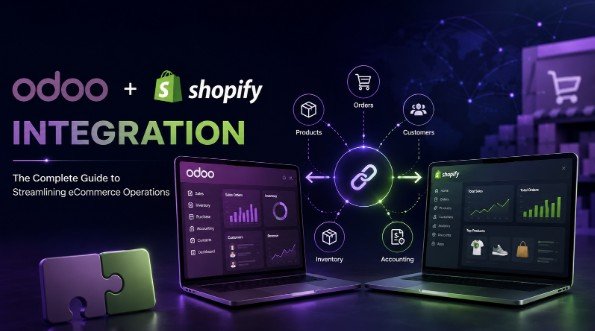
Your store just cleared 340 orders over a long weekend. Good problem to have. Now someone on your team has to retype those orders into your accounting system, check stock across two warehouses, and hand courier details to a shipping partner before Tuesday morning.
That gap between selling and fulfilling is where growing merchants quietly lose money. A well built Odoo Shopify integration closes it. Instead of moving data by hand, your storefront and your ERP talk to each other continuously.
This guide explains what that connection actually does, what to look for in a connector, and how to set one up without corrupting your product catalog on day one. No hype. Just the mechanics, the trade-offs, and the decisions that matter.
Why Shopify Businesses Need ERP Integration
Shopify is excellent at selling. It handles storefronts, checkout, payments, and discounts with very little friction.
What it does not do well is run the rest of your company. Purchase orders, supplier lead times, landed cost, multi-warehouse stock moves, tax reporting, manufacturing, payroll. Those live in an ERP.
Most merchants notice the split around the point where monthly order volume passes a few hundred. Before that, spreadsheets cope. After that, the spreadsheets start lying to you.
ERP for Shopify becomes necessary when three things happen at once:
- You sell the same SKU through more than one channel
- You hold stock in more than one location
- Your finance team needs numbers that match your storefront exactly
Odoo fits this need well because it covers inventory, accounting, purchasing, and CRM in one database. Businesses looking to tailor these capabilities to their workflows can also explore Odoo development services to build or customize the ERP around their specific operational needs. The question then becomes how to link the two systems reliably.
Common Challenges Without Integration
Manual data entry looks cheap. It is not. The real cost shows up as errors, delays, and staff time spent on work that produces nothing.
Here is what teams running without Shopify ERP integration deal with regularly:
Overselling. Stock sells out on Shopify while your ERP still shows units available. Refunds and apology emails follow.
Delayed order processing. Orders sit in a queue until a person exports a CSV. Same-day dispatch becomes next-day dispatch.
Duplicate customer records. The same buyer exists three times with slightly different spellings, which wrecks segmentation and lifetime value reporting.
Invoice backlogs. Accounting reconciles at month end instead of daily, so cash flow visibility lags by weeks.
Pricing drift. A price changes in the ERP and nobody updates the storefront. Margin disappears without anyone noticing.
No single source of truth. Two systems, two answers, endless arguments about which one is right.
Each problem is survivable alone. Together they cap how fast you can grow.
What Is an Odoo Shopify Connector?
An Odoo Shopify connector is a module that sits between your Shopify store and your Odoo database and moves records between them automatically.
Think of it as a translator with rules. Shopify speaks in products, variants, orders, and customers. Odoo speaks in product templates, stock moves, sale orders, and partners. The connector maps one vocabulary onto the other, then keeps both sides current.
Good connectors handle four core record types:
- Products and variants, including images, prices, and SKUs
- Inventory levels, pushed from Odoo to Shopify
- Orders, pulled from Shopify into Odoo as sale orders
- Customers, matched to existing Odoo contacts where possible
Beyond that, stronger tools generate invoices, post payments, and send tracking numbers back to the storefront so buyers get shipment updates without anyone typing them.
The Shopify Odoo Connector available on the Odoo Apps Store is one option worth reviewing if you want this behavior out of the box rather than building custom API work from scratch.
Key Benefits of Shopify Odoo Integration
The benefits are practical rather than abstract.
Real-time data sync. Stock, prices, and order status update as events happen. Your team stops asking whether a number is current.
Order automation. A Shopify order becomes an Odoo sale order, a delivery order, and an invoice without human involvement. Staff review exceptions instead of processing every transaction.
Accurate inventory management. Odoo holds the master stock figure. Shopify reflects it. Overselling drops sharply.
Accounting automation. Invoices, taxes, and payments post to the correct ledger accounts automatically, which shortens your close.
Multi-store management. Run separate storefronts for different regions or brands and consolidate everything into one Odoo instance.
Better warehouse management. Odoo picks the right source location, prints picking lists, and tracks stock moves properly.
Time back. This is the benefit merchants actually feel first. Hours previously spent on copy-paste work move to merchandising, support, and buying.
Essential Features to Look For
Not every connector does the same job. Before you commit, check for the following.
Bidirectional data synchronization. Some tools only pull from Shopify. You want data moving both directions so Odoo can push prices, stock, and fulfillment status back.
Configurable sync scope. You should be able to choose what syncs and what stays local. Blanket syncing causes more problems than it solves.
Scheduled and instant options. Webhooks handle urgent events like new orders. Cron jobs handle bulk work like nightly catalog updates. You want both.
Field level mapping. Your product attributes will not match Odoo’s defaults. Mapping saves a painful data cleanup later.
Error logs and retry handling. APIs fail. Rate limits trigger. A connector without a visible error queue will fail silently, which is worse.
Multi-store support. Even if you run one store today, adding a second later should not require a rebuild.
Version compatibility. Confirm the module supports your Odoo version and the current Shopify Admin API release.
Clear configuration. If setup requires a developer for every small change, ongoing costs will surprise you.
How the Connector Streamlines Business Operations
Follow a single order through an integrated setup and the value becomes obvious.
A customer checks out on Shopify at 9:14 AM. Within seconds, Odoo creates a sale order with the correct customer record, line items, taxes, and shipping method.
Odoo reserves stock from the nearest warehouse holding those units. A picking task appears for the warehouse team. The available quantity on Shopify drops immediately, so the next visitor sees accurate availability.
Warehouse staff pick, pack, and validate the delivery. Odoo generates the invoice and posts it to accounting. The tracking number flows back to Shopify, which emails the buyer a shipment update.
Nobody opened a spreadsheet. Nobody retyped an address. Product sync, customer sync, and inventory synchronization all ran quietly in the background.
Scale that across a thousand orders a month and the arithmetic speaks for itself.
Step-by-Step Overview of Connecting Shopify to Odoo
How to Connect Shopify to Odoo Without Breaking Your Data
The order of operations matters here. Rushing this stage causes most integration failures.
Step 1: Audit both systems. Clean your Shopify catalog and your Odoo product list first. Remove duplicate SKUs. Fix blank fields. Garbage in means garbage everywhere.
Step 2: Create a Shopify custom app. In your Shopify admin, generate API credentials and grant scoped permissions for products, inventory, orders, customers, and fulfillment.
Step 3: Install the connector in Odoo. Add the module, then create an instance record holding your store URL and API keys.
Step 4: Configure defaults. Set the warehouse, sales team, price list, payment journal, and tax mapping the connector should use.
Step 5: Map product data. Decide which system owns pricing, which owns stock, and how variants and attributes translate. Write this down. Future you will need it.
Step 6: Import in a test database. Never test on production. Sync a small batch of products and a handful of historical orders, then verify every field.
Step 7: Reconcile. Compare stock counts and prices line by line between the two systems. Fix mismatches before going wider.
Step 8: Go live in stages. Enable order sync first. Add inventory sync next. Turn on invoice automation once the earlier stages run clean for a week.
Step 9: Monitor logs daily. Watch the error queue for the first month. Small mapping issues surface early and cost little to fix.
Best Practices Before Integration
A few habits separate smooth projects from painful ones.
Standardize your SKUs before anything else. SKU is the key that joins both systems, and inconsistent codes break matching in ways that are tedious to unwind.
Document your business rules in writing. Which warehouse serves which region? When does an invoice get created, on confirmation or on delivery? Answer these before configuration, not during.
Assign one owner. Integration projects drift when responsibility sits with nobody in particular.
Keep a full backup of your Odoo database before the first bulk import.
Train the people who will use it. Warehouse and finance staff need to know where records now come from, and what to do when something looks wrong.
Start narrow. One store, one warehouse, one product group. Widen once it holds.
Real Business Use Cases
These patterns come up repeatedly across merchant setups.
The multi-store brand. A company runs separate Shopify stores for domestic and export markets with different currencies and price lists. One Odoo instance consolidates both, so leadership sees combined margin instead of two partial pictures.
The wholesale and retail hybrid. Retail runs through Shopify. Wholesale runs through Odoo sales quotations. Both draw from the same stock pool, so a large B2B order updates storefront availability automatically.
The three-warehouse operation. Stock sits in three locations. Odoo routing rules assign each order to the closest warehouse with availability, which cuts shipping cost and delivery time.
The manufacturer selling direct. Production planning in Odoo reads live demand from Shopify orders, so procurement buys against real consumption rather than guesswork.
The subscription seller. Recurring orders create predictable invoices, and accounting automation removes the monthly billing scramble.
Common Mistakes to Avoid
Syncing everything at once. Enable modules in stages. Diagnosing a problem is far easier when only one thing changed.
Skipping the test database. A bad import on production can take days to reverse.
Letting both systems own the same field. Two masters for one price field will produce endless flip-flopping. Pick one.
Ignoring tax configuration. Tax mapping errors are invisible until an audit or a filing deadline.
Treating go-live as the finish line. Catalogs change, API versions change, and business rules change. Integration needs ongoing ownership.
Choosing a connector on price alone. Support quality and update frequency matter more than the license fee over a three-year horizon.
The Future of ERP and eCommerce Integration
Two shifts are worth watching.
First, integration is becoming the default expectation rather than an advanced project. Merchants increasingly assume their storefront and back office will share data from day one, and platform vendors are building toward that assumption.
Second, connected data is what makes automation useful. Demand forecasting, automatic reordering, and dynamic pricing all depend on clean, current records flowing between systems. Businesses running disconnected tools cannot use these capabilities well, regardless of what software they buy.
Business automation rewards whoever fixes their data plumbing first. That is the unglamorous part, and it is also the part that compounds.
Conclusion
Connecting your storefront to your ERP is not a technology project so much as an operations decision. You are choosing to stop paying people to move numbers between screens.
Start with clean data, map your rules deliberately, test in a sandbox, and roll out in stages. Do that, and a Shopify Odoo integration will remove a whole category of daily friction from your business.
If you are evaluating options, the Shopify Odoo Connector is worth a close look. Review its feature list against the checklist above, test it against your own catalog, and decide whether it fits how you actually work. That comparison, done properly, is time well spent.
FAQs
- What does an Odoo Shopify connector actually sync?
Most connectors handle products and variants, inventory quantities, orders, and customer records. Stronger tools also create invoices in Odoo, post payments, and push shipment tracking numbers back to Shopify so buyers receive automatic updates. Check the exact record list before you buy, because coverage varies between modules.
- Is the data sync one way or both ways?
It depends on the connector. Basic tools only pull orders from Shopify into Odoo. Better ones run bidirectional data synchronization, which means Odoo can also push product details, price changes, and stock levels back to the storefront. Bidirectional sync is what keeps availability accurate on your product pages.
- How long does it take to connect Shopify to Odoo?
Technical setup is usually quick, often a single working day for API credentials, module installation, and basic configuration. Data preparation takes longer. If your SKUs are inconsistent or your catalog has duplicates, budget one to three weeks for cleanup, mapping, and staged testing before you go live.
- Will integration cause overselling during the switchover?
It can, if you skip reconciliation. Compare stock counts in both systems before enabling inventory sync, and fix every mismatch first. Once Odoo holds the master quantity and pushes updates to Shopify, overselling drops sharply because both systems read from the same number.
- Can one Odoo database handle multiple Shopify stores?
Yes, provided your connector supports multi-store management. Each store connects as a separate instance with its own credentials, price list, currency, and warehouse defaults, while all records consolidate into one Odoo database. This is the standard setup for brands running separate regional or brand-specific storefronts.

