


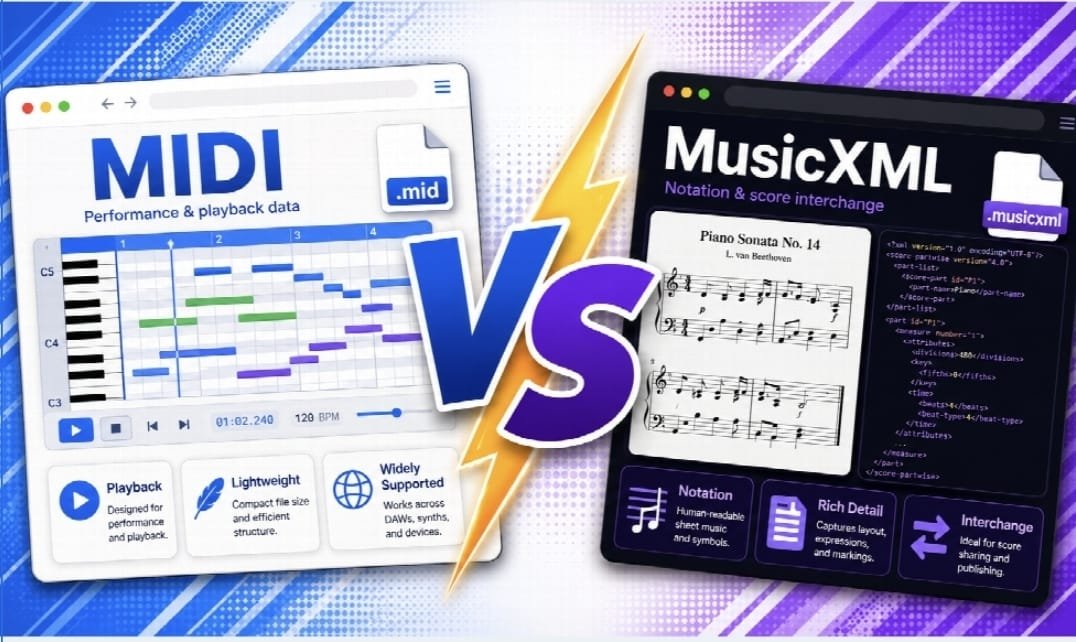
Open a MIDI file and a MusicXML file side by side and you will notice something odd. The MIDI file plays back exactly like the original performance, timing quirks and all, but it has no idea what key the piece is in, whether a note should be spelled as F sharp or G flat, or where a phrase mark belongs. The MusicXML file does the opposite. It knows the piece is in D major with a slur over the second phrase, but on its own it does not tell a synthesizer how loud to play each note or how much the performer bent the tempo.
Both formats represent music, but they represent different things. Picking the wrong one causes more frustration in music software than almost any other beginner mistake, so it is worth understanding what each format stores before choosing.
What MIDI Actually Stores
MIDI, which stands for Musical Instrument Digital Interface, is a protocol for describing a performance as a stream of events. A MIDI file is a list of instructions like “note on, pitch 60, velocity 90” followed later by “note off, pitch 60.” It also carries timing information, tempo changes, pitch bend, sustain pedal, and instrument or patch selection.
What MIDI does not carry is any concept of notation. It has no idea that a passage should be written in 3/4 time with a specific key signature, no concept of stems, beams, or slurs, and no distinction between a note spelled as C sharp versus D flat, since to a MIDI stream those are the same pitch number. This is why MIDI files imported directly into notation software often produce messy, hard-to-read scores full of odd rhythms and enharmonic spelling that a human would never choose. The data describes sound, not the printed page.
This makes MIDI the native language of digital audio workstations, keyboards, samplers, and playback devices. When you want a piece to sound a certain way, MIDI is the format built for that job.
What MusicXML Actually Stores
MusicXML is a written notation format. It describes clefs, key signatures, time signatures, measures, beams, ties, slurs, dynamics markings, lyrics, chord symbols, and page layout hints. A MusicXML file for a piano piece knows exactly how the score should look on paper: which staff each note belongs to, how it is spelled, where the phrase marks go, and what the composer wrote as a dynamic marking.
What MusicXML does not describe well is a live performance. It has no equivalent of velocity curves, sustain pedal timing, or the subtle timing push and pull a real player brings to a piece. A MusicXML file played back through software typically sounds mechanical, because it was never meant to capture a performance, only the instructions a performer reads from.
This makes MusicXML the interchange format of choice for notation software. It is what lets a score written in one notation program open correctly, with the right key signature and spelling, in a different program.
Side by Side Comparison
| MIDI | MusicXML | |
| Stores | Performance events (pitch, timing, velocity) | Notation (clefs, key signatures, spelling, layout) |
| Best for | Playback, DAWs, samplers, backing tracks | Moving scores between notation apps, printing, editing |
| Knows the key signature | No, only pitch numbers | Yes |
| Knows enharmonic spelling | No, C sharp and D flat are identical | Yes, spelling is explicit |
| Captures pedal, dynamics, articulation as notation | No, only as raw performance data | Yes, as written symbols |
| Captures expressive timing and velocity | Yes, natively | Poorly, if at all |
| Typical file source | Keyboards, DAWs, sequencers | Notation software like Finale, Sibelius, MuseScore |
| Playback sound | Can sound expressive if the original performance was | Often sounds mechanical unless a program adds interpretation |
When MIDI Wins
Choose MIDI when the goal is sound rather than the printed page. A composer building a backing track in a DAW, a producer sketching a chord progression before deciding on instrumentation, or a musician who recorded a keyboard part and wants to route it into a virtual instrument all need MIDI. It is also the right format for karaoke-style files, general playback, and any workflow where the destination is an ear, not a page.
MIDI is also the more universal format for import compatibility. Nearly every audio and notation program can read a MIDI file, even if what it produces afterward, especially in a notation program, needs cleanup.
When MusicXML Wins
Choose MusicXML when the goal is an accurate, editable, printable score. The most common real-world case is migrating a library of scores out of one notation program and into another, for example when a composer who built years of work in an older version of Finale needs to move that catalog into a different application. MusicXML preserves the key signatures, the correct note spelling, the lyrics under the staff, and the layout choices that a MIDI file would simply discard.
MusicXML is also the better choice any time a human is going to read the result from paper or a screen, rather than just listen to it. Choir parts, band arrangements, guitar sheet music with lyrics, and anything destined for a printer benefits from notation semantics that MIDI cannot represent.
What Gets Lost in Each Direction
Converting MIDI to notation loses nothing that was never there. Because MIDI never stored a key signature or note spelling, any notation program importing a MIDI file has to guess those things, and the guesses are not always the ones a musician would choose. Expect to spend time afterward fixing accidentals, adjusting how notes are grouped rhythmically, and setting a sensible key signature by hand.
Converting MusicXML to MIDI loses the parts of a performance MusicXML never captured either. Dynamics markings like piano or forte become, at best, a rough approximation of loudness rather than a real dynamic shape. Ties, slurs, and articulation marks may or may not affect the resulting playback depending on the exporting software. Anything purely visual, like a rehearsal letter or a page break, disappears entirely, since it has no bearing on sound.
A Practical Workflow for Converting Between Them
- Identify what you actually need at the end. If the destination is a synthesizer, sample library, or a DAW track, you need MIDI. If the destination is a printed part, a different notation editor, or an ensemble that reads sheet music, you need MusicXML.
- Start from the richest available source. If you have original notation files, export MusicXML directly from the notation program rather than starting from an audio recording or an old MIDI file, since notation software is the only place that key signature and spelling information reliably exists.
- Convert audio or scanned sheet music if that is all you have. A recording can be turned into MIDI first with a tool like NotaGen’s sheet music to MIDI converter, and existing engraved notation can go the other direction with an audio to MusicXML tool when starting from a recording, or a PDF to MusicXML converter when starting from a scanned or printed score.
- Clean up after conversion, every time. Whichever direction you convert, budget time to check key signatures, fix stray accidentals, and confirm rhythms look the way a musician would actually write them, since automated conversion of either format is a starting point rather than a finished score.
- Keep both formats if the project matters. For anything you plan to revisit, save the MusicXML for editing and printing and export a MIDI alongside it for quick playback or reference, rather than treating one file as a complete substitute for the other.
FAQ
Can I convert a MIDI file into a MusicXML file and get a clean score? You can convert it, and most notation software will do so automatically, but expect to spend time fixing the result. MIDI never stored a key signature, rhythmic notation choices, or correct enharmonic spelling, so the notation program has to guess, and those guesses often need manual correction before the score looks the way a musician would write it by hand.
Which format should I use for a backing track I plan to play along with? MIDI. It captures timing, velocity, and instrument assignment, all of which matter for playback, and it works with virtually every DAW, sequencer, and keyboard on the market. MusicXML is not built for this purpose and typically produces flat, mechanical playback.
Does MusicXML replace PDF as a way to share sheet music? Not exactly. A PDF is a fixed, uneditable image of a page, good for printing and reading but not for editing. MusicXML is an editable data format that notation software can open, transpose, rearrange, or reprint. Many musicians export MusicXML for editing and generate PDF only for the final, distributable copy.

