


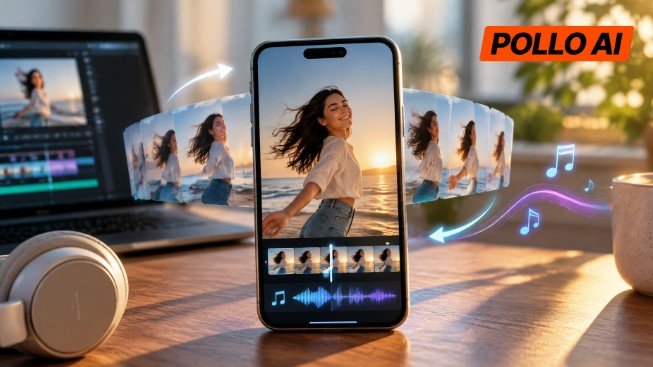
A boomerang can make a simple action more interesting, whether it is an outfit reveal, a product demonstration, or a quick reaction. Adding music gives the clip more personality, but creating the forward-and-reverse effect manually takes extra editing.
Pollo AI Boomerang Video Maker combines both parts in one process. Here’s how to make a boomerang with AI, add music, and prepare the finished clip for social media.
What Is Pollo AI Boomerang Video Maker?

Pollo AI Boomerang Video Maker is an AI tool that turns short video clips into forward-and-reverse loops. It can also animate photos, letting creators build a repeating motion effect without manually duplicating, reversing, and joining footage in a video editor.
Unlike a regular looping video that jumps back to its first frame, a boomerang plays the action forward and then backward. This makes it particularly useful for short movements that still look recognizable in reverse, such as a person turning, a hand waving, or a product being lifted and lowered.
The tool also lets users choose an aspect ratio and add optional background music. This is useful for creators making vertical Instagram Reels, TikTok clips, or short product visuals without switching between several editing tools. For example, a creator promoting an AI music video could use a short boomerang as a social media teaser, while an online seller could turn a product reveal into a repeating visual. Lifestyle creators can also add music to everyday moments to make their posts more engaging.
How to Make an AI Boomerang Video with Music Using Pollo AI
Step 1: Upload a Short Video Clip
Open the Pollo AI Boomerang Video Maker at https://pollo.ai/app/boomerang-video-maker and upload the video clip to use as the source.
The best footage usually contains one clear action with a recognizable starting point and turning point. A person waving, jumping, turning around, or tossing their hair can all work well. For product content, a short clip showing an item being picked up, turned, poured, or revealed can create a more engaging loop.
Before uploading, it helps to look at the footage from the perspective of someone watching it repeatedly. Is the main action easy to understand? Does the movement still make sense when played backward? A complicated sequence with several unrelated actions may not translate as well as one simple movement.
Camera stability also matters. If the subject moves around the frame too much or the camera changes angles halfway through, the resulting loop may feel less consistent. A short, focused clip gives the tool a clearer action to work with.
Creators who only have a still image can also use the photo animation option available on the tool page rather than recording new footage.
Step 2: Choose the Action and Aspect Ratio
After uploading the source material, choose the action for the boomerang and select an aspect ratio.
The action should reflect the movement that the clip is meant to emphasize. For example, a fashion creator may focus on a turn or hair movement, while an online seller may want to highlight a product reveal. Keeping the intended action consistent with the source footage helps avoid an unnatural-looking result.
Next, choose the aspect ratio based on where the video will appear:
- 9:16: Best suited to vertical placements such as TikTok, Instagram Reels, and Instagram Stories. It uses the full mobile screen and keeps the content in the format viewers are accustomed to.
- 16:9: More suitable for landscape videos, horizontal social posts, and other widescreen placements.
The framing deserves a little attention here. A person should not be positioned too close to the edge if their movement extends across the frame. Similarly, an e-commerce seller should make sure the product remains visible throughout the action rather than being partially cropped.
Choosing the right ratio before generation can save extra adjustments later, especially when the same content is intended for different social media placements.
Step 3: Add Background Music to the Boomerang
Once the movement and aspect ratio are selected, use the optional music setting to add a soundtrack.
Music can change how viewers interpret the same visual. A quick outfit reveal may feel more energetic with an upbeat track, while a slow product presentation may work better with something more understated. For casual reaction videos, a playful soundtrack can reinforce the mood without requiring additional visual effects.
The key is to make the audio fit the movement. If the clip has a quick, noticeable action, rhythmic music can make the repetition feel more deliberate. If the main appeal is the action itself, leaving the video without music may be the better choice.
For example, a beauty creator showing a quick makeup reveal might prefer a lively soundtrack, while a seller highlighting the details of a premium product may want the visuals to remain the focus.
After making the audio selection, check that it suits the intended audience and type of post. Then proceed to generate the boomerang.
Step 4: Generate, Preview, and Download the Video
With the source material and settings ready, start the generation process. Pollo AI will turn the selected footage into a forward-and-reverse loop and include the optional music if selected.
Once the result is available, preview the video before downloading it. Pay particular attention to the point where the movement changes direction. The transition should feel like a continuous action rather than an abrupt stop followed by an obvious reversal.
It is also worth checking the subject’s appearance throughout the loop. For a product video, the item should remain recognizable, with its important details visible. For a portrait or fashion clip, the person’s movement should look reasonably consistent in both directions.
Finally, listen to the soundtrack alongside the animation. Music that feels appropriate at the beginning may become distracting when the clip repeats. If the overall result does not work, consider using a simpler source action or adjusting the selected settings before generating another version.
When the video looks right, save or download it and upload it to the intended social media platform.
Tips for Making Better AI Boomerang Videos for Social Media
Keep the Loop Focused on One Moment
A boomerang is usually more effective as a quick visual hook than as a way to tell a complete story. Rather than trying to fit several actions into one clip, focus on the moment that viewers are most likely to remember. A product reveal, a funny reaction, or a distinctive gesture is often enough.
Make the Music Fit the Platform and Audience
The same soundtrack will not suit every account. A creator making casual TikTok content may prefer something playful, while a brand publishing product videos may need a more restrained mood. For sponsored posts and commercial advertisements, check the relevant music usage rights before publishing.
Check the Finished Video on a Phone
A clip that looks fine on a desktop monitor may feel differently on a mobile screen. Check whether the subject is large enough, the movement is easy to follow, and important details remain visible. This is particularly useful for product videos, where small visual details can influence how clearly viewers understand what is being shown.
Conclusion
A short, recognizable action and a suitable soundtrack can make a boomerang more interesting without requiring a complicated edit. Pollo AI Boomerang Video Maker brings the main process together, from uploading footage and choosing the movement to adding music and downloading the finished loop.
For creators making Instagram Reels, TikTok videos, or short product promotions, it offers a straightforward way to turn an ordinary clip into a repeatable social media visual.


