


How to add music to Instagram post? Adding music to your Instagram posts is now simpler than ever in 2026, transforming static images and videos into engaging, dynamic content that captures attention.
Instagram’s built-in music library offers millions of licensed songs you can add directly to feed posts, Reels, Stories, and carousel posts. This feature significantly boosts engagement rates, increases reach, and helps your content trend on the platform.
Whether you’re a content creator, business owner, or casual user, mastering this feature is essential for maximizing your Instagram presence and connecting with audiences through the universal language of music.
Understanding Instagram’s Music Feature in 2026
Instagram’s music feature has evolved significantly since its introduction. In 2026, the platform supports music integration across all major content types.
The feature allows users to add licensed tracks from Instagram’s extensive music library. This library includes millions of songs from major labels and independent artists.
Music availability varies by region due to licensing agreements. Most countries now have access, but some restrictions still apply in certain territories.
Why Add Music to Instagram Posts
Boost Engagement and Reach
Posts with music receive 23% higher engagement compared to silent posts. The Instagram algorithm actively promotes music-enhanced content in feeds and Explore pages.
Music creates emotional connections that static images alone cannot achieve. Audiences spend more time viewing content with audio, increasing watch time metrics.
Increase Discoverability
Music acts as a discovery tool on Instagram. Users can search for specific songs and find all posts using that track.
Trending audio helps your content appear in music-based searches. This creates additional pathways for new audiences to discover your profile.
Enhance Storytelling
Songs add emotional depth to visual content. The right soundtrack transforms ordinary posts into memorable experiences for viewers.
Music helps convey messages without words. It sets the mood, reinforces themes, and creates atmosphere that resonates with audiences.
Requirements Before Adding Music
Update Your Instagram App
Ensure you’re running the latest version of Instagram. Outdated apps may lack music features or experience bugs.
Visit your device’s app store and check for updates. Instagram regularly releases new features through app updates.
Check Regional Availability
Music features depend on licensing agreements in your country. Most regions support full music functionality, but some have limited catalogs.
If music options don’t appear, verify your location settings. Some users need VPN services to access complete music libraries.
Account Type Considerations
Personal accounts typically have full access to music libraries. Business and Creator accounts may have restrictions on commercial music use.
Instagram recommends commercially-licensed tracks for business accounts. These options appear automatically when you browse the music library.
How to Add Music to Feed Posts
Method 1: Quick Add During Upload
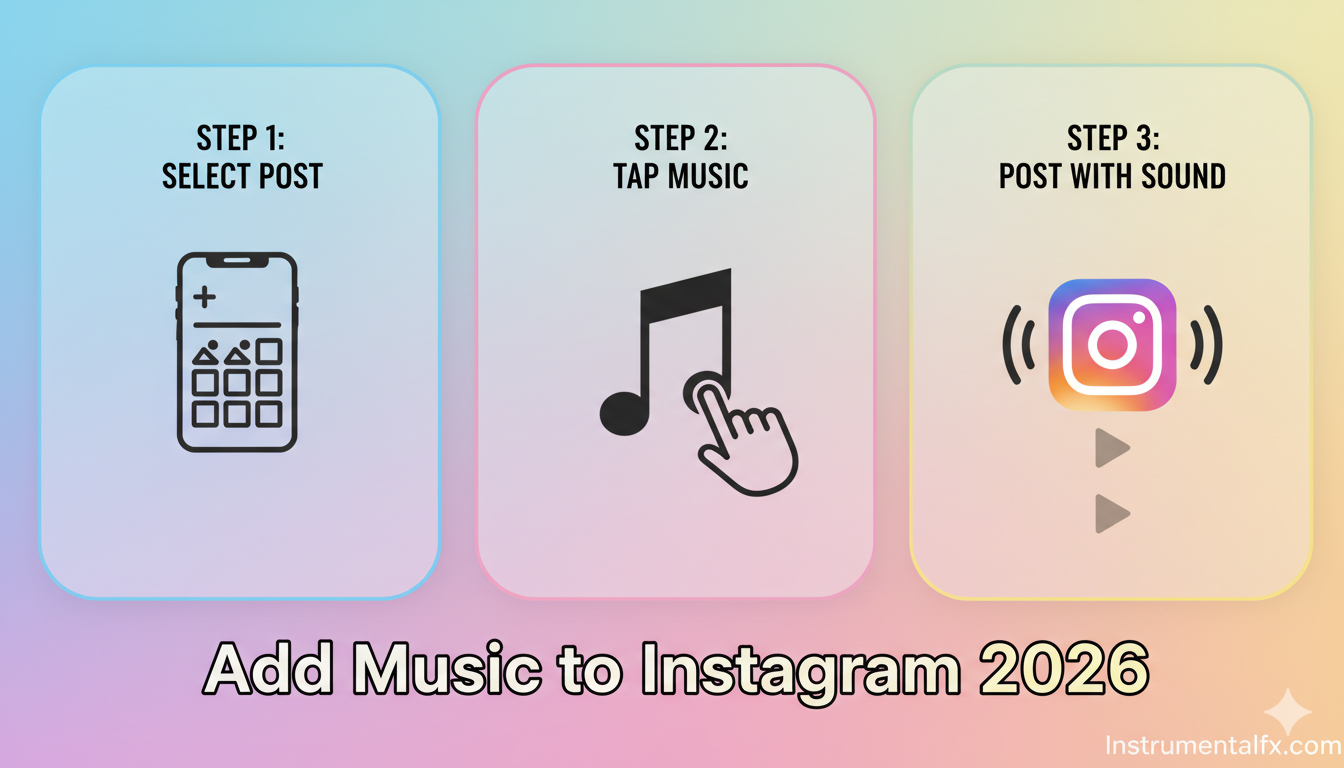
Open Instagram and tap the plus icon to create a new post. Select your photo or video from your device’s gallery.
Tap “Next” to proceed to the editing screen. Look for the music note icon in the top right corner.
Tap the music icon to access Instagram’s library. Browse “For You” recommendations, search specific songs, or check your saved music.
Method 2: Add from Caption Screen
Upload your content and proceed through the editing process. On the caption screen, scroll down to find “Add Music” option.
This option appears below location tags and before the advanced settings. Tap it to open the music selection interface.
Search or browse for your desired track. Instagram shows trending songs, genre categories, and personalized recommendations.
Selecting Song Duration and Segment
After choosing a song, you’ll see a waveform preview. Drag the colorful slider to select which portion of the song plays.
The duration selector shows options from 5 to 90 seconds. Choose the length that best fits your content style and message.
Preview your selection before finalizing. The play button lets you hear exactly how the music will sound.
Adding Music to Instagram Reels
Opening the Reels Editor
Swipe right or tap the plus icon and select “Reel”. Record new video or upload existing clips from your gallery.
The Reels editor provides advanced tools for video creation. Music integration is built directly into the creation process.
Tap the music note icon at the top of the screen. This opens Instagram’s full audio library optimized for Reels content.
Choosing Trending Audio
Trending audio significantly boosts Reel performance and reach. Instagram highlights trending tracks with special indicators in the library.
Search by genre, mood, or specific artist names. The “Trending” tab shows currently viral audio clips perfect for maximum reach.
Select a trending track that matches your content theme. Authentic alignment between music and visuals performs better than random trend-chasing.
Adjusting Audio Levels
Instagram allows audio mixing between original video sound and added music. Use the volume sliders to balance both audio sources.
Lower background music when dialogue is important. Increase music volume for purely visual content without narration.
Preview the final mix before posting. Proper audio balance ensures viewers can hear both elements clearly.
Adding Music to Instagram Stories
Using the Music Sticker
Open Instagram Stories by swiping right from the main feed. Capture a photo or video, or upload from your gallery.
Tap the sticker icon at the top of the screen. Scroll through sticker options and select the “Music” sticker.
The music sticker allows both audio playback and lyric display. Choose whether to show song lyrics as text overlay on your Story.
Customizing Music Display
Instagram offers multiple display styles for music stickers. Options include album artwork, song title with artist, or scrolling lyrics.
Resize and reposition the sticker anywhere on your Story. Pinch to make it larger or smaller based on your design preferences.
Change sticker colors to match your Story aesthetic. Multiple color schemes ensure the music element complements your visual theme.
Extended Playback for Stories
Standard Stories allow 15-second music clips. For longer playback, create multiple Story frames with continuous music.
Each Story frame can feature a different segment of the same song. This creates seamless listening experiences across multiple frames.
Viewers hear uninterrupted music as they progress through your multi-frame Story. This technique works excellently for music-focused content.
Adding Music to Carousel Posts
Creating Multi-Photo Posts with Music
Carousel posts now fully support music integration. Select multiple photos by tapping multiple images during upload.
Proceed through the editing process as normal. The “Add Music” option appears regardless of photo count in your carousel.
Music plays continuously as viewers swipe through carousel images. This creates cohesive storytelling across multiple visuals.
Best Practices for Carousel Music
Choose songs that match the overall carousel theme. Consistent mood across all images works better than jarring musical shifts.
Select longer song durations for carousels with many images. Viewers need time to swipe through and enjoy each photo.
Preview the entire carousel with music before posting. Ensure the song length aligns well with the number of images included.
Finding the Perfect Song
Browsing Instagram’s Music Library
Instagram’s music library contains millions of licensed tracks. The “Browse” section organizes songs by genre, mood, and popularity.
Categories include Pop, Hip-Hop, Electronic, Rock, Country, and dozens more. Mood-based collections feature Chill, Energetic, Romantic, and Motivational options.
Explore curated playlists created by Instagram’s music team. These collections feature songs that perform well on the platform.
Using the Search Function
The search bar at the top accepts song titles, artist names, or lyrics. Results appear instantly as you type your query.
Search results show song popularity indicators and usage counts. This helps identify which tracks are currently trending on Instagram.
Filter search results by genre or release date. Finding recently released music can give your content a fresh, current feel.
Saving Favorite Tracks
Tap the save icon next to any song in the library. Saved music appears in your personal “Saved” collection for quick access.
Building a saved music library streamlines content creation. Access your favorite tracks instantly without repeated searching.
Organize saved songs by creating themed collections. Group tracks by mood, genre, or content type for efficient workflow.
Adjusting Music Settings
Volume Control Options
Instagram provides separate volume controls for original audio and added music. Balance these elements for optimal listening experiences.
Slide the music volume indicator to adjust track loudness. Reduce music volume when original audio contains important information.
Test different volume levels before finalizing posts. What sounds good on your device may differ on viewers’ devices.
Selecting Song Segments
The timeline scrubber shows the entire song duration. Drag it to preview different sections and find the perfect moment.
Choose segments with strong hooks or memorable lyrics. The opening or chorus typically works best for maximum impact.
Avoid selecting quiet intros or fade-outs. Start with energetic portions that immediately grab viewer attention.
Duration Optimization
Shorter durations (5-15 seconds) work well for quick, punchy content. Longer durations (30-90 seconds) suit detailed storytelling.
Match music length to visual content duration. Videos shorter than the music selection will loop the track automatically.
Consider platform-specific recommendations for duration. Instagram’s algorithm may favor certain length ranges for different content types.
Adding Your Own Music
Distributing Through Music Services
Musicians can add original tracks to Instagram’s library. Use digital distributors like DistroKid, TuneCore, or CD Baby.
Enable Instagram and Facebook distribution during upload. This option ensures your music becomes available in Instagram’s library.
Processing takes 1-4 weeks after submission. Once approved, your tracks appear searchable in Instagram’s music database.
Copyright and Licensing
Instagram has licensing agreements with major record labels. Songs in the official library are cleared for platform use.
Using music outside Instagram’s library risks copyright claims. Videos may be muted or removed if unlicensed music is detected.
Business accounts should prioritize commercially-licensed tracks. Instagram flags these with special indicators in the music library.
Promoting Original Content
Once your music is in Instagram’s library, actively promote it. Use your tracks in all your posts to encourage fan adoption.
Ask followers to create content using your music. User-generated content with your tracks expands your reach exponentially.
Submit lyrics to MusixMatch for lyric sticker integration. This enables the scrolling lyric feature for Stories using your songs.
Alternative Methods for Adding Music
Third-Party Video Editors
Apps like CapCut, InShot, and Adobe Premiere Rush offer advanced audio editing. Edit music directly into videos before uploading to Instagram.
These tools provide more control over audio mixing and effects. Add fade-ins, fade-outs, and audio transitions not available in Instagram.
Export videos with embedded music and upload to Instagram. The music becomes part of the video file rather than an Instagram overlay.
External Music Apps
Play music from Spotify or Apple Music while recording videos. The audio captures directly into your video during recording.
This method works but requires proper music licensing. Copyright claims may occur if you don’t have rights to use the track.
Consider this approach only for personal content or royalty-free music. Commercial use requires appropriate licensing agreements.
Editing Before Upload
Pre-edit videos in your device’s native video editor. Add music tracks from your personal library before importing to Instagram.
This method ensures compatibility across platforms. Videos with embedded audio work on Instagram and other social networks identically.
Remember that embedded music doesn’t enable music-based discovery. Instagram can’t index pre-embedded tracks in its music search features.
Troubleshooting Common Issues
Music Option Not Appearing
Update Instagram to the latest version immediately. Outdated apps often lack newer features like post music integration.
Check your account type and location settings. Business accounts in certain regions may have limited music access.
Log out and log back into your Instagram account. This refreshes app permissions and can restore missing features.
Song Not Available
Some songs have regional restrictions based on licensing. What’s available in one country may be blocked in another.
Artists or labels may remove tracks from Instagram’s library. Previously available songs sometimes disappear due to expired agreements.
Try searching by different terms or browse similar artists. Alternative versions or covers may be available when originals aren’t.
Music Not Playing on Posted Content
Ensure your device volume is turned up when testing. Silent mode or low volume settings can make music seem absent.
Ask followers if they hear the music playing. Sometimes creator-side bugs don’t affect viewer experiences.
Delete and repost if music genuinely isn’t playing. Technical glitches occasionally occur during the upload process.
Copyright Claims on Posts
Use only tracks from Instagram’s official music library. These are pre-cleared and won’t trigger copyright issues.
If using external music, ensure you have proper licenses. Royalty-free or licensed tracks require documentation.
Respond promptly to any copyright notices received. Instagram provides appeal processes for legitimate uses.
Best Practices for Music Selection
Matching Music to Content Theme
Choose songs that enhance your visual message. Upbeat tracks work for energetic content, while slower songs suit reflective posts.
Consider lyrical content when selecting songs. Lyrics should align with or complement your caption and visual story.
Test how music affects content perception. The same video with different soundtracks creates entirely different emotional responses.
Following Music Trends
Monitor Instagram’s trending audio section regularly. Jumping on trends early maximizes visibility and engagement potential.
Participate in trending challenges that use specific songs. These challenges often go viral, boosting creator exposure.
Don’t force trending audio onto unrelated content. Authentic use of trends outperforms obvious trend-chasing.
Genre Considerations
Different audiences prefer different music genres. Know your follower demographics and musical preferences.
Pop music has the broadest appeal across age groups. It’s a safe choice when targeting diverse audiences.
Niche genres can help target specific communities. Electronic, indie, or classical music attracts particular audience segments.
Timing and Seasonality
Holiday-themed music performs well during seasonal periods. Use festive tracks in December or summer anthems in June.
Anniversary editions and throwback tracks tap into nostalgia. Older songs can sometimes outperform current hits.
Morning posts might benefit from upbeat, energetic music. Evening content could use more relaxed, chill soundtracks.
Music Strategy for Business Accounts
Brand Consistency
Develop a signature sound for your brand identity. Consistent music choices help audiences recognize your content instantly.
Create playlists of brand-appropriate tracks. This ensures all team members select on-brand music for posts.
Document your music style guidelines. Include approved genres, moods, and specific tracks that align with brand values.
Commercial Music Rights
Business accounts must use commercially-licensed music only. Instagram flags appropriate tracks for business use in the library.
Check licensing terms before using any track commercially. Violations can result in content removal or account restrictions.
Consider subscribing to commercial music licensing services. These provide broader track selections with guaranteed business-use rights.
Measuring Music Impact
Track engagement metrics on posts with and without music. Compare performance to identify music’s impact on your audience.
Note which songs or genres perform best. Data-driven music selection improves content performance over time.
A/B test different tracks on similar content. This reveals which musical choices resonate most with your specific audience.
Platform-Specific Tips
iOS Device Instructions
iPhone users access the music feature identically to Android. The interface design remains consistent across platforms.
Ensure iOS is updated to support the latest Instagram version. Older iOS versions may have compatibility issues.
Use AirPods or headphones when testing audio levels. Built-in iPhone speakers may not accurately represent viewer experience.
Android Device Instructions
Android users follow the same steps as iOS users. Instagram maintains feature parity across both major platforms.
Some Android devices have manufacturer-specific quirks. Samsung, Google, and other brands may display slight interface variations.
Update both Android OS and Instagram app regularly. This prevents compatibility issues and ensures feature access.
Desktop Limitations
Instagram’s desktop version doesn’t support adding music to posts. Music features require the mobile app exclusively.
You can view posts with music on desktop browsers. However, creating music-enhanced content requires mobile devices.
Consider using mobile emulators for desktop workflows. Programs like BlueStacks enable Instagram app use on computers.
Advanced Music Techniques
Creating Music Series
Develop themed content series using specific song types. Weekly features with consistent music create audience expectations.
Playlist-inspired posts work excellently for music discovery. Share multiple posts using tracks from curated playlists.
Behind-the-scenes content with authentic audio engages differently. Mix professional tracks with raw, original sounds.
Audio Branding Elements
Consider creating custom audio signatures for your brand. Short jingles or sound effects make content instantly recognizable.
Work with musicians to develop original brand themes. Exclusive music differentiates your content from competitors.
Consistently use the same intro or outro music. This builds audio branding similar to visual logo placement.
Seasonal Music Campaigns
Plan music strategies around major events and holidays. Seasonal music campaigns tap into cultural moments.
Create Valentine’s Day content with romantic tracks. Use spooky music for Halloween or festive songs for December holidays.
Back-to-school, summer vacation, and other seasonal periods have associated musical themes. Leverage these for timely content.
Measuring Music Performance
Engagement Rate Analysis
Compare engagement rates on posts with music versus without. Calculate likes, comments, and shares as percentage of reach.
Higher engagement indicates effective music selection. Lower engagement may suggest mismatched musical choices.
Track engagement patterns over time to identify trends. Certain music types may perform better during specific periods.
Reach and Impressions
Music-enhanced posts often achieve greater reach. Instagram’s algorithm favors engaging content with audio elements.
Monitor impression growth on music posts. Significant increases indicate algorithm favorability and audience interest.
Compare organic reach between music and non-music posts. This reveals the true impact of audio on content distribution.
Follower Growth Attribution
Track follower acquisition around major music posts. Viral audio can drive significant profile growth.
Note which songs correlate with follower spikes. Replicate successful music choices in future content.
Survey new followers about discovery methods. Many may mention finding you through specific songs or audio trends.
Future of Music on Instagram
AI-Generated Music Integration
Instagram is testing AI-generated custom soundtracks. Users may soon create original music directly within the app.
This technology allows perfect music matching to content. AI analyzes visuals and generates complementary audio tracks.
Early beta features show promising results. Full rollout expected in late 2026 or early 2027.
Extended Music Catalogs
Instagram continuously expands its music library. New licensing deals bring previously unavailable tracks to the platform.
Independent artists gain easier access to Instagram’s ecosystem. Simplified distribution processes democratize music availability.
Global expansion continues reducing regional restrictions. More countries gain full music feature access quarterly.
Enhanced Discovery Features
Instagram develops improved music discovery tools. New algorithms surface songs based on content type and audience preferences.
Predictive music suggestions will recommend perfect tracks. Machine learning analyzes your content style and suggests ideal matches.
Integration with streaming services deepens continuously. Spotify, Apple Music, and YouTube Music connections will expand.
Frequently Asked Questions
Q1: How to add music to Instagram post after posting?
Unfortunately, you cannot add music to posts after publishing. Your options are deleting and reposting with music, or sharing the post to your Story where you can add music to that version.
Q2: Why can’t I add music to my Instagram post?
This usually happens due to outdated apps, regional restrictions, or account type limitations. Update Instagram, check your location settings, and verify if business accounts have restricted music access in your region.
Q3: How long can music play on Instagram posts?
Instagram allows music duration from 5 to 90 seconds on feed posts and carousels. Stories support 15-second clips per frame, while Reels can use up to 90 seconds of audio.
Q4: Can I add music to Instagram posts from my computer?
No, music features are only available through Instagram’s mobile app. You must use iOS or Android devices to add music; desktop versions don’t support this functionality.
Q5: Is adding music to Instagram posts free?
Yes, completely free when using Instagram’s built-in music library. The platform has licensing agreements covering all tracks available in their official music selection interface.
Q6: Can business accounts use any music on Instagram?
Business accounts should use tracks marked for commercial use. Instagram flags commercially-licensed songs in the library specifically for business and creator accounts to avoid copyright issues.
Q7: How do I find trending songs on Instagram?
Use the search function in Instagram’s music library and check the “Trending” tab. You can also browse the Reels feed to hear currently popular audio tracks being used by creators.
Q8: Can I use Spotify music on Instagram posts?
You cannot directly use Spotify tracks on Instagram posts. However, if a song exists in both platforms’ libraries, you can add it through Instagram’s music feature independently of Spotify.
Q9: Why is some music unavailable in my region?
Music availability depends on licensing agreements between Instagram and record labels. Some regions have limited catalogs due to copyright restrictions and ongoing contract negotiations.
Q10: How do I get my own music on Instagram?
Distribute your music through services like DistroKid, TuneCore, or CD Baby. Enable Instagram/Facebook distribution during upload, and your tracks will appear in Instagram’s searchable library after approval (typically 1-4 weeks).
Conclusion
How to add music to Instagram post successfully transforms your content strategy and engagement potential. Instagram’s comprehensive music features in 2026 offer unprecedented creative opportunities for personal and business accounts alike.
By following the step-by-step methods outlined above, you can seamlessly integrate licensed music into feed posts, Reels, Stories, and carousels.
Remember to choose songs that authentically match your content theme, monitor trending audio, and analyze performance metrics to refine your music strategy.
The combination of compelling visuals and perfect soundtracks creates memorable experiences that resonate with audiences, boost algorithmic favorability, and establish your unique presence on Instagram’s dynamic platform.


