


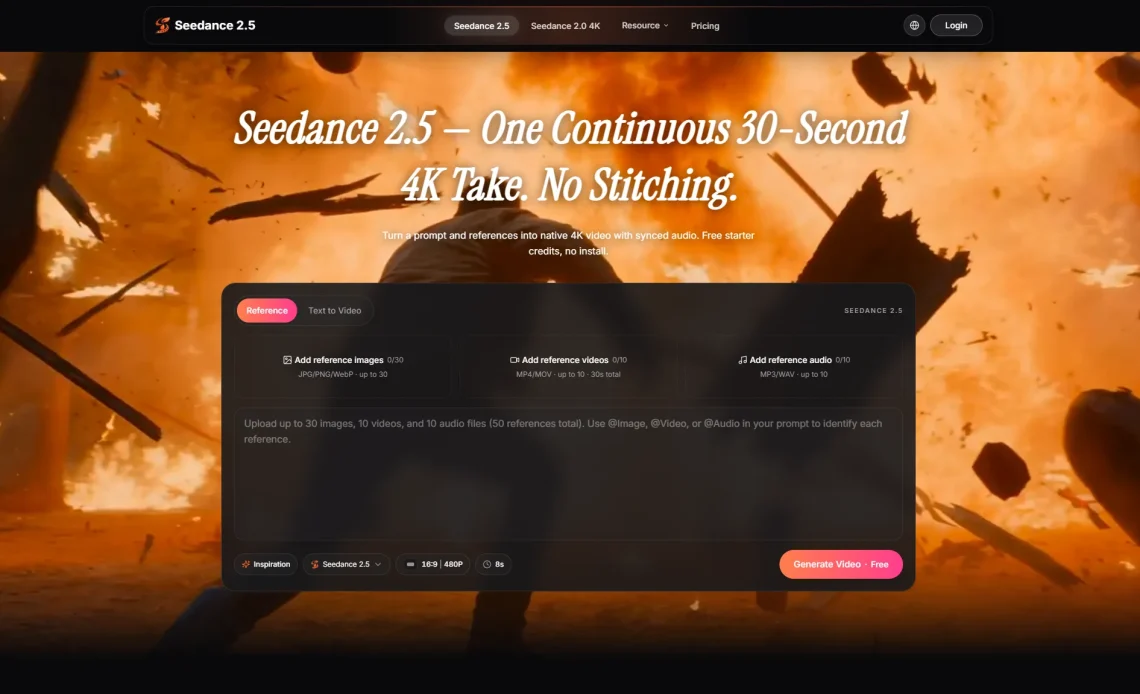
AI video is becoming more useful when it gives creators enough room to build a complete idea, not just a few seconds of motion that looks good in isolation.
A lot of creative work starts with something small. A rhythm idea. A product image. A short caption. A rough scene written in a notes app. For musicians, social creators, small studios, and marketing teams, the first problem is often not imagination. It is turning that early idea into something visible enough to judge.
Short AI clips helped solve part of that problem. They made it possible to test a mood, a camera move, or a visual style without organizing a full shoot. But many creators quickly found the next limit: a few seconds can be too short to carry a message. A teaser needs a beginning. A product demo needs a reveal. A music visual needs time to build atmosphere.
That is why the release of Seedance 2.5 is interesting for creators who want AI video to become part of a working draft process. The value is not only in generating a clip. It is in giving an idea enough structure to be reviewed, improved, and used as a step toward a finished piece.
Why Longer Drafts Matter
When a video lasts only a few seconds, it can be impressive without being useful. It may show a subject, a motion style, or a visual mood, but it often ends before the viewer understands what the creator is trying to say. That works for a quick experiment. It is less useful for content that needs a story, a hook, or a clear call to action.
Longer AI video drafts give creators more space to test pacing. A product can enter the frame, turn, and end on a clear detail. A music clip can move from a calm opening to a more energetic moment. A creator intro can establish a setting before the main action begins.
This does not mean every AI-generated video needs to be long. Many short clips still work well for social platforms. The point is that creators need a choice. Some ideas only need a flash. Others need a little breathing room.
Turning Simple Ideas Into Visual Plans
The first draft of a video often looks messy. A creator may know the mood but not the exact shot. A brand may have the product image but not the motion. A musician may have a track fragment and want a visual loop that feels connected to the sound.
AI video helps when it can turn that raw material into a draft that people can react to. The draft does not have to be perfect. It has to be clear enough to answer a few practical questions: does the scene make sense, does the motion support the idea, and does the style match the content?
For this reason, the prompt should not be treated like a magic sentence. Better results usually come from a small creative brief: what the video should show, what should stay consistent, how the camera should move, and what the viewer should feel by the end.
Useful for Music, Entertainment, and Social Content
Instrumental and entertainment-focused creators often need visuals before they have a full production plan. A beat maker may want a moving visual for a short preview. A podcast host may need a teaser for an episode. A gaming creator may want a cinematic intro. A lifestyle creator may want a visual concept for a campaign before filming.
In each case, the video draft serves a different purpose. It may help sell an idea to a collaborator. It may help choose a visual direction. It may become a reference for an editor. It may simply help the creator decide whether the concept is worth more time.
This is where Seedance 2.5 creative video AI fits naturally. It gives creators a way to explore motion around an existing idea while keeping the focus on direction, references, and review.
Reference Inputs Make the Draft More Grounded
One reason AI video can feel unpredictable is that text has to do too much work. A prompt may describe the subject, the scene, the lighting, the movement, the mood, and the ending. If any part is vague, the model fills in the gaps.
Reference inputs reduce some of that guesswork. A product image can help define what should stay consistent. A style frame can set the visual tone. A short clip can suggest camera movement. Audio can help guide rhythm or atmosphere.
For creators, this is a practical improvement. It means the draft can begin closer to the real creative direction. Instead of asking the model to invent everything, the creator brings pieces of the project into the process.
How Creators Can Test the Workflow
The best way to test an AI video workflow is to use a real idea, not a random prompt. A creator can start with one short concept and build a simple test around it. For example, a music teaser might need a moody opening, a beat-synced movement, and a final frame that works as a thumbnail.
A product video might need the item to stay recognizable across the clip. A short explainer might need readable motion and clear pacing. A social ad might need a strong first second and a clean ending.
Creators should review the draft the same way they would review any early video concept:
- Does the subject stay consistent?
- Does the motion support the message?
- Does the clip have a clear beginning and ending?
- Would the draft help an editor, client, or collaborator understand the idea?
- Is the result close enough to improve, or should the brief be rewritten?
AI Video Still Needs Human Direction
There is a temptation to judge AI video only by how polished the first output looks. That can be misleading. A beautiful clip may still fail if the product changes shape, the movement distracts from the message, or the ending does not fit the platform.
Human direction still matters. Creators need to decide what the video should communicate, which references are important, and what details can be changed without losing the idea. The more clearly those decisions are made, the more useful the AI draft becomes.
This is especially true for music and entertainment content. Mood is not just decoration. Timing, color, camera movement, and rhythm all shape how a clip feels. AI can help explore those choices quickly, but the creator still decides which version has the right energy.
Final Thoughts
Seedance 2.5 AI Video Generator arrives at a moment when creators need more than quick experiments. They need ways to turn rough ideas into longer, clearer video drafts that can support social content, music visuals, product teasers, and campaign planning.
That makes the new generation of AI video tools more practical. They are not replacing the full creative process. They are becoming part of the early stage where ideas are tested, references are organized, and creators decide what is worth developing further.
For anyone building content around music, entertainment, social media, or digital storytelling, the next step is not simply to generate more clips. It is to use AI video with better briefs, better references, and a clearer sense of what the final video needs to do.

