


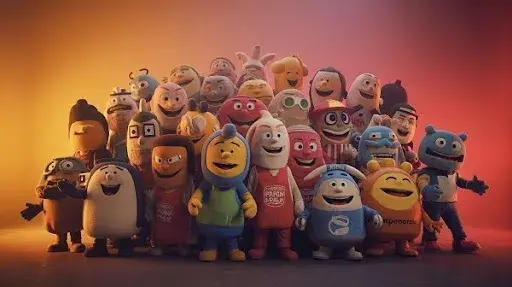
A small café called Miller & Bloom wants a mascot for its packaging, social media, and future merchandise. The owner has a rough idea: a friendly fox in a barista apron, but isn’t sure whether it should be a flat 2D illustration or a rounded 3D character.
Brand mascot design isn’t just about appearance. The style can affect production cost, future animation, and how consistently the character works across print, social media, and video.
To take the guesswork out of the decision, this article looks at how 2D and 3D styles compare across real marketing touchpoints and how you can quickly prototype your concept before bringing a designer onboard with an online AI Cartoon Generator.
The Strategic Value of a Brand Mascot
A mascot works because it gives your brand a face. While logos communicate identity, characters communicate personality. Personality is what people remember, share, and connect with emotionally.
A well-crafted mascot quickly becomes visual shorthand for your business, much like how iconic brand characters instantly signal a company’s presence without requiring a single word of copy.
For smaller businesses, custom mascots solve a very practical visual problem:
- Brand Recognition: Stock illustrations and generic photography often blur together. A unique character stands out on packaging, email footers, and storefront signs.
- Consistency Across Touchpoints: A mascot creates a recognizable visual thread that connects a physical coffee bag to a fast-moving Instagram Reel.
- Emotional Versatility: Unlike a static logo, a character’s expression can adjust depending on the message, such as looking welcoming on a menu board, playful in a promo ad, or helpful in a customer service banner.
Understanding the Styles: 2D vs. 3D Cartoon Mascots
What Is a 2D Cartoon Mascot?
A 2D mascot is a flat, illustrated character built with line work, solid colors, and simple shading. Think of classic picture book art or vector logo characters. It relies on artistic style rather than depth to convey personality.
What Is a 3D Cartoon Mascot?
A 3D mascot is a digitally sculpted character with volume, realistic lighting, and tactile texture. It looks closer to a character from a Pixar animated film or a mobile video game, giving it a dimensional and lifelike presence.
2D vs. 3D Mascot Design: Which One Fits Your Brand?
The right mascot style depends on where and how you plan to use the character. To keep things simple, here is a quick side-by-side comparison to help you choose the best fit for your brand before moving into production.
| Decision Factor | 2D Brand Mascot | 3D Brand Mascot |
|---|---|---|
| Visual Style | Illustrated, hand-drawn, graphic, or storybook-inspired | Dimensional, polished, dynamic, or game-inspired |
| Primary Channels | Print, packaging, stickers, websites, and static social posts | Video, apps, animated social content, and interactive experiences |
| Upfront Budget | Lower initial cost | Higher initial investment |
| Animation Needs | New poses and movements often require additional illustration work | Once modeled and rigged, the character can be reused across different poses and animations |
| Production Resources | Often easier to manage with an illustrator or small design team | May require modeling, rigging, rendering, and animation skills |
| Turnaround Time | Usually faster to create, especially for a simple mascot with only a few poses. | Usually takes longer upfront because modeling, texturing, and rigging may be required. |
| Cost of Future Updates | Cheap for small tweaks, but new poses require redraws | Easy pose changes when rigged, but structural edits cost more. |
| Merchandise Potential | Works well for 2D print like coffee bags, t-shirts, and stickers | Seamless transition to figurines, plush toys, and 3D merch |
How to Explore Brand Mascot Ideas with an AI Cartoon Generator
Before hiring a professional illustrator or 3D artist, testing a concept to see how it translates visually can save you a lot of money and revision time. For Miller & Bloom, the concept was simple: a fox barista, a terracotta and cream color palette, wearing a small apron and beret, with a warm, one-eye-closed wink expression.
TeraBox’s AI Cartoon Generator can help turn an illustration concept into a visual draft.
Here is the exact 4-step testing workflow we followed:
Step 1: Define the Mascot Concept
Write the concept down in full before opening any tool: character type, color palette, outfit, expression, and personality. Be specific. A vague idea produces a vague result, and a vague result is hard to judge afterward.
Step 2: Enter a Prompt
To ensure a fair side-by-side test, we kept the text prompt identical across both style runs
Step 3: Select and Compare Styles
Run the same prompt twice: once aiming for a flat, illustrated look, and once aiming for a rounded, dimensional look. Keeping the prompt identical both times isolates the style as the only variable, which makes the two results genuinely comparable.
This is the fastest way to test cartoon mascot design options without rebuilding the concept from scratch for each style.
Step 4: Review the Results
Compare each output against the original concept, detail by detail: Did the colors match? Was the outfit included? Did the expression come through? Note anything simplified, missing, or added.
In this test, the 2D version came out with bold outlines and no shading, and every requested detail, colors, apron, beret, wink, carried through accurately.
The 3D version matched those same details but with rounded shading and more volume, and it added one unrequested detail: a small coffee cup in the fox’s paw. It wasn’t part of the prompt, but it suited the café concept well enough to read as a reasonable addition rather than an error.
Running the same 3D prompt a second time confirmed this wasn’t a fluke, the regenerated result matched the concept exactly, with no extra elements this time, which showed the tool could deliver a precise match when needed.
FAQs
Is 2D or 3D mascot design better for a small business?
It depends on your primary marketing channels. 2D is generally better for small businesses focused on print packaging, stickers, and static social posts due to lower upfront costs. 3D works best if video ads and app experiences are central to your strategy.
Can an AI Cartoon Generator replace a professional designer?
Not for a final asset. It’s useful for testing ideas and comparing styles early, but a designer is usually still needed to refine the mascot before it’s used for trademark, packaging, or animation purposes.
How does turning a picture into a cartoon work?
AI cartoon tools can use a text description, an uploaded image, or both, depending on the tool and workflow.
Will an AI Cartoon Generator give the same result every time?
Not necessarily. Running the same prompt twice can produce small differences, like an added detail in one version and not the other. It’s worth generating more than once before judging a style.
Does a mascot need to stay in one style forever?
No, but switching from 2D to 3D (or the reverse) usually means redesigning the character rather than converting the same file, since the two styles are built differently.
What should a business prepare before testing a cartoon mascot design?
A clear concept: character type, colors, outfit, and expression. Specific input makes it much easier to judge whether the result actually matches the idea.
How long does an AI tool take to generate 2D and 3D mascot concepts?
TeraBox’s AI cartoon generators produce this fox concept image in roughly 5 to 15 seconds. Rendering a 3D style concept may take a few seconds longer than a flat 2D vector due to complex visual calculations, but both options allow for fast, real-time testing.
Is the generated output high quality enough for commercial brand use?
AI tools produce high-resolution visual previews that are great for social media or concept testing, but they usually lack the layered vector files needed for large-scale printing. While the artistic quality is often impressive, a professional designer is still needed to clean up details, ensure trademark uniqueness, and provide final scalable production files.
Conclusion
Deciding on a mascot does not have to happen entirely in your head. A practical way to move forward is to turn the idea into something you can actually compare. Instead of guessing how the character might look, you can prototype both visual directions first and use the results to refine your concept.
Take a few minutes to test your idea with TeraBox AI. Try the same mascot concept in both 2D and 3D styles, compare the results side by side, and use what you learn to decide which direction fits your brand before moving on to a final design.

