


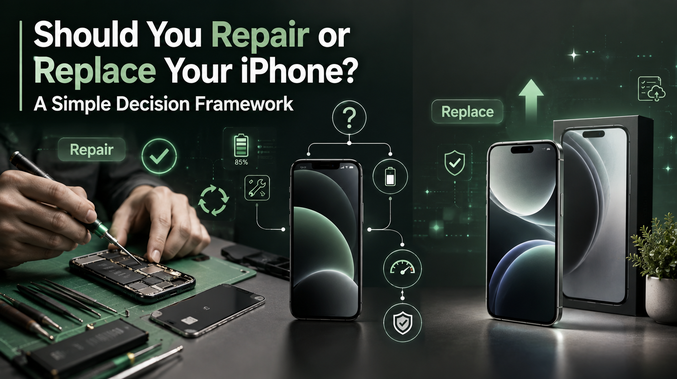
Your phone just cracked. Or the battery is dying by lunchtime. Or it froze twice today already. Now you are standing there asking the same question everyone asks eventually. Fix it or replace it? Let’s skip the stress. This is not complicated once you break it down properly. Grab a coffee. We are solving this right now.
1st of All, Make Sure “What Is Actually Wrong?”
Not all problems are equal. A cracked screen is not the same as a phone that will not turn on. So first, get specific about the actual issue.
Is it the screen? Is it the battery? Is it slow? Does it randomly shut down? Write it down if you need to. The answer to repair or replace depends entirely on what you write here.
The Screen Problem
Cracked screens are the most common repair request out there. Good news first. Screens are usually the cheapest and easiest fix on any iPhone. Even you can go for a used iPhone 15 in Australia.
If your phone is otherwise fast, the battery is healthy, and everything else works fine, fix the screen. Do not replace an entire phone over glass damage. That is like buying a new car because of a chipped windshield.
One warning though. If the touch response feels off after the crack, or you see weird lines across the display, get it checked before assuming it is a simple fix. Sometimes a crack signals more serious internal damage.
The Battery Problem
Battery dying fast? This one is almost always worth fixing rather than replacing the whole phone.
Check your battery health first. Settings, then Battery, then Battery Health. If that number sits below 80 percent, a new battery alone can make your phone feel brand new again. Seriously. This single fix solves most complaints people have about their older iPhone.
Battery replacements are inexpensive compared to buying a new device. Unless your phone has other serious issues stacking up, this is rarely a reason to replace the whole thing.
The Slow Phone Problem
This one gets tricky. Sometimes a slow phone just needs cleaning up. Delete unused apps. Clear storage. Restart it properly instead of just closing apps.
But sometimes slowness points to something bigger. If your phone is five or six years old and struggling to run basic apps smoothly, that is often your hardware telling you it has reached its natural limit.
Ask yourself this. Is it slow doing everything, or just certain tasks? Everything slow at an old age usually means it is time to consider replacing it. Slow only in specific apps often means a software issue you can fix yourself.
The Water Damage Problem
This one deserves its own section because it scares people unnecessarily. Water damage does not always mean game over.
If your phone still turns on after getting wet, dry it out properly and give it real time to recover, at least 24 to 48 hours, before panicking. Many phones survive minor water exposure just fine.
If it will not turn on at all, or the screen shows strange discoloration, that is a more serious sign. At that point, a professional opinion is worth getting before deciding anything.
The Age Question Nobody Wants to Answer Honestly
Here is the question people avoid the most. How old is your phone, really?
If your iPhone is under three years old, repair almost always makes more financial sense. You are likely dealing with one isolated issue on an otherwise capable phone.
If your iPhone is between three and five years old, this is where real decision-making starts. One repair, like a battery, still makes sense. But if you are facing multiple issues at once, screen, battery, and slow performance together, that combination often signals it is time to move on.
If your iPhone is over five or six years old, software support may already be ending or close to it. At this stage, repairing becomes a temporary patch rather than a real solution. Your money is often better spent moving forward instead of backward.
The Real Cost Comparison
Let’s talk numbers honestly, because this is where most people get stuck. Repairs typically cost a fraction of what a new phone costs. A screen or battery repair might run you a small percentage of what a brand new iPhone costs.
But repairs stack up. If you are paying for a screen this month and facing a battery replacement next month, those individual small costs start adding up toward a bigger decision.
Here is a simple rule that works well. If the total cost of needed repairs approaches half the price of a solid replacement option, it is worth seriously comparing your alternatives instead of automatically repairing again.
What About Buying Refurbished Instead of New?
This is where things actually get interesting, and where most repair or replace guides stop short. Replacing does not have to mean paying full price for a brand new phone.
A refurbished iPhone, properly tested and graded, can often solve your entire problem at a lower cost than repeated repairs on an aging device. You get a phone with a fresh battery, no accumulated wear issues, and often a warranty attached, all while spending less than a brand new model would cost. I must suggest you to try iPhone 17 for sale in australia.
This middle path deserves more attention than it usually gets. You are not stuck choosing between an expensive repair and an expensive new phone. There is a smart option sitting right between those two extremes.
A Quick Decision Checklist
Are you feeling stuck? Quickly run through these questions honestly.
- Is the issue isolated to one part, like the screen or battery? Lean toward repair.
- Is your phone under three years old with no other major issues? Lean toward repair.
- Are you facing multiple problems at once on an older device? Lean toward replacing.
- Has your phone lost software update support already? Lean toward replacing.
- Would total repair costs approach half the price of a good refurbished replacement? Lean toward replacing.
If most of your answers point one direction, trust that pattern. Your gut is probably already right. This checklist just confirms it.
Trust Your Actual Usage, Not Just the Numbers
Beyond cost, think about how you actually use your phone daily. If you rely on it heavily for work, communication, or photography, reliability matters more than saving a small amount of money through repeated repairs.
On the other hand, if your phone is mostly for calls, texts, and casual browsing, a well-done repair can extend its life comfortably without needing to spend more than necessary.
There is no universal right answer here. There is only the answer that fits your life, your budget, and how much patience you have for dealing with an aging device.
Final Thoughts
Finally, you know how to decide whether to repair or replace your device. Basically, repair or replace is rarely as complicated as it feels in the moment. Most of the time, the real problem is not lack of information. It is not knowing how to organize what you already know.
Identify the actual issue. Check the age of your phone honestly. Compare real costs, not guesses. And remember that replacing does not have to mean paying full retail price, since refurbished options often bridge that gap perfectly.
Make the decision based on your situation, not fear or habit. Whichever path you choose, you will walk away with a phone that actually works the way you need it to, without wasting money you did not need to spend.

