


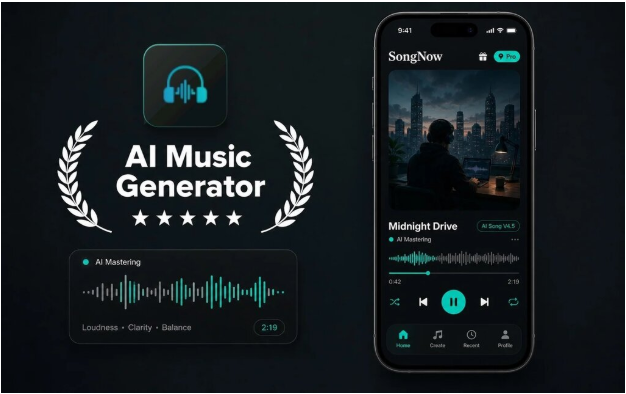
A beat idea can begin with almost nothing: a bass rhythm tapped on a table, a phrase for a hook, or a mood that fits a video. The difficult part is deciding what the idea should become. Do you need a complete song, an instrumental background, a vocal-free version, or separate parts for further editing? Song Maker App can help create and reshape music from a phone, but useful results still depend on a clear goal. Before generating several tracks, define the job the audio must perform and build only the version that serves that job.
Start With the Intended Use, Not the Genre
Genre matters, but purpose should come first. “Hip-hop” is a musical direction. “A 20-second opening for a sports recap” is a practical requirement.
Consider three creators. One needs background music for a spoken video. Another wants a complete song built around original lyrics. A third wants to study how vocals, drums, and other parts work together. They may all choose a similar genre, yet they need different outputs and different next steps.
Write one sentence before you begin:
“I need a tense instrumental for the opening of a gaming video.”
That sentence tells you more than a long list of style words. It identifies the mood, likely vocal needs, and where the track will be used. You can add genre, tempo, or voice choices after the purpose is clear.
Choose the Right Starting Path
1. Start With an Idea When the Mood Comes First
Use a short description when you know the atmosphere but do not have lyrics. Include a subject, mood, and style clue.
For example:
“Dark electronic track for a late-night city chase, with a strong rhythmic opening.”
This gives the generator a usable direction without overloading it. SongNow can create songs from text ideas and help form lyrics, melody, vocals, and arrangement. The first version gives you something to judge. You may discover that the rhythm works but the vocal direction does not, or that the mood is right but the opening lacks impact.
Do not write five unrelated moods in one prompt. “Dark, happy, emotional, aggressive, relaxing” leaves no clear priority. Choose the feeling that matters most for the intended use.
2. Start With Lyrics When the Message Comes First
If the hook or story is the reason for the track, enter your own lyrics. Organize them with labels such as Verse, Chorus, and Bridge so each section has a clear role.
A short chorus often needs fewer words than new writers expect. Leave room for repetition, pauses, and melody. A line that looks simple on the page may become powerful when sung. A crowded line may force the vocal into an awkward rhythm.
The SongNow App offers a custom approach for structured lyrics along with controls for genre, mood, voice, tempo, and style. Change these settings to support the message. A reflective lyric may need a different pace and vocal direction from a short promotional hook.
3. Start With Existing Audio When the Problem Is Specific
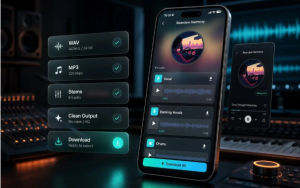
Sometimes you do not need a new composition. You need to change material you already have. The official tool list includes vocal removal, stem splitting, cover-song creation, track extension, and options for adding AI vocals or instrumentals.
Choose the tool according to the problem. Use vocal removal when you need a version without the main vocal. Use stem splitting when you need separate musical parts for closer listening or additional work. Consider extension when a useful section ends too soon. A cover tool is relevant when the goal is to reinterpret a song in another style.
These tools do different jobs. Sending every track through every option usually creates unnecessary versions. Identify the obstacle first, then choose one operation.
4. Start Small When You Are Still Exploring
When the idea is uncertain, create a simple first draft rather than trying to describe a finished production. Listen for one element worth developing.
It may be the drum pattern, chorus shape, vocal tone, or overall mood. Record that observation before generating again. For example, “Keep the rhythm, change the emotional tone” is a useful next instruction. “Make it better” is not.
Exploration becomes productive when each version answers a question. Does a slower tempo improve the hook? Does removing vocals make the track work under narration? Does a longer opening help the video edit? One question per version keeps the process understandable.
How to Evaluate the First Version
Listen once without taking notes. Notice your immediate reaction. Then listen again with the intended use in mind.
For a video track, ask whether the music leaves room for speech and whether the strongest moment arrives at the right point. For a complete song, check whether the chorus is memorable and whether the verses support it. For an instrumental, focus on movement, repetition, and whether the track becomes tiring.
Use a simple three-part review:
Keep: Name the strongest element. Change: Identify the main problem. Test: Choose one adjustment for the next version.
A gaming creator might write, “Keep the heavy opening; change the busy middle; test a simpler arrangement.” A rapper testing a hook might write, “Keep the chorus rhythm; change the second line; test a slower tempo.”
Use Editing Tools to Solve One Clear Problem
Generating a new track is not always the best next move. If most of a result works, use a more specific tool.
A creator making a commentary video may like the instrumental but find the vocal distracting. Vocal removal can create a more suitable base. Someone studying a beat may use stem splitting to examine separate parts. A short piece with a useful groove may be a candidate for extension instead of complete regeneration.
SongNow presents creation and editing tools within one mobile studio. Its project library can keep generated songs, prompts, lyrics, and project details together. This makes it easier to revisit the version that had the best hook or compare a processed track with the original draft.
Avoid Three Common Mobile Music Mistakes
The first mistake is generating before deciding what the track is for. This often produces music that sounds acceptable but does not fit the video, vocal, or listening situation.
The second mistake is changing too many elements together. If you rewrite the lyrics, switch genre, change tempo, and alter the voice, you cannot tell which decision helped. Keep the strongest parts fixed and test one major change.
The third mistake is collecting versions without comparing them. More tracks do not automatically create more choice. Save a small number of clearly labeled drafts and write one sentence about each. A short record prevents you from repeating the same failed direction.
Also check the options shown in your account before making promises about downloads or use. The official page notes high-quality MP3 or WAV downloads where available, so availability may depend on the specific context or plan.
Conclusion
Turning a beat idea into usable audio begins with one decision: what job must the track perform? Start from a text direction when mood leads, use structured lyrics when the message leads, and choose an editing tool when existing audio has a specific problem. Review each version by naming what to keep, what to change, and what to test next. This keeps mobile creation focused and prevents a library full of nearly identical drafts. For your next project, write the track’s purpose in one sentence before opening any music tool, then create the smallest version that can prove whether the idea works.

