


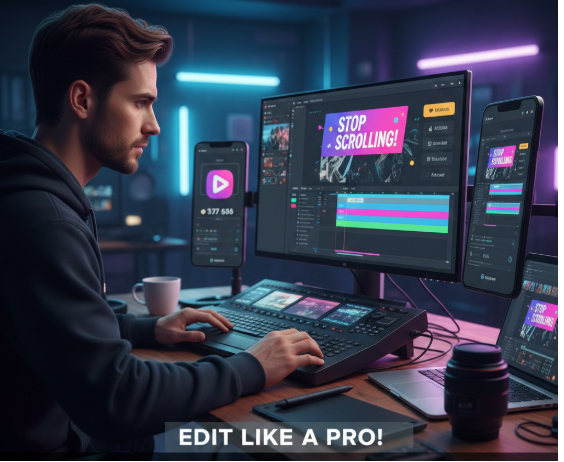
Let’s be honest—most of us aren’t working with a Hollywood studio. We’re filming on our phones, editing on free apps, and hoping our videos don’t get lost in the endless scroll. But here’s what I’ve learned: the videos that blow up aren’t usually the ones with the fanciest cameras. They’re the ones that are edited with purpose.
Editing isn’t just about stitching clips together. It’s the invisible hand that guides a viewer’s emotions, holds their fleeting attention, and compels them to share. On TikTok, Instagram Reels, YouTube Shorts, and Facebook, you’re fighting against thumb-fatigue. A weak edit means people swipe away in a second. A strong one can make them watch, share, and come back for more.
You don’t need a degree in film. You just need to know a few key secrets. By the end of this, you’ll know exactly how to structure your edits to hook viewers and keep them watching—no matter what tool you use, whether it’s a mobile app or a more advanced platform like gstory ai video editor.
First, a Crucial Step: Know Your Arena
You wouldn’t wear a ballgown to the gym. Don’t post a horizontal, slow-paced vlog to TikTok and wonder why it flopped. Every platform has its own culture.
- TikTok thrives on raw energy, fast cuts, and riding trends with specific sounds.
- Instagram Reels leans a bit more polished—aesthetic visuals matter, but the pace is still quick.
- YouTube Shorts often rewards a slightly longer, story-focused hook.
- Facebook has a mixed-age audience where repurposed, informative content can work well.
The technicalities matter, too. Stick to vertical (9:16) for short-form platforms. Keep faces and key text away from the very edges, or they’ll be hidden under buttons and captions. And remember the golden rule: for most short-form content, aim for 15-45 seconds, with your absolute best moment in the first 1-3 seconds. Everything in your edit must serve that opening hook.
Secret 1: Your First 3 Seconds Are Non-Negotiable
This is your only guarantee. People decide in a blink whether to stay or go. Your edit must announce, from frame one, that this is worth their time.
How to do it: Start with the result, not the setup. If you’re teaching a recipe, show the delicious final dish sizzling. If you’re fixing a common mistake, state the problem boldly: “Stop scrolling if your videos get no views.” Use a fast, clean cut directly into action—no “Hi, guys!” or fumbling. Add bold on-screen text that matches the promise of your video: “I fixed this in 30 seconds.”
Think of it like a movie trailer. It doesn’t start with the characters waking up; it starts with the explosion.
Secret 2: Ruthlessly Cut the Fluff
This was the hardest lesson for me to learn. You have to murder your darlings. That funny aside, that long pause for emphasis—if it doesn’t drive the story forward, cut it.
How to do it: Use jump cuts (quick cuts between the same framing) to remove “ums,” long breaths, and repetition. Keep the average shot length between 1-3 seconds to maintain energy. Don’t just tell us—show us. When you mention a tool, cut to a quick clip of it. This is called B-roll. It adds visual proof and pace. A video should feel like a brisk walk, not a leisurely stroll.
Secret 3: Text is Your Silent Narrator
Up to 80% of viewers watch without sound initially. If you don’t use text, you’re losing them.
How to do it: Always add captions. Use auto-generate tools, but please, fix the errors. Make them easy to read with a contrasting background. Beyond captions, use on-screen text to hammer key points. Think like a news headline: “Secret #2: Cut the Fluff.” Keep it to a few words. Simple lower-thirds (text graphics) for labels or a well-placed arrow can direct the eye without fancy software. Emojis can add fun, but don’t let them cover the important stuff.
Secret 4: Sound Designs the Emotion
The right sound makes a good edit feel great. The wrong sound makes it feel amateurish.
How to do it: Choose music that matches your vibe—upbeat for a tutorial, calm for a story. Then, edit to the beat. Time your cuts and text pops to hit the drum or bass notes. This subconsciously pleases the brain. Crucially, balance your audio. Your voice should be king, with music sitting quietly beneath it. A few subtle sound effects—a gentle “whoosh” on a transition or a “click” on a text reveal—add professional polish. Remember, using a tool’s free version is fine, but if you’re looking to remove watermark from video for a clean final product, check the app’s official upgrade path to ensure you’re doing it legitimately.
Secret 5: Use Movement & Effects Wisely
This is where many go wrong. More is not better. A chaotic mess of flashy transitions is a sure sign of a beginner.
How to do it: Stick to simple cuts and occasional fades. Instead of flashy transitions, add movement within the frame. A subtle zoom-in on a talking head adds energy. Speed up boring parts (like waiting for paint to dry) and use slow-mo for a key reveal. Apply a consistent, slight color tweak—a bump in contrast and saturation—so your video “pops” without looking fake. Consistency here builds a recognizable style.
A Simple Workflow to Tie It All Together
Plan: Before you open the app, write your 3-second hook and list your 3 main points.
Rough Cut: String your clips together and cut out all mistakes and dead space.
Tighten & Add B-Roll: Shorten clips for pace and drop in supporting visuals.
Text & Graphics: Add captions and key on-screen text.
Sound & Color: Add music, sync to beats, balance audio, and apply your final color tweak.
Common Pitfalls to Watch For
The road to viral is paved with good intentions and bad edits. Avoid these:
The Slow Start: Any intro longer than 3 seconds is a risk.
Over-Baked Effects: Using every transition your app offers.
Illegible Text: Tiny fonts, poor color choice, text that flashes too fast.
Drowned Dialogue: Music that overwhelms your voice.
Ignoring the Platform: Posting a horizontal video to Reels or putting text in the unsafe zones.
The Bottom Line
Editing for virality isn’t about complex software; it’s about smart, viewer-first choices. It’s clarity, pace, and serving the story. You don’t have to master all five secrets at once. Pick one—like nailing your hook or adding clean captions—and practice it in your next video. Watch your retention metrics. See what happens. The difference between a video that floats and one that flies is often just a few thoughtful edits. Now you know how to make them.

