


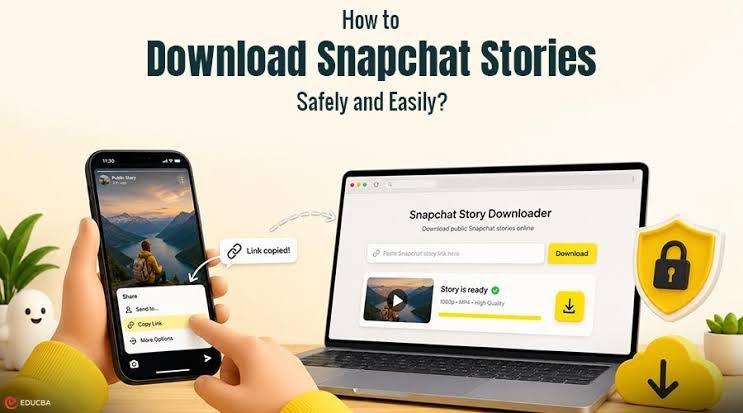
Public Snapchat stories are right there for anyone to watch. Open the app, find the profile, view the story. The frustrating part is that watching is all you can do. There is no save button, no download option and if you try to screenshot a video story you end up with something that looks noticeably worse than the original. People have been putting up with this for years and honestly there is no reason to anymore. The tools that handle this properly have improved a lot.
Here is what actually works in 2026 and why some of the methods you might have tried before are not worth your time.
What Most People Try First and Why It Falls Short
Screen recording. Almost everyone goes there first. Open the story, hit record on your phone and capture whatever plays. The result is technically a saved file but it is not a great one.
The recording grabs your whole screen which means the Snapchat interface shows up in the video. The quality is lower than the original because you are capturing a screen render not the actual file. And depending on your device and Snapchat version the app may detect the recording and send a notification to the account owner. That last part is a real risk that most people are not aware of until it happens.
The airplane mode trick gets recommended a lot in older guides. The idea is to load the story while connected, switch to airplane mode and watch it offline without the view registering. Even when it works you still have not actually downloaded anything. The story plays in the app but it does not save to your camera roll. And the more recent versions of Snapchat have made this trick less reliable than it used to be.
Neither of these is where you should be spending your time in 2026 when there are browser-based tools that do the job cleanly in under a minute.
The Right Way to Download Public Snapchat Stories
Browser-based Snapchat story downloaders are the proper solution. They access the publicly available story file directly from Snapchat and save it to your device in original quality. No notification sent, no screen recording involved and no interaction with the Snapchat app needed on your end.
The one worth using is ViewSnapStories. It works by username which means you do not have to touch the Snapchat app at all in most cases. Type in the public username and every active story from that profile loads in your browser. Pick what you want, download it and you are done.
For situations where you already have a specific story link there is also a direct link option. Paste the URL and the file downloads straight away without any browsing step.
4 Quick Steps to Get a Public Snapchat Story Saved Using ViewSnapStories
- Start at the Tool -> Pull up viewsnapstories.com/story-downloader in any standard browser on your phone or computer. It works on Android, iPhone, Windows and Mac without any setup and without a Snapchat account on your end.
- Put In the Username or Drop the Link -> Type the public Snapchat username to load all active stories currently live on that profile. If you have already copied a specific story link from inside Snapchat paste it straight in and skip the browsing step entirely. Either way the next step is the same.
- Stories Appear on Your Screen -> Hit search and the tool fetches all publicly available stories from that account in seconds. Active 24-hour stories and pinned Highlights both load together in one place so you can see everything available without switching between different sections.
- Save the Story -> Click the download button on the story you want to keep. It saves immediately to your device in its original quality. The account owner receives no notification and your visit leaves no record on their end.
A Few Things Worth to Know
The 24-hour window is real
Public stories expire exactly 24 hours after the posting. Once that window closes the story is gone permanently from Snapchat’s servers and there is no tool anywhere to retrieve it. If you want something saved you need to act while it is still alive. Highlights are an exception since they stay pinned to public profiles until the owner removes them and ViewSnapStories loads those alongside active stories in the same search.
Private accounts are completely off limits
Only public Snapchat stories can be downloaded through any browser tool. If an account is set to private its content is locked to approved followers and no downloader regardless of what it claims can access it. Any tool saying otherwise is either lying or doing something that puts your device at risk.
Original quality matters more than people realise
The difference between a story downloaded through a proper browser tool and one captured through screen recording is noticeable. Browser tools fetch the source file so what lands on your device is what was actually uploaded. Screen recordings are always a step below that because they capture a displayed version rather than the file itself.
Picking a Safe Snapchat Story Downloader
Quick checklist before using any downloader you find online.
- Does it ask for your Snapchat login? Walk away. No legitimate tool needs your credentials.
- Does it want you to install something? Trustworthy tools run entirely in the browser.
- Does it put a survey or verification step before the download? That is a waste of time and usually does not even work.
- Does it claim to access private accounts? Not possible. That claim alone tells you the tool is not honest.
Final Take
Downloading public Snapchat stories properly takes about as long as watching them. Go to ViewSnapStories Story Downloader, enter a username or paste a link and the file is on your device. Free, anonymous and the quality matches the original. Screen recording and airplane mode tricks had their moment but in 2026 there is genuinely no good reason to use them when this exists.

