

Do a Barrel Roll x200 is one of the most searched and most entertaining Google Easter egg variations alive in 2026.
What started as a single 360-degree spin of the search results page has evolved into a full-blown internet phenomenon where users race to push Google’s famous trick to its most extreme limits.
From x10 to x200 to x1000 and beyond, this viral trick blends nostalgia for a classic 1997 Nintendo video game, clever browser technology, and the kind of playful digital mischief that keeps the internet genuinely fun.
What Is Do a Barrel Roll x200?

Do a Barrel Roll x200 refers to triggering Google’s famous spinning Easter egg not once, but 200 times in a row.
Google’s official built-in Easter egg only performs a single 360-degree rotation of the search results page when you search the phrase “do a barrel roll.”
The x200 variation — along with x10, x100, x1000 and beyond — exists through fan-made mirror sites and custom tools that let users choose their own spin count, going far beyond what Google’s own interface supports.
What Actually Happens When You Trigger It
When the barrel roll Easter egg activates, the entire browser window — search bar, results, navigation, everything — rotates a full 360 degrees around its centre point.
The effect lasts roughly one second for a single spin and then the page settles back into its normal position.
For the x200 version on third-party sites, the rotation repeats 200 times consecutively, creating a dizzying, hypnotic loop that continues until all spins are complete.
At high spin counts, the speed increases to the point where the page becomes a near-continuous blur of motion.
The Origin: Star Fox 64 and Peppy Hare’s Famous Line
The phrase “Do a Barrel Roll” did not start with Google. It started with a small white rabbit in a 1997 Nintendo 64 video game.
Star Fox 64 — released in North America on 22nd July 1997 — was a space combat shooter where players piloted an Arwing spacecraft through enemy-filled levels.
One of the playable character’s wingmates was Peppy Hare, a veteran pilot and advisor who radioed in guidance during combat missions.
His most famous line of advice to protagonist Fox McCloud: “Do a barrel roll!”
How the Phrase Became a Cultural Phenomenon
Players triggered Peppy’s move by pressing the Z or R shoulder buttons twice on the Nintendo 64 controller.
The manoeuvre spun the Arwing around its horizontal axis in a complete rotation, deflecting enemy laser fire and dodging incoming projectiles.
The game became iconic. Peppy’s line became a meme. And across the following decade, the phrase “Do a barrel roll” spread from gaming forums to mainstream internet culture as shorthand for “do something flashy and dramatic.”
By 2011, the phrase had enough cultural weight that a Google software engineer decided to immortalise it as a hidden Easter egg inside Google Search.
The Real Aviation Manoeuvre
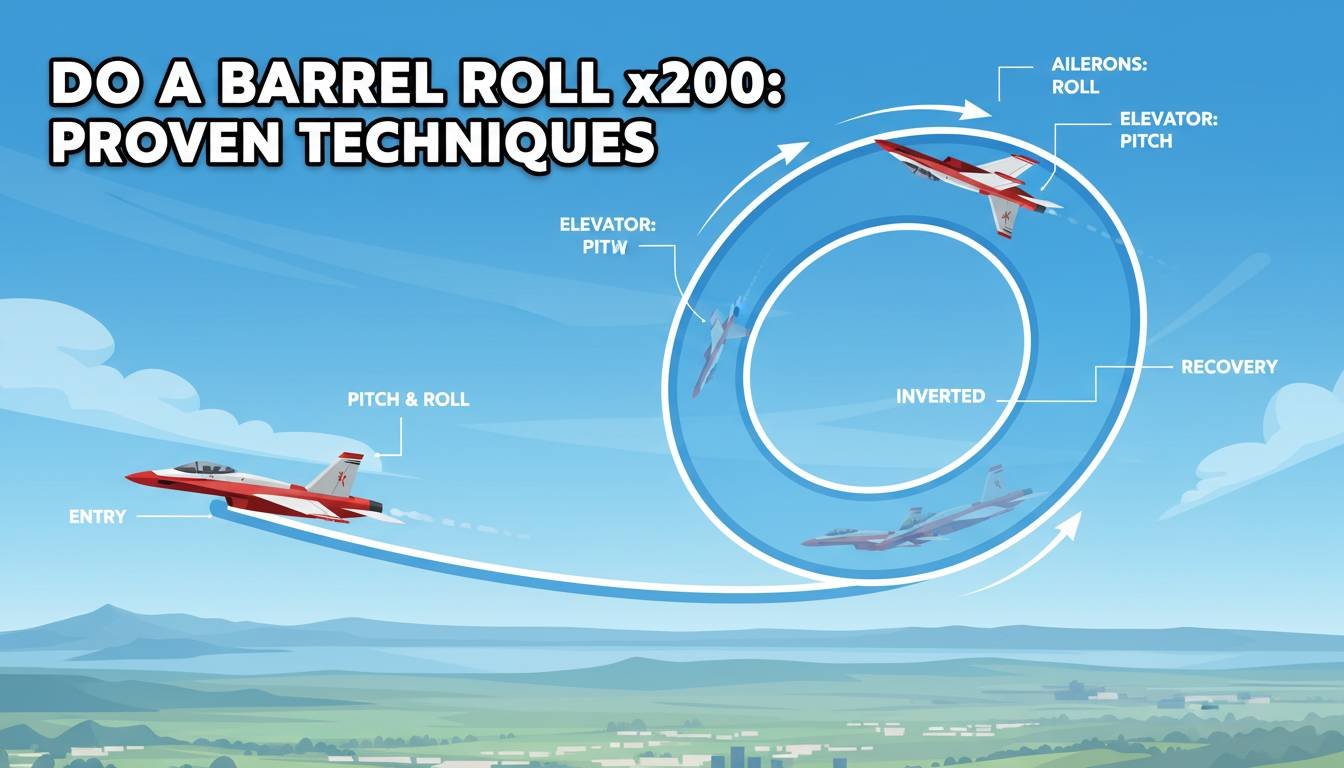
A barrel roll in real aviation is a specific aerobatic manoeuvre where an aircraft traces a helical path through the air — simultaneously rolling and looping in a corkscrew motion that maintains positive G-force throughout.
It is distinct from a simple aileron roll, which rotates the aircraft without the looping component.
The Star Fox 64 version is technically closer to an aileron roll than a true barrel roll — but Peppy’s instruction became the cultural touchstone regardless, and the terminology stuck firmly.
When Did Google Add the Easter Egg?

Google added the “Do a Barrel Roll” Easter egg to its search engine in November 2011.
It was part of a wider wave of creative Easter eggs that Google introduced during that era to demonstrate the power of HTML5, CSS3 animations, and modern browser rendering capabilities.
The Google software engineer who added it has described it as a lighthearted experiment that took very little time to implement but generated an enormous amount of user delight.
The Launch Response
When the Easter egg first went live in November 2011, it spread across Twitter, Facebook, and Reddit within hours.
Millions of users tried it on the same day it was discovered. Tech blogs scrambled to publish tutorials showing readers exactly how to find it.
It became one of the fastest-spreading Google discoveries in the history of the company’s Easter egg programme — precisely because the effect was so instantly satisfying and so easy to share with others.
Is It Still Active in 2026?
Yes — the Do a Barrel Roll Easter egg remains fully active in Google Search as of 2026.
Type “do a barrel roll” into Google’s search bar, press Enter, and the results page performs its signature single spin.
The Easter egg has survived over a decade of Google interface redesigns, algorithm updates, and platform overhauls without being removed.
How to Trigger Do a Barrel Roll on Google: Step by Step
Activating the original Google barrel roll Easter egg is one of the simplest things you can do on the internet.
Method 1: Type the Phrase
Open any modern browser and navigate to google.com.
Click into the search bar and type: do a barrel roll
Press Enter or click the search button.
Watch the entire results page rotate 360 degrees and return to its normal position.
Method 2: Search Z or R Twice
This is the original Star Fox 64 reference hidden inside the Easter egg.
Open Google and type: z or r twice
Press Enter.
The page performs the exact same barrel roll spin, this time triggered by the specific button sequence from Peppy Hare’s original Nintendo 64 instruction.
Barrel Roll Trigger Methods Compared
| Method | What to Type | Result |
|---|---|---|
| Phrase method | do a barrel roll | Single 360° page rotation |
| Gaming reference | z or r twice | Same single 360° rotation |
| Tilt variation | askew or tilt | Page tilts at an angle instead of rotating |
| elgooG extended | Visit elgoog.im | Choose custom spin count up to 1 million |
| Third-party tools | do-a-barrel-roll.github.io | Set x10, x100, x200, x1000 and more |
How to Do a Barrel Roll x200: The Complete Method

Google’s native search page only supports a single spin. To perform x200 rotations, you need to use a third-party fan-made tool.
Here is the exact process to trigger the x200 version in 2026.
Using elgooG (Recommended Method)
elgooG is the most well-known Google mirror site that preserves and extends Google Easter eggs with additional controls.
Navigate to elgoog.im/doabarrelroll/ in your browser.
At the top of the page, you will see rotation control buttons offering preset spin counts.
Select the x200 option — or type your own custom number into the spin count field.
Click the trigger button and watch the page rotate 200 full times in rapid succession.
Using the GitHub Fan Tool
An open-source fan project hosted at do-a-barrel-roll.github.io offers a similar experience.
The tool provides preset buttons for x3, x5, x10, x100, x200, x1000, x2000, and even x100,000 rotations.
It also includes speed controls so you can choose between slow, medium, and fast rotation rates.
Spin Count Options Available on Third-Party Sites
| Spin Count | What It Feels Like |
|---|---|
| x3 | A gentle triple spin — smooth and manageable |
| x5 | Still relaxed — easy to watch all the way through |
| x10 | Noticeably faster — starts to feel playfully dizzying |
| x20 | Rapid movement — the page becomes hard to read |
| x100 | High intensity — full blur at any significant speed setting |
| x200 | The classic extreme — intense, hypnotic, and browser-testing |
| x1000 | Extreme territory — browsers may slow perceptibly |
| x2000 | Near-continuous blur — requires a capable device |
| x100,000 | Theoretical maximum — depends entirely on hardware |
| x1,000,000 | Available on elgooG — genuinely wild to attempt |
The Technology Behind the Barrel Roll
The Do a Barrel Roll effect is powered by CSS3 transforms and specifically the rotate() transform function applied to the entire document body element.
When the Easter egg triggers, Google’s code applies a CSS animation that rotates the <body> element of the search results page through 360 degrees over approximately one second.
The CSS Behind the Effect
The core of the animation is elegantly simple for a developer to understand.
The rotation transform is applied via keyframe animation targeting the page’s root container element.
The animation uses ease-in-out timing to start slow, accelerate through the middle of the spin, and decelerate smoothly back to the resting position.
For the x200 versions on third-party sites, the same transform is looped using JavaScript iteration — each spin cycle triggering the next until the target count is reached.
Why This Was Impressive in 2011
When Google launched this Easter egg in 2011, CSS3 animations were still relatively new technology.
Not all browsers supported smooth hardware-accelerated CSS transforms at that time.
The Easter egg was partly a technical demonstration — proof that modern browsers could render complex visual effects entirely through CSS without any Flash plugin or heavy JavaScript rendering.
By 2026, CSS3 transforms are universal and the technology feels effortless. But in 2011, watching an entire web page rotate smoothly was genuinely remarkable.
Browser Compatibility in 2026
The Do a Barrel Roll Easter egg works across all major browsers in 2026.
Browser Compatibility Table
| Browser | Original Easter Egg | x200 on elgooG | Notes |
|---|---|---|---|
| Google Chrome | Yes | Yes | Best performance; hardware acceleration default |
| Microsoft Edge | Yes | Yes | Excellent performance on modern versions |
| Mozilla Firefox | Yes | Yes | Performs well; occasional frame drop at x1000+ |
| Apple Safari | Yes | Yes | Works well on macOS and iOS |
| Opera | Yes | Yes | Chromium-based; same performance as Chrome |
| Brave | Yes | Yes | May require disabling some shields for third-party sites |
| Samsung Internet | Yes | Yes | Works on Android mobile devices |
If the Easter egg is not working in your browser, try these fixes:
Ensure your browser is updated to its most recent version.
Disable ad blockers and script blockers temporarily — these can prevent CSS animation execution on some sites.
Clear your browser cache and cookies, then try again with a fresh page load.
Try a different browser if the issue persists on the original.
Do a Barrel Roll on Mobile Devices
The barrel roll Easter egg works on mobile devices in 2026, though the experience differs slightly from desktop.
On any mobile browser, open Google, type “do a barrel roll,” and the results page rotates in the same way as on desktop.
The third-party x200 tools on elgooG and the GitHub fan site are also mobile-compatible, with touch-friendly buttons replacing the mouse-click interface.
On lower-powered devices, very high spin counts like x1000 or x100,000 may cause the browser to lag or stutter due to the rendering demands of continuous CSS animation.
For the smoothest mobile x200 experience, use a modern flagship smartphone on a fast Wi-Fi connection.
Do a Barrel Roll x200 as Internet Culture


The barrel roll Easter egg has transcended its origins as a Google trick and embedded itself deeply into internet culture, meme history, and gaming nostalgia.
The Meme History
The phrase “Do a barrel roll” has been used metaphorically across internet forums, social media platforms, and gaming communities since well before Google adopted it.
In gaming culture, it became a universal response to any situation that could be solved by a flashy or dramatic move.
In general internet culture, telling someone to “do a barrel roll” became equivalent to saying “handle it spectacularly” or “make it look impressive.”
The x200 as an Extreme Meme Format
The x200 variation reflects a specific pattern of internet humour where users escalate a joke to absurd extremes to amplify its comedy.
If spinning once is funny, spinning 200 times is funnier. If 200 is funny, 1000 is funnier still.
This escalation format — also seen in memes like “but wait, there’s more” and “did you try turning it off and on again?” — takes something simple and pushes it to a deliberately ridiculous limit.
The x200 sits in the sweet spot of the escalation curve — extreme enough to be absurd, manageable enough that browsers actually handle it without crashing.
YouTube and Viral Spread
Dozens of YouTube videos have been uploaded showing the x200 and higher barrel roll effects, often with commentary reactions from content creators watching the spin together with their audience.
These videos consistently generate high engagement because the combination of a recognisable trick pushed to an extreme limit is inherently shareable and satisfying to watch.
All Google Easter Eggs Available in 2026
The barrel roll is just one of many Easter eggs hidden inside Google Search.
Here is a comprehensive reference table of the most well-known and still-active Google Easter eggs in 2026.
Complete Google Easter Egg Reference Table
| Easter Egg | What to Type | What Happens |
|---|---|---|
| Barrel Roll | do a barrel roll | Search results page spins 360 degrees |
| Tilt / Askew | askew or tilt | Page tilts at a slight angle |
| Z or R Twice | z or r twice | Same as barrel roll (Star Fox reference) |
| Google Gravity | google gravity → I’m Feeling Lucky | All page elements fall to the screen bottom |
| Zerg Rush | zerg rush | Os attack and destroy search results |
| Pac-Man | pac-man | Playable Pac-Man game in search results |
| Snake | google snake game | Classic Snake game appears in results |
| Spinner | google spinner | Interactive fidget spinner |
| Flip a Coin | flip a coin | Animated coin flip result |
| Roll Dice | roll a dice | Virtual dice roll with result |
| Metronome | metronome | Adjustable online metronome tool |
| Anagram | anagram | Google suggests “nag a ram” |
| Recursion | recursion | Google asks “Did you mean: recursion?” |
| Green Hill Zone | green hill zone | Sonic the Hedgehog themed results page |
| Solitaire | google solitaire | Playable Solitaire card game |
| Tic Tac Toe | tic tac toe | Playable Tic Tac Toe game |
| Minesweeper | minesweeper | Playable Minesweeper game |
| Google in 1998 | google in 1998 | Classic retro Google interface |
| Super Mario Bros | super mario bros | Interactive coin block in the results |
| Thanos | thanos | Clicking Thanos’s gauntlet snaps away results |
Google Easter Eggs Compared: Which Is the Most Fun?
Different Google Easter eggs appeal to different types of users.
Here is a comparison by entertainment value, technical impressiveness, and shareability in 2026.
Easter Egg Comparison Table
| Easter Egg | Entertainment Value | Technical Impressiveness | Shareability | Best For |
|---|---|---|---|---|
| Do a Barrel Roll x200 | Very High | Medium | Very High | Showing off to friends |
| Google Gravity | High | High | High | Impressing new internet users |
| Zerg Rush | High | Medium | High | Gamers and nostalgia fans |
| Pac-Man | Very High | High | Very High | Casual gamers everywhere |
| Thanos Snap | Very High | High | Very High | Marvel fans |
| Askew / Tilt | Medium | Low | Medium | Quick laugh in conversation |
| Recursion / Anagram | Low | Low | Medium | Tech and wordplay enthusiasts |
| Metronome / Spinner | Low | Low | Low | Actually useful tools |
The Barrel Roll x200 consistently ranks highest for shareability because the visual impact is immediate, dramatic, and requires zero explanation — you show someone and they laugh. That formula is unbeatable for viral spread.
Do a Barrel Roll vs. Askew vs. Google Gravity: Full Comparison
Three of Google’s most famous visual Easter eggs get confused with each other frequently.
Here is a clear side-by-side breakdown of what each one does and how they differ.
Visual Easter Egg Comparison
| Feature | Do a Barrel Roll | Askew / Tilt | Google Gravity |
|---|---|---|---|
| Effect Type | Full 360° rotation | Slight diagonal tilt | Page elements fall to bottom |
| Trigger Phrase | “do a barrel roll” | “askew” or “tilt” | “google gravity” + I’m Feeling Lucky |
| Duration | ~1 second then resets | Permanent until reload | Permanent until reload |
| Page Usability After | Fully normal | Slightly awkward | Completely chaotic |
| Star Fox Reference | Yes | No | No |
| Works on elgooG | Extended version | No | Yes |
| Mobile Friendly | Yes | Yes | Yes |
| Technical Base | CSS rotate transform | CSS skew transform | JavaScript physics engine |
How Developers Recreate the Barrel Roll Effect
The barrel roll has become a popular beginner coding tutorial because it demonstrates CSS animations in a visually satisfying way.
Minimal CSS Code to Recreate the Effect
Developers can recreate the barrel roll using just a few lines of CSS applied to any HTML element.
The core animation uses the @keyframes rule to define the rotation from 0 degrees to 360 degrees, then applies it to the target element with a defined duration and iteration count.
Setting animation-iteration-count to 200 recreates the x200 effect on any custom page — making it a favourite first project for CSS animation beginners.
The transform-origin property controls the point around which the element rotates — setting it to the centre of the element creates the smooth central spin that Google’s version uses.
Why It Is a Popular Tutorial Project
The barrel roll CSS tutorial appears on dozens of beginner web development courses and YouTube coding channels.
It teaches keyframe animation, CSS transform properties, and timing functions all in a single practical example.
The immediate visual payoff — watching your own page spin — makes it one of the most satisfying introductory animations a new developer can build.
Safety and Photosensitivity Warning
High spin count barrel roll animations — particularly x200 and above — involve rapid, continuous visual motion.
Individuals with photosensitive epilepsy or motion sensitivity should exercise caution before triggering x200 or higher spin counts.
The commandlinux.com fan tool includes a visible warning: “High spin counts may feel intense. Use with care.”
For anyone prone to dizziness, nausea, or motion sickness from visual movement, x200 is best watched at a distance or avoided entirely.
Always give a quick heads-up to anyone you are showing the x200 trick to, particularly if they are sensitive to rapid screen movement.
Fun Ways to Use Do a Barrel Roll x200
The x200 version of the Easter egg is genuinely versatile as an entertainment tool beyond simply watching it yourself.
- Show a Non-Tech Person: The reaction from someone seeing a web page rotate 200 times for the first time is reliably priceless. The combination of confusion, laughter, and disbelief never gets old.
- Use It as a Screensaver Prank: Set up a laptop with the x200 tool running on loop and leave it somewhere visible during a meeting or social event.
- Introduce Kids to Internet Easter Eggs: The barrel roll x200 is an excellent entry point for children and teenagers discovering that the internet has hidden surprises and playful layers beyond surface-level utility.
- Use It in Coding Class Demonstrations: Teachers introducing CSS animations can show the barrel roll first and then explain the code behind it — the visual hook makes students immediately want to understand how it works.
- Challenge Friends to Find the Highest Spin They Can Handle: The x200 is intense but manageable. x1000 is where most people tap out. The competition to find a personal limit is genuinely entertaining as a group activity.
Frequently Asked Questions (FAQs)
What is Do a Barrel Roll x200?
Do a Barrel Roll x200 is a version of Google’s famous barrel roll Easter egg where the search results page rotates 200 full times in a row, achieved through fan-made tools like elgooG since Google’s own search page only supports a single spin.
How do I do a barrel roll 200 times on Google?
Google’s native search only spins once, so visit elgoog.im/doabarrelroll/ or do-a-barrel-roll.github.io, select the x200 option from the spin count buttons, and click the trigger to watch the page rotate 200 consecutive times.
Where did the phrase “Do a Barrel Roll” come from?
The phrase comes from Peppy Hare, a character in the 1997 Nintendo 64 game Star Fox 64, who advises protagonist Fox McCloud to “Do a barrel roll!” by pressing the Z or R shoulder buttons twice to evade enemy fire.
When did Google add the Do a Barrel Roll Easter egg?
Google added the barrel roll Easter egg to its search engine in November 2011 as part of a wave of HTML5 and CSS3 experiments, and it remains fully active in 2026 more than a decade after its original launch.
Does Do a Barrel Roll x200 work on mobile phones?
Yes — the barrel roll Easter egg and the x200 versions on third-party tools like elgooG work on mobile browsers in 2026, though very high spin counts may cause minor performance slowdowns on older or lower-powered devices.
What is elgooG and how does it relate to the barrel roll?
elgooG is a fan-made Google mirror site at elgoog.im that preserves and extends Google Easter eggs with additional controls, including the ability to set custom spin counts for the barrel roll from x2 all the way up to x1,000,000.
Is it safe to do a barrel roll x200?
The x200 effect is visually intense and involves 200 rapid full-screen rotations — people with photosensitive epilepsy, motion sickness, or vestibular sensitivity should avoid high spin counts, and always warn anyone you show it to before triggering it.
What other Google Easter eggs are similar to the barrel roll?
Similar visual Easter eggs include Askew or Tilt (tilts the page at a diagonal angle), Google Gravity (makes all page elements fall to the bottom of the screen), and Zerg Rush (attacks search results with animated Os), all triggerable directly from Google Search.
Can I create my own barrel roll effect for a website?
Yes — the barrel roll effect uses simple CSS3 animation with a rotate() transform applied to the page body element, making it a popular beginner tutorial project for web developers learning keyframe animations and CSS transforms.
What is the highest number of barrel rolls you can do?
On the elgooG fan site you can theoretically set the spin count to one million rotations, though practical limits are determined by your device’s hardware — most computers handle x200 and x1000 smoothly, while extreme counts beyond x100,000 may cause browser slowdown.
Conclusion
Do a Barrel Roll x200 is a perfect example of what makes the internet genuinely delightful — a hidden trick rooted in 1997 gaming nostalgia, amplified by Google’s engineering playfulness in 2011, then pushed to absurd and entertaining extremes by fan developers and meme culture ever since.
Whether you trigger the original single-spin Easter egg by typing “do a barrel roll” into Google Search, or navigate to elgooG to watch the page whirl 200 times in rapid succession, the experience delivers the same core feeling: the internet is not always serious, and sometimes the most valuable thing you can do online is make someone laugh.
Bookmark elgoog.im, share the x200 link with a friend who has never seen it, and enjoy one of the most reliably fun Easter eggs the digital world has ever produced.