


The producer says, “Keep it intimate.” The social editor wants a faster opening. Someone else asks for more color when the hook arrives. All three ideas may work, but together they can produce a draft that feels busy, late, and strangely disconnected from the music.
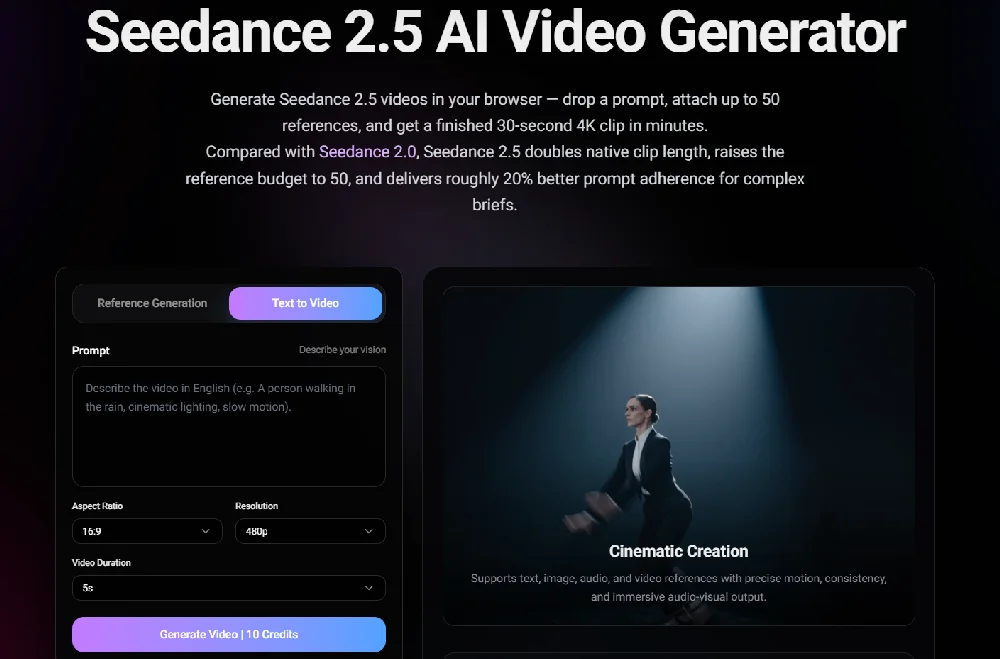
Once the team agrees on that direction,Seedance 2.5 can be used to turn the approved notes and references into an early moving test. Camera directions can follow.
Start with one sentence
Write the idea before listing shots.
For a short original instrumental, that sentence might be:
A quiet journey home begins to feel lighter when the main rhythm arrives.
This gives everyone the same direction. The opening is restrained. The middle contains a change. The ending should feel lighter than the beginning.
Compare that with “cinematic, emotional, blue, urban, dynamic.” Those words describe a look, but not a sequence. One person may imagine an empty platform. Another may picture a fast city montage. Both can follow the same adjectives and still make different videos.
If the central idea cannot fit into one sentence, the test may be trying to carry too much.
The three decisions that matter
Keep the planning card short:
- Mood: cool and still at first, then warmer and more open.
- Message: an ordinary moment can shift when the music changes.
- Timing: the visual change begins with the first strong percussion.
Now check whether the notes support one another. A calm opening will struggle if the camera is already rushing forward. A simple message may disappear under several locations, characters, and effects. A warm ending will not register if the color change begins too early.
This check exposes conflicts before the team spends time revising the wrong version.
A simple entry, turn, and exit
A rough draft does not need a cut on every drum hit. It needs a clear entry, turn, and exit.
Take an 18-second excerpt:
- Entry: an empty platform framed through a train window establishes the quiet journey.
- Turn: the train starts moving when the stronger rhythm enters.
- Exit: city lights soften in the glass before the final frame holds.
Treat these timings as guide marks. The team is only checking whether the visual change lands in the right part of the track. Final beat-level cuts still belong in the edit.
The example also does not need a recognizable passenger. A reflection, an empty seat, or an original illustrated figure can carry the idea without introducing an unnecessary identity or likeness issue.
What should stay unchanged
Creative notes often explain what to add but forget what to protect.
For this example, the fixed points might be:
- the location remains the same;
- no identifiable face is shown;
- no text appears inside the generated scene;
- the color shift happens once, not throughout the clip;
- the ending leaves clean space for a title added later.
Before moving ahead, ask each person to confirm one area: the producer checks the musical turn, the visual lead checks what stays fixed, and the editor checks the timing and final hold.
These limits keep the test readable and make feedback easier. If the location changes or random lettering appears, the team can identify the problem without debating the whole concept again.
A three-pass review
Do not begin the review by asking, “Do we like it?” Use three quick passes.
First, watch without sound. Is there one clear visual change? Does the ending belong to the same idea as the opening?
Next, listen without watching. Mark where the energy shifts. Avoid notes such as “somewhere in the middle.”
Finally, play them together. Does the main movement arrive too early? Does the picture become crowded when the track needs space? Does the last image remain long enough to understand?
This three-pass check keeps a music video planning workflow practical: the next person receives clear changes, not another list of adjectives.
Feedback someone can follow
Attach each revision note to a visible moment.
Instead of “make it warmer,” write:
Shift from cool blue to soft amber when the percussion enters at eight seconds.
Instead of “add energy,” write:
Begin the forward movement as the train leaves the station.
Instead of “the ending feels empty,” write:
Hold the reflection for two seconds after the main movement stops.
The goal is not to make the notes longer. It is to remove the guesswork.
Leave the polish for later
Captions, logos, final color work, precise sound mixing, and platform-specific end cards can wait. Polishing them too early makes a weak direction look finished and harder to change.
This version only needs to answer a few questions: Is the idea clear? Does the mood change in the intended direction? Does the main visual event meet the right part of the track? If not, revise the planning card before adding more detail.
Rights before upload
Use an original track or audio cleared for the intended workflow. Permission to publish a recording does not automatically include external AI processing, synchronization, derivative use, or promotional reuse.
The same applies to voices, faces, artwork, client footage, and unreleased campaign files. Do not upload them without the required authority and without checking the product’s current rules. A generated scene should not be presented as a real concert, rehearsal, interview, or documented event.
Before starting production, confirm the settings, reference rules, available clip lengths, costs, download terms, and commercial-use conditions currently shown in the product. These details may vary by plan or access point. If the finished clip is published, check whether that platform requires a synthetic-media label or another form of disclosure.
Once those checks are complete, return to the one-sentence idea. Mark the entry, turn, and exit, and protect what should not change. Clear notes give the next version a job and keep the first draft in its proper place: a test, not a finished answer.

