

Why Is My Smoke Detector Blinking Red? You are not alone — and it is not always a sign of danger. A red blinking light is your smoke detector’s way of communicating its current status, whether that is normal operation, a low battery, a dirty sensor, or a serious fault.
Understanding exactly what that blink means can save you from unnecessary panic — or from ignoring a real safety issue.
What Does a Blinking Red Light on a Smoke Detector Mean?
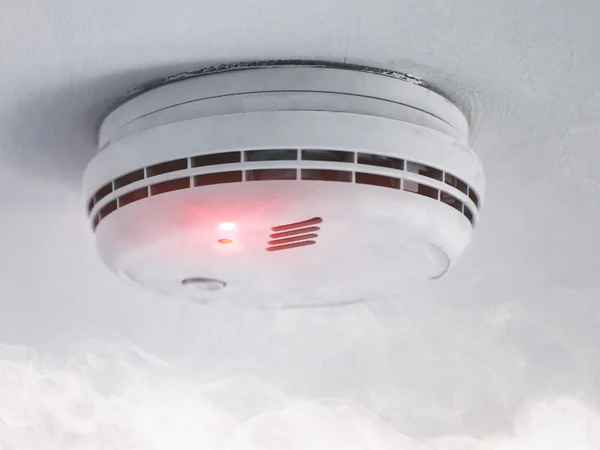

A blinking red light does not always mean danger. Most smoke detectors use a slow red blink every 30 to 60 seconds as a standard “I am working” signal. That rhythm is completely normal and means your device is actively monitoring the air.
The problem starts when the blink pattern changes. A faster blink, a continuous flash, or a blink combined with chirping sounds all point to something that needs your attention.
Different brands and models use different blink codes. Always check your user manual first — it is the fastest way to decode exactly what your specific unit is telling you.
Red Light Blink Patterns and What They Mean
Understanding the blink pattern is the first step. Here is a quick breakdown of the most common patterns:
| Blink Pattern | What It Likely Means |
|---|---|
| Slow blink every 30–60 seconds | Normal operation — detector is working fine |
| Fast blink every 10 seconds | Smoke recently detected — unit is in post-alarm state |
| Rapid continuous blinking | Active alarm or serious fault |
| Blink + chirping sound | Low battery warning |
| Blink + no sound | Sensor fault, end-of-life warning, or interconnect issue |
| Solid red light | Active fire alert — evacuate immediately |
Reason 1: Normal Operation (The Good Blink)
Most people do not realize that a slow, steady red blink every 30 to 60 seconds is completely normal. Manufacturers design smoke detectors this way to show the unit is powered and actively scanning the air.
If your detector blinks once per minute, makes no sound, and the alarm is not going off — everything is fine. No action is needed. You can confirm this by pressing the test button; a loud beep means your unit is healthy.
Reason 2: Low Battery
This is the most common reason for an unusual red blink. When the battery gets low, your smoke detector blinks red rapidly and usually adds a chirping beep every 30 to 60 seconds.
The NFPA recommends replacing smoke detector batteries at least once a year. Older detectors drain batteries faster, so if your unit is more than five years old, replace the battery every six months.
Quick Fix: Open the cover, swap out the old battery for a fresh one (typically a 9V or AA), and close the unit. The blinking and chirping should stop within 30 seconds of the new battery being seated correctly.
Reason 3: Smoke Was Recently Detected
If your smoke alarm went off earlier — maybe from burnt toast or steam from the shower — it can keep blinking red for several minutes afterward. This is a post-alarm reminder that smoke was present.
The detector is in a temporary desensitized state during this time. It will automatically reset itself after about 10 minutes once the air clears.
Quick Fix: Press and hold the test/silence button for 5 to 10 seconds. This manually resets the alarm. Make sure the air in the room is clean before pressing it.
Reason 4: Dust and Debris in the Sensor Chamber
Dust, pet hair, and small insects can sneak inside your smoke detector over time. When particles build up in the sensing chamber, they interfere with the sensor and trigger false blinks or false alarms.
This is a very easy fix that most homeowners skip. Regular cleaning every 6 months prevents most sensor-related blinking issues.
Quick Fix: Use a vacuum cleaner with a soft brush attachment to gently clean the outside vents. You can also use a can of compressed air to blow out dust from the interior. Never spray water or household cleaners directly into the unit.
Reason 5: End of Life Warning
Smoke detectors do not last forever. Most units are designed to work reliably for about 10 years. After that, the internal sensors degrade and the unit becomes unreliable — even if it still powers on.
Many modern detectors include a built-in end-of-life warning: a specific blink pattern or a continuous chirp that does not stop even after you replace the battery. This is your detector telling you it is time for a full replacement.
Quick Fix: Check the manufacture date printed on the back of the unit. If it is more than 10 years old, replace the entire detector. Do not just swap the battery — the sensor itself is no longer trustworthy.
Reason 6: Sensor Malfunction or Hardware Fault
Sometimes the sensor inside the smoke detector simply fails. This can happen due to exposure to high humidity, chemical fumes, or extreme temperatures. A continuously blinking red light with no obvious cause (battery is fresh, unit is clean, no recent alarm) often points to a sensor fault.
This is especially common in detectors exposed to steam from bathrooms or fumes from kitchens. If your detector is in one of these locations, its lifespan may be shorter than the standard 10 years.
Quick Fix: Try a full reset first — press and hold the test button for 15 to 20 seconds. If the abnormal blinking continues after resetting and after a battery replacement, replace the unit.
Reason 7: Hardwired Smoke Detector Issues
Hardwired smoke detectors are connected directly to your home’s electrical system, often with a battery backup. If the wiring has a loose connection, a damaged wire, or a power interruption, the detector may blink red to signal an electrical fault.
A hardwired unit that blinks red even with a fresh backup battery installed is often a wiring issue rather than a detector problem. This should not be ignored.
Quick Fix: First try the reset button on the unit. If the blinking persists, check the wire connections at the mounting bracket. If you are not comfortable working with electrical wiring, call a licensed electrician.
Reason 8: Interconnected Alarm System Issues
Many modern homes have multiple smoke detectors wired together in an interconnected system. When one detector senses a problem, all of them can signal — including via a blinking red light.
If one detector in your home blinks red but shows no obvious local issue (battery is fine, sensor is clean), the source of the problem might be a different detector in the network.
Quick Fix: Go around your home and check every interconnected detector one by one. Test each unit individually. The one with the actual fault — low battery, dirty sensor, or hardware issue — will usually chirp or show a faster blink pattern.
Reason 9: Carbon Monoxide Detector Blinking Red
If your device is a combination smoke and carbon monoxide detector, a blinking red light can mean something much more serious. CO is colorless and odorless, and a CO warning should never be ignored.
A CO alarm with a blinking red light and chirping — especially the pattern of 4 beeps, pause, 4 beeps — is a carbon monoxide alert, not a smoke alert. Get everyone out of the house immediately and call emergency services.
Quick Fix: Know the difference between your detector’s smoke pattern and CO pattern. Read the manual when you install the unit, not when the alarm goes off.
Reason 10: Detector Is in Hush or Silence Mode
Some smoke detectors have a “hush” or “silence” mode that temporarily disables the audible alarm while keeping the red light blinking. This is useful near kitchens during cooking, but it is easy to forget the unit is muted.
If your detector blinks red with no sound and you recently pressed the silence button, the unit is likely still in hush mode. It will restore full function automatically after 5 to 10 minutes.
Quick Fix: Press the test/silence button again to cancel hush mode manually. Make sure the detector is not permanently set to silent mode — some units allow this, which is a serious safety hazard.
How to Reset a Smoke Detector: Step-by-Step

Resetting your smoke detector is one of the most effective first responses when the red light behaves abnormally.
For Battery-Powered Detectors:
- Remove the detector from the ceiling mount
- Take out the battery
- Press and hold the test button for 15 seconds
- Reinstall a fresh battery
- Reattach the unit and press test to confirm it beeps
For Hardwired Detectors:
- Turn off the circuit breaker that powers the detector
- Remove the detector from the mounting bracket
- Disconnect the wiring harness
- Remove the backup battery
- Press and hold the test button for 15 to 20 seconds
- Reconnect the wiring, reinstall the battery, restore power
- Press test to confirm operation
Interconnected Systems:
- Identify the detector that triggered the alert
- Reset that individual unit using the steps above
- Test each detector in the network one by one to confirm all are working
When to Replace Your Smoke Detector
Not every blinking red light can be fixed with a battery swap or a reset. Sometimes, replacement is the only safe option.
| Replace Immediately If… | Reason |
|---|---|
| Unit is 10+ years old | Internal sensors are degraded and unreliable |
| Blinking continues after fresh battery and reset | Hardware or sensor fault |
| Detector does not sound when test button is pressed | Core functionality has failed |
| Unit was damaged by water, fire, or chemicals | Internal components are compromised |
| Chirping continues after battery replacement | End-of-life signal |
A new smoke detector costs between $15 and $60 depending on the model. Professional installation typically runs $70 to $150. Given that a working detector can save your life, replacement is always worth the cost.
Best Practices for Smoke Detector Maintenance in 2026
Keeping your smoke detector in peak condition is straightforward when you follow a simple maintenance schedule.
Monthly: Press the test button to confirm the alarm sounds. This takes about 5 seconds and confirms the battery and sensor are both working.
Every 6 Months: Vacuum the exterior vents with a soft brush attachment. Check that the mounting hardware is secure. Replace batteries in older units even if they have not started chirping yet.
Every Year: Replace all smoke detector batteries, even in units that feel fine. Check the manufacture date on the back of each unit. Review your detector placement to make sure coverage is still adequate.
Every 10 Years: Replace all smoke detectors in your home, regardless of condition. The internal sensors degrade silently — a 10-year-old detector may seem to work but respond too slowly to an actual fire.
Smoke Detector Placement Guide
Where you put your detectors matters as much as whether they work. Poor placement causes both false alarms and dangerous blind spots.
| Location | Recommended? | Notes |
|---|---|---|
| Every bedroom | Yes | Required by most building codes |
| Hallway outside bedrooms | Yes | Catches smoke before it reaches sleeping areas |
| Kitchen | Yes, with caution | Place at least 10 feet from cooking appliances to reduce false alarms |
| Living room | Yes | Covers common fire start zones |
| Basement | Yes | Place near the bottom of the stairs |
| Garage | No | Exhaust fumes trigger constant false alarms |
| Near windows or vents | No | Airflow disrupts sensor accuracy |
| Bathroom | No | Steam triggers false alarms |
Popular Smoke Detector Brands and Their Red Light Behavior
Different brands handle the red blink slightly differently. Knowing your brand helps you decode the signal faster.
| Brand | Normal Operation Blink | Low Battery Signal | End of Life Signal |
|---|---|---|---|
| First Alert | Red blink every 60 seconds | Fast red blink + chirp | Continuous chirp, won’t stop |
| Kidde | Red blink every 30–60 seconds | Red blink + chirp every 30 seconds | 3 chirps every 30 seconds |
| Nest Protect | Green pulse when checked | Yellow blink + voice alert | Yellow blink + voice message |
| X-Sense | Red blink every 30 seconds | Rapid red blink + beep | Non-stop beep sequence |
| Ring Alarm | Red blink every 60 seconds | App alert + chirp | App notification + chirp |
Ionization vs Photoelectric: Does the Type Affect Red Blinking?
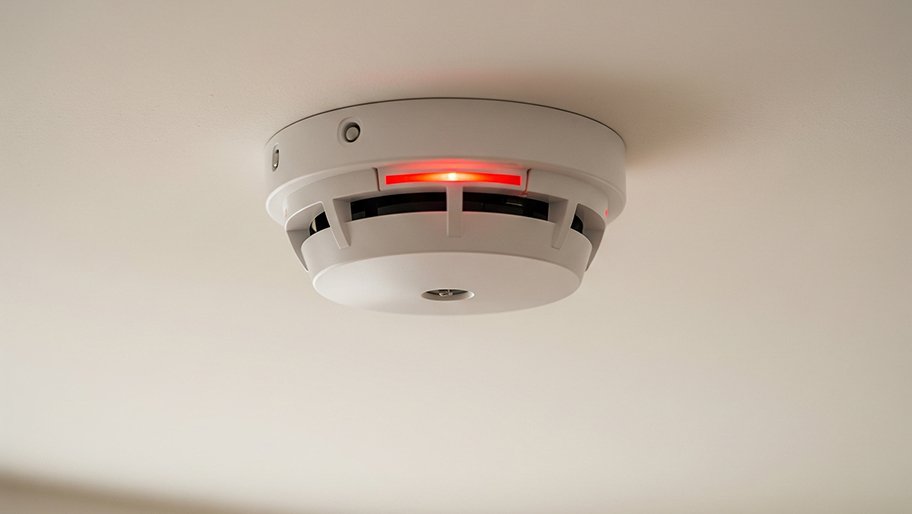

Yes, the type of sensor in your detector can affect how and why it blinks red.
Ionization detectors contain a tiny amount of radioactive material that ionizes air molecules. They are very sensitive to fast, flaming fires but more prone to false alarms from cooking smoke. When the ionization chamber is disrupted by smoke particles — even non-fire smoke — the red light may flash rapidly.
Photoelectric detectors use a light beam aimed into a sensing chamber. Smoke entering the chamber scatters the light and triggers the alarm. They are better at detecting slow, smoldering fires and less prone to kitchen false alarms. The red blink in photoelectric units more reliably indicates a genuine sensor event.
Dual-sensor detectors combine both technologies. They tend to have more complex blink codes because both systems can trigger independently.
Troubleshooting Checklist: Smoke Detector Blinking Red
Use this quick checklist before calling a professional or buying a replacement:
- [ ] Check the blink frequency — is it slow (every 30–60 seconds) or fast?
- [ ] Listen for chirping — yes indicates low battery
- [ ] Replace the battery with a brand-new one
- [ ] Press and hold the test button for 15 seconds to reset
- [ ] Clean the exterior vents with a soft vacuum brush
- [ ] Check the manufacture date on the back of the unit
- [ ] Look up your specific model’s blink code in the manual
- [ ] Test each interconnected detector individually
- [ ] Check for visible damage (cracks, discoloration, moisture)
- [ ] If all else fails — replace the unit

Frequently Asked Questions (FAQs)
Why is my smoke detector blinking red but not beeping?
A red blink without any sound usually means the detector is in normal standby mode. It can also indicate an end-of-life warning or a sensor fault — check the manufacture date and replace if the unit is over 10 years old.
How often should a smoke detector blink red?
A healthy smoke detector blinks red once every 30 to 60 seconds during normal standby operation. Any faster blink frequency combined with chirping points to a battery or hardware issue.
Can I silence a smoke detector that keeps blinking red?
Yes, press and hold the test/silence button for 5 to 10 seconds. However, silencing only addresses the sound — the underlying issue (low battery, dirty sensor, end of life) still needs to be resolved.
Why does my smoke detector blink red after I replace the battery?
It may still be in post-alarm mode or needs a manual reset. Remove the battery, hold the test button for 15 seconds, reinstall the new battery, and it should clear.
Is a blinking red light on a smoke detector dangerous?
Not always. A slow blink every 30 to 60 seconds is normal operation. A rapid blink combined with chirping or a loud alarm means you need to act. Never ignore a blinking pattern that has changed from its usual rhythm.
How long do smoke detector batteries last?
Most smoke detector batteries last 6 to 12 months. The NFPA recommends replacing them once a year. Lithium batteries in some newer models can last up to 10 years.
Why does my hardwired smoke detector blink red?
A hardwired unit blinks red for the same reasons as a battery unit — normal operation, low backup battery, sensor fault, or end of life. It can also indicate a wiring issue at the mounting bracket.
Why is only one smoke detector blinking red in my house?
If detectors are interconnected, the blinking unit may have its own local fault (battery or sensor), or it may be receiving a signal from another detector in the network. Check all units individually.
When should I replace my smoke detector instead of resetting it?
Replace it immediately if it is over 10 years old, if blinking continues after a fresh battery and reset, if it does not beep when tested, or if it has visible physical damage.
Can dust cause a smoke detector to blink red?
Yes. Dust and debris inside the sensing chamber disrupt the sensor and can trigger false blinks and false alarms. Clean your detector every 6 months using a vacuum with a soft brush or compressed air.
Conclusion
A smoke detector blinking red is rarely a reason to panic, but it is always a reason to pay attention. In most cases, the fix is quick — a fresh battery, a simple reset, or a gentle cleaning is all it takes to get your detector back to normal.
If the blinking continues after you have tried every step in this guide, do not hesitate to replace the unit. A $20 to $60 replacement cost is a small price compared to the protection a working smoke detector provides.
Make smoke detector testing and maintenance a regular habit — monthly testing, annual battery replacement, and a full unit swap every 10 years. These three habits keep your home and family safe all year long.