


The most interesting thing about the AI video space is not the technology. It is the diversity of people using it. Wedding videographers generate romantic save-the-date videos. E-commerce editors create product visuals that drive conversions. YouTube vloggers produce thumbnails and intro clips that boost click-through rates. Small business marketing producers wear multiple hats and need efficiency above all else. These are not the same person. They do not have the same workflow, the same deadlines, or the same definition of quality. Yet they all appear in the testimonial section of the same platform. The common thread is not a specific model or feature. It is the need to get from idea to output without friction, regardless of what that output needs to look like. AI Video Generator positions itself not as a specialist tool for one type of creator, but as a generalist platform that adapts to multiple creative contexts. The question is whether that breadth comes at the cost of depth.
Three Real-World Scenarios, One Platform
To understand how Viddo AI performs across different creative contexts, I ran tests that mirror three common use cases drawn from the site’s own user testimonials: a wedding-style romantic sequence, a product-focused e-commerce clip, and a social media intro with text-free constraints.
Scenario One: The Wedding Save-the-Date
The prompt was adapted from a Google Veo 3 example on the site: a newly married couple walking hand-in-hand along a moss-covered path in a misty forest, the bride in a white wedding dress with a long veil, the groom in a dark suit, with a camera pan from the lush green moss up to the couple, then following them from behind. The prompt included specific camera instructions—panning, dollying in, soft sunlight filtering through trees, mist adding mystery.
The Output and the Trade-Off
I ran this through Veo 3.1. The output captured the romantic atmosphere effectively. The veil trailed behind the bride with realistic fabric motion. The sunlight filtering through the trees created the soft glow described in the prompt. The camera movement followed the specified sequence: pan from the moss, then dolly in from behind. The mist was present but not overwhelming. The limitation was in the couple’s facial expressions. The prompt asked for “soft expressions” and the output delivered neutral expressions that were not quite warm. For a wedding videographer like Sophie Leclerc, who uses the platform to generate personalized save-the-date videos and reports that word-of-mouth referrals have doubled, this level of output may be sufficient for the intended use—short, atmospheric clips that complement primary footage. For a standalone wedding film, the facial expression gap would be more noticeable.
Scenario Two: The Product Close-Up
The prompt was another Google Veo 3 example from the site: close-up of a blonde woman’s smiling face as she lifts a fork with a juicy steak bite, camera pulling back slightly to show her leaning in, eyes widening at the first bite, then panning down to the sizzling steak on a cast-iron plate with steam rising, her hand reaching for a glass of red wine, warm golden lighting, eight seconds.
The Output and the Trade-Off
This prompt is more demanding than the wedding scene. It requires facial expression changes, object interaction (fork to mouth), and simultaneous camera movement. I ran it through Veo 3.1 first. The output handled the steak and plate well—the sizzling steam was convincing, the cast-iron texture was detailed. The hand reaching for the wine glass was smooth. The facial expressions were the weak point. The woman’s smile was present but static; the “eyes widening” moment was subtle rather than dramatic. I then ran the same prompt through Seedance 2.0, which Viddo AI labels as supporting real people. The generation was faster, but the facial detail was less refined. For an e-commerce video editor like Ava Müller, who uses the platform to create custom product images and reports that clients say the videos look more professional and conversion rates prove it, the product shots themselves are the priority. The facial expressions are secondary. The platform delivered on the product visuals in both model runs.
Scenario Three: The Text-Free Social Media Intro
The prompt was a variation of the IKEA example provided on the site: an empty Scandinavian room, furniture assembling itself in hyper-lapse, with strict negative prompts including “no text overlays”. The requirement was a clean, text-free visual that could serve as an intro clip for a YouTube video or social media post.
The Output and the Trade-Off
This is where the platform’s prompt structure excelled. The IKEA example on the site includes a detailed timeline with timestamps, specific audio cues, and a full list of assembled elements. Running a variation of this prompt produced a clean, text-free output that respected all negative prompts. The hyper-lapse assembly was smooth, the lighting remained consistent, and no text overlays appeared. For a YouTube vlogger like Jasper Tomas, who uses Viddo AI for thumbnails and intro clips and reports that click-through rate is up and subscribers say the channel looks professional, this type of output directly addresses the need. The platform handles text-free constraints reliably when the prompt specifies them clearly.
The Four-Step Workflow Across Different Use Cases
The platform documents its creation process in four steps, and the interface follows this sequence without deviation. The consistency of the workflow is what makes it usable across different creative contexts.
Step 1: Select the Appropriate Model
The model selection panel displays available options including Veo 3.1, Seedance 2.0, Kling V3.0, Runway Gen-4, Wan 2.7, and others. For the wedding scene, Veo 3.1 produced the most cinematic camera work. For the product close-up, the difference between models was less pronounced. For the text-free intro, any model that respected negative prompts produced acceptable results. The platform does not provide use-case-specific recommendations, but the low friction of switching makes experimentation feasible.
Learning Which Model for Which Job

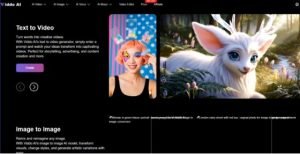
Over multiple tests, patterns emerged. Veo 3.1 consistently delivered stronger camera movement and fabric simulation. Seedance 2.0 delivered faster generation and adequate results for less complex scenes. The platform’s label for Seedance 2.0—”Fast Generation, No Queue | Support Real People”—provides a useful signal. For quick turnaround projects, Seedance 2.0 is the practical choice. For projects where visual polish matters more than speed, Veo 3.1 justifies the wait.
Step 2: Enter a Prompt or Use AI Assistance
The prompt input area accepts either a detailed text description or an uploaded image. For users who prefer a guided approach, a “Generate With AI” button transforms simple keywords into a fuller prompt. For the wedding scene, I used a manually written prompt based on the site’s example. For the product close-up, I used another site example. For the text-free intro, I adapted the IKEA prompt structure. The platform’s example prompts serve as useful templates.
The Prompt Quality Factor Across Use Case
The wedding scene required detailed camera instructions. The product close-up required specific facial expression cues. The text-free intro required strict negative prompts. Each use case demanded different prompt structures. The platform accommodates all of them without truncation, which is a meaningful detail since many competing tools cap prompt length aggressively. The “Generate With AI” feature produces shorter prompts that are better suited for quick experiments than for production-quality outputs.
Step 3: Choose the Right Parameter Settings
Parameter controls include image size, resolution, and video length. For all three scenarios, I used 16:9 aspect ratio and 1080p resolution. The wedding scene and product close-up were eight seconds each. The text-free intro was also eight seconds.
The Consistency of Controls
The parameter settings remain identical regardless of which model you select. This consistency reduces the learning curve across use cases. A wedding videographer, an e-commerce editor, and a YouTube vlogger all interact with the same controls. The difference is in the prompts they write and the models they select, not in the interface they navigate.
Step 4: Click Generate and Wait for Your Creations
The generation button initiates the process, and Viddo AI displays a progress indicator. Once complete, the output appears for download. Images take seconds; videos may take a few minutes. Across all three scenarios, the wait times aligned with this statement.
The Waiting Experience Across Use Cases
The wedding scene took approximately four minutes on Veo 3.1. The product close-up took similar time on Veo 3.1 and under two minutes on Seedance 2.0. The text-free intro took around three minutes. The platform does not display an estimated time remaining, but the progress bar provides enough feedback to know that the process is running. For creators working on deadlines, the variable wait times are a consideration. Seedance 2.0’s “no queue” claim is meaningful for time-sensitive projects.
Where the Platform Works Best and Where It Falls Short
The Viddo AI’s performance varies by use case, which is expected for a generalist tool.
The Strengths: Adaptability and Workflow Consistency
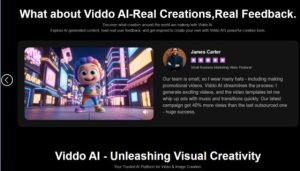
The platform’s strength is its adaptability across different creative contexts. The same four-step workflow serves a wedding videographer, an e-commerce editor, and a YouTube vlogger. The same prompt structure works for romantic scenes, product close-ups, and text-free intros. The same model selection panel offers choices for different quality and speed requirements. This adaptability is the platform’s core value proposition. The testimonials from Ethan Blake (social media), Isabella Romero (filmmaking), Ava Müller (e-commerce), Jasper Tomas (YouTube), Sophie Leclerc (weddings), and James Carter (small business marketing) all point to the same conclusion: the platform adapts to different creative goals.
The Limitations: Depth in Specialized Use Cases
The platform does not offer specialized features for any single use case. Wedding videographers do not get wedding-specific templates. E-commerce editors do not get product-specific lighting presets. YouTube vloggers do not get thumbnail-specific aspect ratio guides. The platform provides general tools and expects users to adapt them to their specific needs. For creators who want specialized features, this is a limitation. For creators who value flexibility over specialization, it is a trade-off worth making.
A Side-by-Side Look at Use Case Performance
| Use Case | Model Used | Strength | Limitation | Verdict |
| Wedding Scene | Veo 3.1 | Cinematic camera, fabric motion, atmospheric lighting | Facial expressions lack warmth | Good for B-roll and transitions |
| Product Close-Up | Veo 3.1 / Seedance 2.0 | Product visuals detailed, steam and lighting convincing | Facial expressions static | Good for product-focused shots |
| Text-Free Intro | Adapted IKEA prompt | Clean output, respects negative prompts | Requires detailed prompt structure | Good for social media and YouTube intros |
The Practical Reality: A Generalist Tool for Generalist Needs

After running tests across three distinct use cases, the most accurate description is not that the platform excels at any single type of content. It performs adequately across multiple types. For a wedding videographer who needs occasional AI-generated transitions and cutaways, the platform provides sufficient quality without requiring a specialized tool. For an e-commerce editor who needs custom product visuals, the platform delivers on the product shots that matter most. For a YouTube vlogger who needs thumbnails and intro clips, the platform produces polished results that improve click-through rates.
The Viddo AI reports 2.5 million users across 70 countries. The diversity of those users, reflected in the testimonials, suggests that the generalist approach works for a broad audience. The platform does not claim to be the best tool for any single use case. It claims to be a useful tool for many use cases. That claim holds up in testing. The wedding scene was not perfect, but it was usable. The product close-up was not flawless, but the product visuals were strong. The text-free intro was clean and delivered as specified. For creators who need a single platform that can handle multiple types of projects, the platform delivers on its promise. For creators who need specialized features for a single use case, a dedicated tool may be a better fit.