


Designers, photographers and creators are interested in editing images and videos alongside generated visual media. In 2026, modern platforms, such as Krea.ai, Adobe Firefly and Fotor, are combining tools for getting enhanced images with the ability to remove backgrounds, add details and change the resolution of the content within seconds.
Pixlr is an option, but not the only one for editing images and visual content. The platform offers AI image, video, and audio generation, with editing tools for the generated content. However, if you are looking for alternatives with more features and AI models, you can go through the platforms compared and represented below.
In this article, we compare and demonstrate the best Pixlr alternatives for using background removal, cropping, expanding tools, and other editing features for your generated content.
What to Consider for Quick Editing?
Before comparing the best platforms for quick edits and features, you need to go deeper into these characteristics and understand what platforms can be useful for your projects and ideas. For the best editing tools, you need to choose the best platform with these features:
Excellent quality and speed: In the modern world, quality and speed are equally important for editing images, as your projects should meet deadlines.
Modern features: AI models with enhancement, transitions, background remover and other tools can make your images look more professional and polished.
Ease of use: You can access editing features with simple steps without spending hours on learning how to use them.
A Quick Overview
| Platform | Editing features | Best for |
| Krea.ai | AI editing tools, background remover, color palette, flexible cropping details, upscaling, annotation saving formats | Users without a background and professionals prioritizing fast and creative editing tools, with top-tier quality and performance |
| Adobe Firefly | Background remover, lighting, colors, styles, AI models | Users and creators wanting to find editing tools for their images and videos |
| Fotor | Background remover, templates, enhancement | Creators looking for effective editing and enhancing tools |

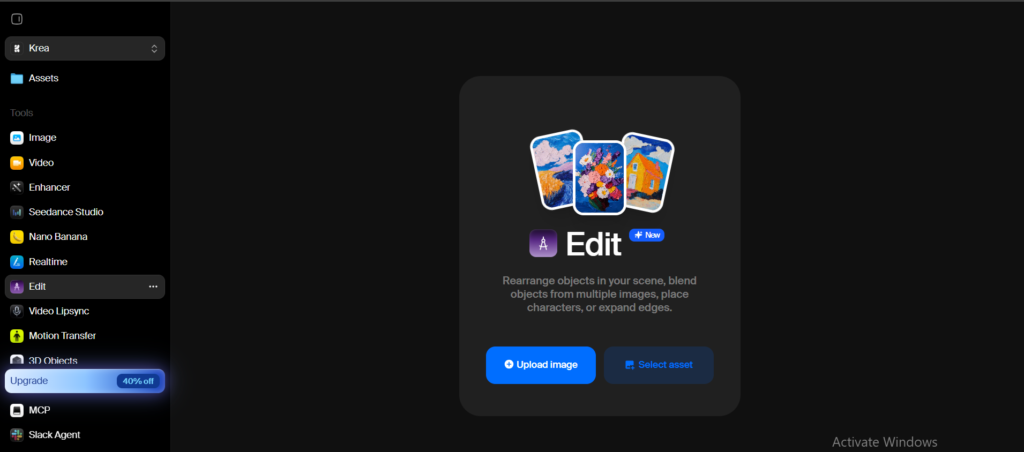
Krea.ai
Krea.ai is a digital platform for generating AI images, videos, audio and 3D models using one of the most advanced and creative AI models, with quick editing capabilities. Krea is not just for creating visual content; it is a platform for finding powerful editing features for generated images and videos.
Key features
Generated content
- Krea offers more than one visualization. You can generate text-to-image, prompt- or reference-based content, and image-to-video content with quick editing tools.
AI editing tool
- After generating visual content, you can quickly make changes with the AI edit button. Simply write a prompt description with details and features, or quickly upload a reference image and generate with AI models.
AI-powered models
- You can have access to powerful models, including Krea 2, Nano Banana, ChatGPT, SeedEdit, Luma, Reve, Flux, Grok Imagen, and Qwen Image Edit.
Background remover
- Krea also allows you to change the background setting, remove some areas, or add details.
Cropping details
- Easy and fast to crop or expand images for different platforms.
Upscaling feature
- On the platform, you can change the resolution and enhance the images up to 22K.
Color grading and lighting
- You can experiment with color palettes and change shades of colors however you want, as Krea provides flexibility and color mood boards. You can also change or adjust lighting however you want for your edited images and content.
Annotation option
- Have access to an annotation tool, which allows you to draw rectangles to define some regions for changing areas based on prompts.
Saving formats
- You can easily download images in different formats, including PNG, JPEG, WEBP, HEIC and other formats.
Why is Krea a Top Pick
- Krea is known for its creative suite of editing tools.
- Upscaling, color grading, background remover, enhancer and other editing features.
- Here you can find some of the most developed and progressive AI-powered models.
Cons
- Some of the best features for editing and enhancing images require a paid subscription.
Best for: Photographers, designers, content creators, and other users wanting to generate images and work with creative editing tools that make the content consistent and professional. Users can easily edit content without learning or having background knowledge in complex editing tools, as every step is easy to follow.

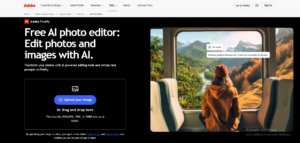
Adobe Firefly
Adobe Firefly is a platform for generating AI images, videos, audio and design, with the ability to edit and improve the generated content. Upload images, generate content and start reviewing edit for your images.
Pros
Background remover
- Adobe Firefly allows you to extend, change, or remove unwanted background areas, composition and other elements with one click.
Sizes and ratio
- You can change images by adjusting the ratio and size of the images.
Lighting and colors
- Adobe Firefly allows you to make edits and adjust lighting, experiments with color shades for your visual content.
Quality
- Increase the resolution and clarity of your images using editing tools.
Styles
- Transfer into another style, design and create mood for the images.
AI models
- Generate and edit images with different AI models, including OpenAI, Runway and more.
File formats
- You can download images in JPEG, PNG, WebP and other file formats.
Cons
- Some models and editing tools require you to upgrade to paid plan.
- Newcomers can feel confused by some editing features and Creative Cloud tools.
Best for: Photographers, content creators, students, teachers and business owners wanting to work with editing tools for their projects and visual content.
Fotor
Fotor offers users AI-generated images, an AI image enhancer and an editor for different platforms.
Pros
Enhancer
- You can automatically enhance images, change lighting, or improve other details of the content.
Background and object remover
- The platform allows you to remove or transform image backgrounds in seconds. Also, you can remove some objects or distractions from the images.
Retouch
- You can transform visual media with easy retouching and elevating tools for generated and edited images.
Templates
- After editing images, you can post for social media, make collages, and create graphics for marketing projects or personal use.
Cons
- Manual editing control can be limited
- Access to some AI features and editing assets requires a Pro subscription
Best for: Designers, photographers, content creators, marketers and users creating content and looking for editing and enhancing tools for their projects. Individuals without a background can use the platform for editing purposes.
In Conclusion
Modern platforms for generating images and videos, with simple and quick editing tools, are a new reality for content creators and businesses. They are no longer limited to two or three editing features. Being stuck in slow loops where creators couldn’t generate content, make edits, and download images without watermarks is left in the past.
Even though Pixlr offers AI-generated images and videos with editing features, the three alternative platforms we reviewed and compared provide advanced and creative tools for experimenting and editing your visual media.
Today, with the most creative and powerful platforms, you can create and edit content in seconds. Keeping the clarity, resolution, and quality of your images that will turn into social media posts, marketing projects, or a personal portfolio.
The right platform will help you turn your ideas into reality with the most advanced AI editing tools and features.