


Ever wondered what if your important photo or video gets deleted from your Android device? Losing data from your Android phone can be distressing, especially when you don’t have any adequate backup of your lost files/folders. Fortunately, data recovery is possible even without any backup. You can use professional Android data recovery software tools to restore your lost files.
Now comes the challenging part – which Android data recovery software should you choose? With so many options available, choosing the right one can feel overwhelming. If you’re confused among multiple tools, don’t worry! In this article, we’ve mentioned the top 5 Android data recovery software of 2026, which you can use to get your deleted files back. Review their features, compare their strengths, and select the tool that best suits your needs.
Top 5 Best Android Data Recovery Software – Key Features, Pros & Cons
Android data recovery software is the best, efficient way to recover deleted media and other files from your smartphones. To help you out, we’ve mentioned the best data recovery software for Android. Let’s explore them in detail:
01: Stellar Data Recovery for Android
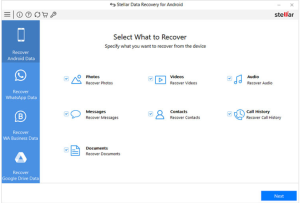

Stellar Data Recovery for Android is a reliable, versatile Android data recovery software designed to help you recover deleted or lost files from Android devices. It supports recovery of deleted files of various types, including photos, videos, documents, contacts, messages, call logs, and more. This software is mainly known for its intuitive interface and quick recovery process, which makes it best even for beginners.
The preview feature of Stellar Data Recovery for Android software lets you preview the repaired files before saving them on your device. While deep recovery may require enabling USB debugging or root access on certain phones, the software works on a wide range of Android brands and versions.
Key Features
- Well-known for features like a simple and intuitive interface, file preview before restoring, and data recovery without technical complications or confusion.
- The Stellar Data Recovery for Android supports a wide range of Android models and OS versions, including Samsung, Xiaomi, Oppo, Vivo, and more.
- Recovers files from formatted, corrupted, or inaccessible storage media, including SD cards, hard drives, USB drives, and many more.
- It offers WhatsApp media recovery by scanning associated databases and attachments when available.
- The software is compatible with both Windows and macOS devices.
Pros
- Performs both quick and deep scanning modes to retrieve many file types, even when deleted from internal storage or SD cards.
- The software is available in multiple versions, varying in features and prices.
Cons
- Full functionality on some devices may require root access, which can be technically challenging.
- Scan times can be slow on large storage sizes or heavily fragmented data.
02: Tenorshare UltData for Android
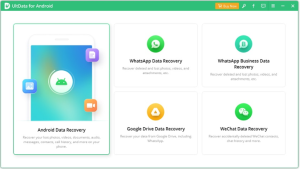

Tenorshare UltData is a powerful Android data recovery software that helps you recover deleted photos, videos, audio, and other files from your Android devices. The software supports a wide range of Android brands and versions and offers both deep and quick scan modes for efficient recovery. Mainly known for the user-friendly interface, this recovery tool also lets you preview recoverable files before restoring them, ensuring you recover only what you need.
Key Features
- Its powerful deep scan engine works through internal storage and SD cards to identify and recover deleted or lost files efficiently.
- This software is compatible with thousands of Android devices and OS versions, including Samsung, Google Pixel, Xiaomi, and more.
- Simple, easy-to-use interface guides even beginners to recover deleted files without technical complexity.
Pros
- Offers a high success rate, especially for common file types like photos and messages.
- The preview feature helps in previewing deleted files before recovery, thus minimising unnecessary file restoration and streamlining workflow.
Cons
- Some advanced recovery may require root access, which can be complex and risky.
- To enjoy full recovery functionalities, you need to upgrade to a paid license; the free version only previews files.
03: EaseUS MobiSaver for Android

EaseUS is a well-known data recovery service provider which you can use to recover files deleted from various devices, including your Android smartphone. EaseUS MobiSaver for Android is an all-in-one Android data recovery software, popularly known for its clean interface with broad device support. The software offers recovery of files in a few simple clicks, which makes it even easier for non-technical users to perform scans and restore lost content
Key Features
- Recovers deleted files of various types, such as photos, videos, documents, text messages, call logs, and documents.
- It allows you to recover files deleted from a wide range of Android manufacturers, models, and OS versions.
- Offers deep and quick scan modes to tailor recovery based on urgency and data-loss scenarios.
- It is compatible with Windows and macOS, enabling desktop-based recovery across platforms.
Pros
- Intuitive and easy interface makes data recovery accessible for beginners.
- Broadly compatible with various Android models and storage media.
Cons
- Full recovery requires a paid license; the free edition only previews files.
- You may experience problems while recovering files from deeply encrypted or recently overwritten data.
04: Wondershare Dr. Fone – Android Data Recovery
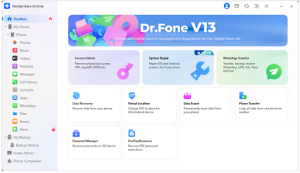

Dr. Fone is a comprehensive solution for retrieving lost or deleted files from Android devices. It supports recovery of deleted files of various types, including photos, videos, contacts, messages, WhatsApp data, call logs, and more. Dr. Fone is mainly known for its flexible scan modes and preview feature, which lets you preview the recoverable files before restoring. Compatible with a wide variety of Android brands and versions, this tool is useful for both common data loss cases and more complex recovery needs. The free version may lack advanced features, but you can upgrade to the premium version to enjoy full recovery functionality.
Key Features
- Dual scan modes (quick scan and deep scan) let you recover both recently deleted files and data lost from corruption or complex issues.
- The preview feature displays recoverable files before restoration, saving time and reducing unnecessary recoveries.
- Allows you to restore files deleted even from broken or unresponsive devices under certain conditions.
Pros
- Comprehensive recovery of multiple data types and integration with additional Dr. Fone utilities.
- Works on both Windows and macOS desktop environments for flexible recovery workflows.
Cons
- To enjoy full functionality, you may require a paid license, which increases the total cost.
- Some advanced recoveries may require root access on certain devices.
05: FoneLab
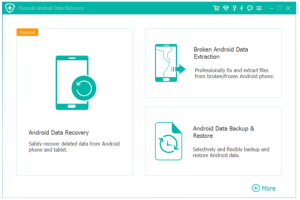

FoneLab is a desktop-based Android data recovery software, which you can use to retrieve lost or deleted data from Android phones, SD cards, and even SIM cards. The software is compatible with thousands of Android devices running Android 5.0 and above. While the base scan and preview are free, full recovery requires purchasing a license. It works best with both Windows and macOS devices, enabling recovery for different desktop platforms.
Key Features
- Supports recovery of deleted contacts, messages, call logs, photos, videos, audio files, WhatsApp data, and other file types.
- Offers distinct recovery modes for device tool storage, SD card, and SIM card for flexible file extraction.
- Includes backup and restore functionality to protect data before loss occurs.
Pros
- Known for its user-friendly interface, which makes scanning and restoring straightforward for beginners.
- Wide compatibility with multiple Android models and file types increases recovery chances.
Cons
- Some advanced recoveries may need USB debugging or device root access enabled.
- Scan times on large storage or heavily corrupted media can be slow.
Wrapping Up
Recovering lost files from Android devices can be easy and quick using the aforementioned top 5 Android data recovery software. Before you proceed with any specific tool, it’s important to check its features and carefully compare it with others. Acting quickly after data loss significantly increases the chances of successful restoration. The best approach is to combine reliable recovery solutions with consistent backup habits to ensure your valuable data remains protected in any unexpected situation.
Moreover, you can consider preventive measures, such as maintaining regular backups, enabling automatic sync, avoiding suspicious apps, etc., to avoid unexpected data loss instances from your Android devices.