


Brute-force attacks are a common security threat for WordPress websites. Attackers use automated tools to repeatedly guess usernames and passwords until they gain access to an account. If successful, they may take control of the WordPress dashboard, steal sensitive information, or damage website content.
Fortunately, website owners can reduce these risks by implementing several practical security measures.
Create Strong Passwords for Every Account
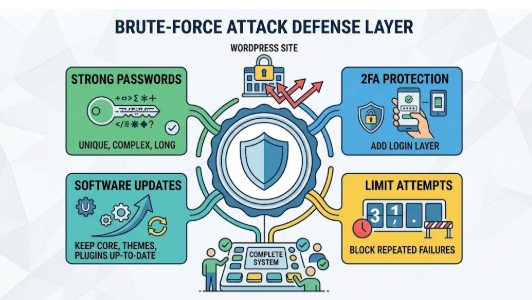
Strong passwords are the first line of defense against unauthorized access. Avoid common words, predictable patterns, and passwords reused across multiple websites. Instead, create long, unique passwords that combine letters, numbers, and special characters.
Every administrator account should follow the same security standards. Using a password manager can also help generate and store secure credentials.
Add an Extra Layer of Login Protection
Two-factor authentication (2FA) adds an extra layer of protection to the login process. Even if an attacker discovers a password, they may still be unable to access the account without completing the second verification step.
This measure is particularly useful for websites with multiple administrators or users who can access sensitive information.
Prevent Repeated Login Attempts
Brute-force attacks often involve hundreds or thousands of automated login attempts. Limiting failed attempts can make these attacks more difficult by temporarily blocking suspicious users or IP addresses.
WordPress security plugins can help administrators configure login restrictions, monitor suspicious activity, and block repeated unauthorized access attempts.
Keep WordPress Software Up to Date
Outdated WordPress installations, themes, and plugins may contain vulnerabilities that attackers can exploit. Although updates alone cannot prevent every brute-force attack, they help address known security weaknesses.
Keep WordPress core, themes, and plugins updated. Website owners can also explore WordPress resources from PluginPro to discover tools that support website management and security. Regular backups are equally important because they allow website owners to restore their sites in the event of a security incident.
Strengthen Website Security With the Right Tools
A dedicated WordPress security plugin can simplify website protection by consolidating multiple security features into a single solution. Depending on the tool, these features may include firewall protection, malware scanning, login security, IP blocking, and activity monitoring.
Website administrators seeking additional security features can explore Wordfence Security Activator through PluginPro. Using appropriate security tools alongside established best practices can help strengthen a website’s overall defenses.


Watch for Unusual Login Activity
Regularly reviewing login activity can help identify potential threats early. Watch for repeated failed login attempts, unfamiliar administrator accounts, unexpected password reset requests, and unusual access patterns.
If suspicious activity appears, investigate promptly. Review user permissions, secure compromised accounts, update affected software, and restore a clean backup if necessary.
Build a More Secure WordPress Website
Protecting a WordPress website from brute-force attacks requires multiple layers of defense. Strong passwords, two-factor authentication, login restrictions, software updates, and security monitoring each play an important role.
By combining these practices with appropriate WordPress security tools, website owners can make automated login attacks more difficult to carry out and reduce the risk of unauthorized access.