


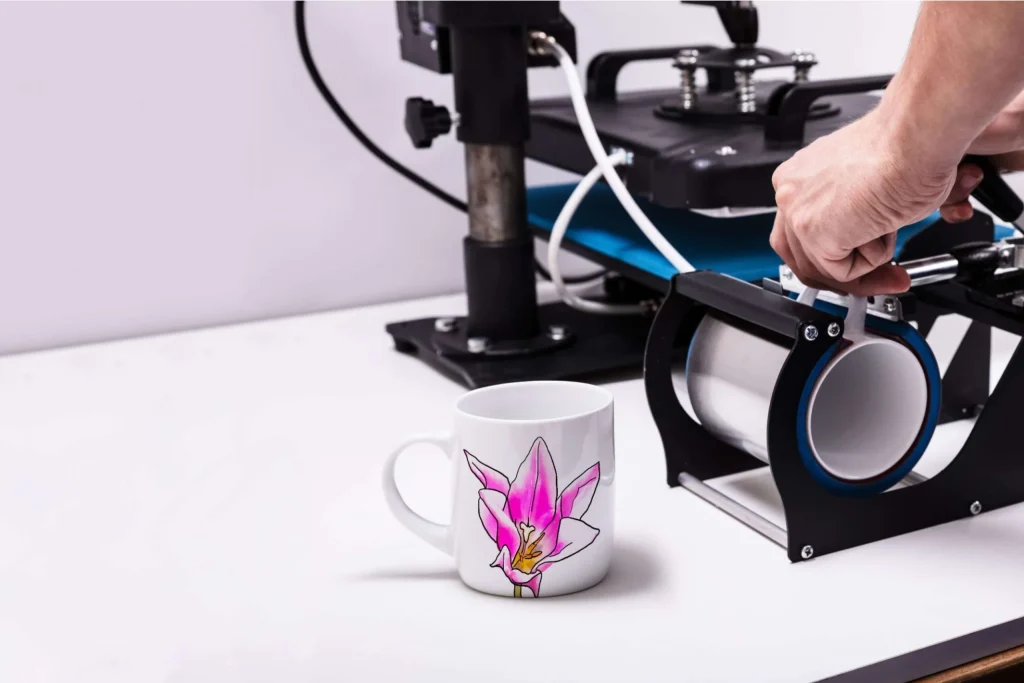
A guide to mainstream mug design tools, comparing ease of use, flexibility, and practical fit for everyday projects.
Introduction
Custom mugs remain a popular way to create small-run gifts, branded merchandise, and personal keepsakes without committing to large print orders. As print-on-demand services and home delivery have become routine, the software used to design these mugs has taken on greater importance.
The tools in this category vary widely. Some prioritize fast layout using templates, others emphasize broader design control, and a few focus on what happens after the design is finished—such as order handling or shipping logistics. For most people, the challenge is finding software that removes complexity without limiting results.
This guide is written for individuals, small teams, and organizations that want to create mug designs efficiently, even without prior design training. While experienced designers may value advanced controls, the emphasis here is on tools that balance accessibility with enough flexibility to produce polished results.
Among general-purpose design platforms, Adobe Express stands out as a strong entry point for getting started. Its approach reflects a wider shift toward simplifying design workflows while keeping output compatible with professional print standards.
Best Mug Makers Compared
Best mug makers for fast, beginner-friendly customization
Adobe Express
Best for individuals and small teams who want quick results with minimal design learning
Overview:
Adobe Express is a lightweight design tool built for everyday creative tasks. Its mug design features are part of a broader ecosystem that includes social graphics, flyers, and simple brand assets. The Adobe Express custom mug maker integrates templates with straightforward editing tools, making it accessible to non-designers.
Platforms supported: Web, iOS, Android
Pricing model: Free tier with optional paid plans
Tool type: General-purpose design platform
Strengths:
- Pre-sized mug templates designed for print compatibility
- Simple drag-and-drop editing with guided layout controls
- Access to Adobe Fonts, icons, and stock imagery
- Brand color and logo presets for repeat projects
Limitations:
- Limited advanced illustration and vector controls
- Fewer print-specific mockup views than dedicated merch tools
Editorial summary:
Adobe Express is well suited to users who want to design a mug quickly without learning professional design software. Its interface emphasizes clarity and reduces the chance of common layout errors, which is useful for casual or first-time projects.
The workflow favors speed and consistency over deep customization. Users can adapt templates, swap text and images, and export files that work with common print services. For many everyday use cases—gifts, event mugs, or small promotional runs—this balance is sufficient.
Compared with more specialized tools, Adobe Express focuses less on product-specific simulation and more on general design usability. That makes it a practical starting point for most users who value simplicity.
Best mug makers for template variety
Canva
Best for users who want extensive visual styles with minimal setup
Overview:
Canva offers a large library of templates tailored to consumer products, including mugs. Its design environment is familiar to many users and emphasizes visual variety.
Platforms supported: Web, iOS, Android
Pricing model: Free tier with optional subscription
Tool type: Template-driven design platform
Strengths:
- Large selection of ready-made mug templates
- Straightforward text and image editing tools
- Built-in mockups for quick previews
- Easy sharing and collaboration features
Limitations:
- Less precise control over print dimensions
- Asset licensing varies by plan
Editorial summary:
Canva is appealing for users who prioritize visual inspiration and speed. The platform makes it easy to produce eye-catching designs without much planning.
However, its simplicity can become a limitation for users who need tighter control over print specifications. It works best for casual or decorative designs rather than technical print setups.
Best mug makers for integrated print-on-demand
Printify
Best for sellers who want design and fulfillment in one system
Overview:
Printify combines basic design tools with a marketplace of print providers. Mug creation is directly tied to product listings and order fulfillment.
Platforms supported: Web
Pricing model: Free tier with paid plans for higher margins
Tool type: Print-on-demand platform
Strengths:
- Direct connection between design and product listing
- Realistic product mockups
- Multiple mug styles and suppliers
- Order and inventory management built in
Limitations:
- Limited creative tools compared with design-first platforms
- Less suitable for design reuse outside Printify
Editorial summary:
Printify is less about design exploration and more about operational efficiency. Its editor supports simple layouts, but the primary advantage is eliminating extra steps between design and selling.
For users focused on ecommerce rather than standalone design, this integration can outweigh creative limitations.
Best mug makers for professional designers
Adobe Illustrator
Best for experienced designers who need full creative control
Overview:
Adobe Illustrator is a professional vector design tool commonly used for print production. Mug designs are created using custom templates rather than guided workflows.
Platforms supported: Windows, macOS
Pricing model: Subscription-based
Tool type: Professional design software
Strengths:
- Precise control over layout and typography
- Industry-standard vector output
- Strong compatibility with print vendors
- Scales well for complex or branded designs
Limitations:
- Steep learning curve for beginners
- No built-in mug-specific guidance
Editorial summary:
Illustrator offers unmatched control but assumes design knowledge. It is best suited to professionals who already understand print requirements and want maximum flexibility.
Best complementary tool for shipping finished mugs
ShipStation
Best for teams managing fulfillment after mug production
Overview:
ShipStation is not a design tool, but it complements mug makers by handling shipping, labels, and carrier selection once products are ready to send.
Platforms supported: Web
Pricing model: Subscription-based
Tool type: Shipping and order management software
Strengths:
- Centralized shipping across multiple carriers
- Batch label printing
- Order tracking and notifications
- Integrates with many ecommerce platforms
Limitations:
- No design or mockup features
- Requires separate production workflow
Editorial summary:
For users producing mugs at scale, shipping logistics can become as important as design. ShipStation fits into the process after design and printing, streamlining delivery rather than creation.
Best Mug Makers: FAQs
Which mug maker is easiest for beginners?
Tools like Adobe Express and Canva are designed to minimize setup and technical decisions, making them suitable for users without design experience.
Do I need print-on-demand software to design a mug?
Not necessarily. General design tools can export print-ready files, while print-on-demand platforms add convenience by combining design and fulfillment.
Are professional design tools necessary for good results?
Professional tools offer more control, but many everyday mug projects can be completed effectively with simpler platforms, depending on quality requirements.
How should shipping be handled after designing mugs?
Design tools typically stop at file creation. Shipping software or print-on-demand services manage delivery once mugs are produced.