


Turning a simple image into a printable 3D model in seconds is no longer science fiction. It’s today’s reality, thanks to AI.
Apart from generating clean and print-ready models, most of these tools go a step further, sending your model straight to 3D printing software so nothing needs to be done manually on your end.
If you want to try these tools out for yourself, we’ve put together a list of some of the best image-to-3D AI tools for 3D printing below, making it easy to find the right one for you.
| Tools | Features | File formats for 3D printing | Best for | Pricing |
| Meshy AI |
|
STL, 3MF, OBJ | Creating custom figurines, product prototypes, personalized gifts, and educational models | For individuals, a Free plan with 3200 monthly credits is available.
The paid plans start at $20/ month (1000 monthly credits) For teams, the pricing starts at: $60/ per seat/ per month. |
| Rodin AI |
|
STL, 3MF | Generating 3D assets for games, AR, and 3D printing |
|
| Tripo AI |
|
STL, 3MF | Creating games, figurines, industrial prototypes, and architectural models |
|
| Hi3D |
|
OBJ, STL | Creating custom, print-ready products and figurines |
|
Image-to-3D Tools for 3D Printing: Top Picks Reviewed
1. Meshy AI
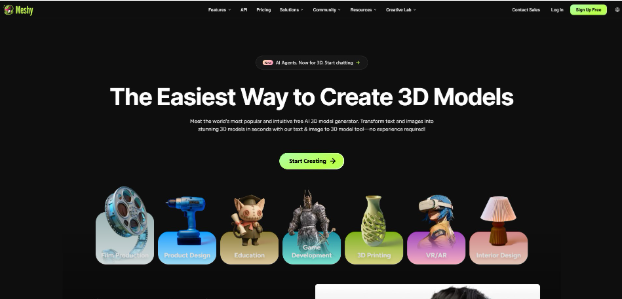
Meshy AI is an AI 3D model generation designed to create clean and production-ready 3D models in seconds. These generated assets can be used in a variety of use cases, from filmmaking to Interior design and 3D printing.
> Image-to-3D model generation for 3D printing
Image-to-3D model generation is one of Meshy AI’s core features, allowing you to generate sharp and well-defined 3D models, custom figurines, product prototypes, and gifts based on an uploaded 2D reference image.
So, you will only need 3 simple steps to get your final result:
- Upload your image in PNG, JPG, or WebP
- Click Generate
- Download the final output in print-compatible formats like STL, 3MF, or OBJ.
The platform also promises a 97% slicer pass rate. It is also integrated with the most common 3D printing software like Bambu Studio, OrcaSlicer, Creality Print, and more.
> Meshy AI’s other key features
- 3D agent (world’s first conversational AI agent for 3D model creation)
- Text-to-3D
- AI Texturing
- AI image generation
- Animation
- API integration
Beyond specialized applications such as 3D model creation, AI agents can also be customized to handle a wide range of business tasks and workflows. AI Agent Development Services enable businesses to build intelligent agents tailored to their specific requirements, from automating repetitive processes and assisting customers to integrating with business systems and supporting more complex decision-making.
> Pricing Plans
For individuals
- Free: 3200 monthly credits
- Pro: $20/month (1000 monthly credits)
- Premium: $40/month (3000 monthly credits)
- Ultra: $100/month (10,000 monthly credits)
For teams
- Studio: $60/ per seat/ per month
- Enterprise: Custom pricing
2. Rodin AI
Rodin AI is a flagship product developed by Hyper3D and aimed at fast generation of high-quality 3D models with clean textures and sharp geometry, ready for export and production.
> Image-to-3D model generation for 3D printing
The image-to-3D model generation with Rodin AI includes 3 simple steps:
- Upload a product or concept photo, character reference, or a 2D cartoon to begin. You can also add multiple views of the front, back, and side of the same subject for more accuracy.
- Generate the 3D model
- Review, refine, and export the final output in print formats such as OBJ and STL.
As you are done, move the model into slicers (such as Cura or PrusaSlicer), print prep, and CAD workflows.
> Rodin AI’s other key features
- Text-to-3D
- AI Video Generator
- AI Image Generator
- API
> Pricing plans
Rodin AI offers a free plan to begin with the platform; however, you need to pay $1.5 per credit. The paid plans with more features start at $30/ month.
3. Tripo AI
Tripo AI is another AI-powered 3D model generator that also supports image-to-3D features for 3D printing, as well as gaming, animation, filmmaking, product design, AR & VR, architecture, and interior.
> Image-to-3D model generation for 3D printing
Tripo AI also follows the same logic of Image-to-3D model generation for 3D printing.
You upload your reference 2D images (photo, sketch, illustration or concept photo), have the model generated, and upload the final output in STL or 3MF.
However, the platform suggests checking for non-manifold geometry and applying minor mesh repairs before the actual printing process.
> Tripo AI’s other key features
- Text-to-3D
- AI Texturing
- AI Model Segmentation
- Smart Mesh
- High Detail Model
- Auto Rigging
- Model Stylization
> Pricing plans
You can start working with Tripo AI for free with 200 monthly credits included. For more features, consider its paid plans, starting at $19.9/month.
4. Hi3D
Last to be reviewed, Hi3D is an AI 3D model generator, specifically directed at image-to-3D model generation.

> Image-to-3D model generation for 3D printing
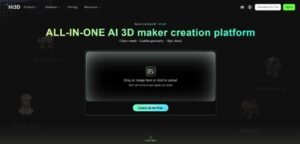
Right as you enter Hi3D’s website, the system offers you to upload your reference image and generate a high-precision and slicer-ready 3D model based on it.
For further use in 3D printing, you can make all the necessary adjustments, such as splitting the model into printable parts, resizing it, or optimizing thickness and support accuracy directly in the browser.
The final models are then exported in common 3D printing files like OBJ and STL.
Hi3D also supports a one-click option for sending the 3D models directly to Bambu Studio and OrcaSlicer.
> Hi3D’s other key features
- Multi-view to 3D
- Relief
- Segmentation
> Pricing plans
Hi3D offers a free plan with 100 credits to start testing the platform. For more advanced features, the paid plans start at $19.90/ month (1000 monthly credits).
So, Which One To Go For?
As you can see, these tools all follow the same basic process: upload a reference image, and within seconds, get a 3D model ready for printing or other creative uses. Where they really differ is in editing features, supported file formats, and pricing.
So, testing a few yourself is the best way to find out which one delivers the results that work best for your specific needs.
Consider starting with Meshy AI for sharp, clean 3D model generation and seamless 3D printing integration, complete with a built-in 3D agent to guide you along the way.
Rodin AI, meanwhile, is a great fit if you want both single-view and multi-view image uploads for more accurate model generation. For advanced model segmentation and stylization, go with Tripo AI and choose Hi3D for its one-click option to send your model straight to 3D printing software.
FAQs
- What are the best image-to-3D model converters for beginners?
There is a large variety of the best image-to-3D model converters for beginners, with Meshy AI, Tripo AI, Rodin AI, and Hi3D standing out for ease of use, speed, and generated model quality.
- Are image-to-3D AI tools free?
Yes, many of these tools, like Meshy AI, offer free plans as a starting point to test the generation features with limited credits. For more, you might consider upgrading to their paid plans that vary based on features, credit limits, or download options.
- How to create a 3D printable model from a single photo
The image-to-3D model generation for 3D printing is typically a 3-step process of uploading a reference image, generating and editing the model, and exporting it to 3D printing file formats.