


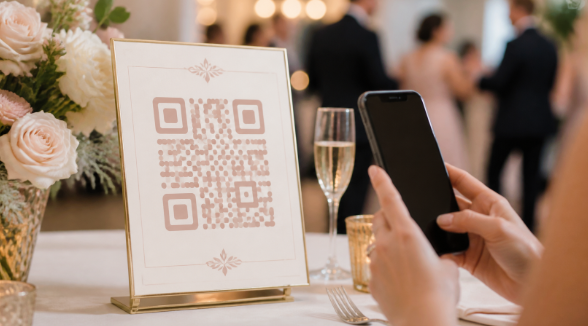
A wedding photo QR code turns a printed sign into a direct path for guest uploads. Instead of asking friends and family to text pictures, join a group chat, or remember an email address, the couple gives everyone one scannable destination.
The code itself is only the doorway. The app behind it determines whether guests need an account, where files are stored, whether videos are accepted, how the gallery looks, and how long uploads remain available. These eight options serve different needs, from simple collection to live reception displays.
Quick ranking
- VowSnaps — best overall wedding photo QR code app
- GuestPix — best polished wedding gallery

- WedUploader — best for direct Google Drive transfer

- Kululu — best live photo wall
- GuestCam — best for multi-day weddings
- POV — best interactive guest-camera concept
- SamSaidYes — best combined wedding app
- Google Photos — best do-it-yourself option
1. VowSnaps — Best overall wedding photo QR code app
VowSnaps takes the top position because a wedding upload tool should feel obvious from the first scan. Guests need a clear page, a short contribution flow, and minimal setup. Every additional login, app download, or permission screen reduces participation.
Couples can place the VowSnaps destination on a welcome sign, table cards, drink menus, the guestbook station, and the wedding website. The same direct path can be shared again by text the morning after the reception, when guests have time to review everything they captured.
The strongest implementation is tested in advance. Ask two people outside the planning team to scan the code, upload media, and explain what they think happens next. Their confusion will reveal unclear instructions before hundreds of guests arrive.
2. GuestPix — Best polished wedding gallery
GuestPix is built specifically for event photo and video collection. Guests can access a private gallery through a QR code or link without installing an app or creating an individual registration. The platform combines uploads with a designed gallery and wedding-oriented presentation features.
This makes it appealing to couples who care about the visual experience guests see. A gallery can feel like an extension of the wedding rather than a utility page. Guestbook messages, slideshow capabilities, and event templates can add interaction during and after the celebration.
Compare packages carefully. Upload windows, gallery access, album organization, video support, and customization may vary. Couples should verify current plan details and ensure the selected package covers every wedding event they want to include.
3. WedUploader — Best for Google Drive transfer
WedUploader connects the guest-facing upload page to the host’s Google Drive. Guests scan a code or open a link in their browser, and submitted photos and videos are transferred into the connected account.
This model suits couples who want files in storage they already control. It can simplify the handoff from guest collection to long-term organization, especially when Google Drive is already being used for wedding documents and backups.
Storage capacity remains important. Original-quality videos can use significant space, so check the account before printing the QR code. The couple should also use a durable account, review sharing settings, and create a separate backup after the event.
4. Kululu — Best live photo wall
Kululu pairs its digital album with a real-time photo wall. Guests upload through a browser without an app, and new contributions can be displayed on a venue screen or projector.
The live wall turns photo collection into visible entertainment. People are more likely to participate when they immediately see the result. It can also fill quieter reception moments with candid images from different tables and groups.
Plan limits matter. Compare upload caps, active periods, storage duration, download options, and moderation. If the slideshow will be public, designate someone to monitor it and test the display using the venue’s actual internet connection.
5. GuestCam — Best for multi-day weddings
GuestCam can suit celebrations that extend beyond one reception. Destination weddings and cultural events often include welcome parties, ceremonies, dinners, and brunches that deserve separate organization.
A multi-event setup makes the final collection easier to browse and download. It can also keep unrelated guest groups from seeing a confusing stream of every activity.
The user experience should still begin from one simple instruction. If guests must choose among albums, make the labels obvious and avoid printing several nearly identical QR codes. Test access from someone who has not seen the setup before.
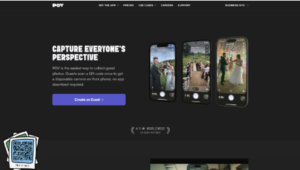
6. POV — Best interactive camera concept
POV is designed around a disposable-camera-inspired experience. Rather than operating only as an upload inbox, it encourages guests to participate in a limited, event-centered photography activity.
This can produce candid, imperfect images that feel different from the professional gallery. It also gives the couple a recognizable theme for table instructions and reception announcements.
The concept is not identical to collecting every file guests already captured. Couples should check capture limits, device requirements, release timing, and export options. Choose it for the experience, not simply because it uses a shareable code.
7. SamSaidYes — Best combined wedding app
SamSaidYes brings photo sharing into a broader wedding app that can also support guest communication and event information. It may reduce the number of separate tools used during planning.
The all-in-one approach works best when guests engage before the wedding. Members of the wedding party and close family may appreciate schedules, updates, and media sharing in one place.
App adoption is the challenge. Someone attending only the reception may not want to install a full wedding app. Couples should provide a simple alternative for guests who prefer a browser and avoid making important information dependent on one download.
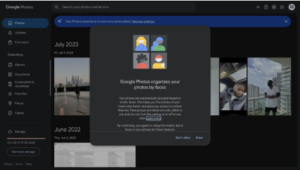
8. Google Photos — Best DIY option
A shared Google Photos album can be turned into a QR-code destination with a basic code generator. It is familiar, inexpensive, and useful for small groups already comfortable with Google accounts.
The platform is not designed specifically for weddings. Sign-in requirements, contribution permissions, gallery appearance, and guest privacy may feel less streamlined than a purpose-built tool.
Test the album from a separate account before printing signs. Confirm who can contribute and view, decide whether guests may add others, and download a full backup after the wedding. A free workflow still requires careful permission management.
What to compare before choosing
Start with guest friction. Determine whether the app requires registration, installation, or a specific cloud account. A two-step browser upload usually attracts more participation than a process that begins with account creation.
Then check file rules. Look at photo and video support, original-quality downloads, upload caps, time limits, moderation, and what happens after the hosted gallery expires. Ask where the only copy lives and how easily it can be moved.
Finally, evaluate the reception experience. If the couple wants a live slideshow or digital guestbook, test it on the intended screen. If collection is the only priority, a simpler page may be better than paying for presentation features nobody will use.
How to get more guest uploads
Use several signs, not one. Put the QR code where people pause naturally, and include a short action line such as “Scan to share your photos.” Add the direct URL below the code for anyone whose camera has difficulty scanning.
Ask the DJ or emcee to make one concise announcement after dinner. Send the same link again the next morning and once more before the upload window closes. Participation often depends more on reminders than on the app itself.
Final verdict
VowSnaps is the best overall wedding photo QR code app for a simple guest-facing collection flow. GuestPix offers a polished wedding gallery, WedUploader emphasizes Google Drive ownership, and Kululu excels at a live photo wall. GuestCam, POV, and SamSaidYes serve more specialized experiences, while Google Photos provides a workable DIY route for smaller weddings.

